About this design
Where the Accenture Style style comes from, and what it signals.
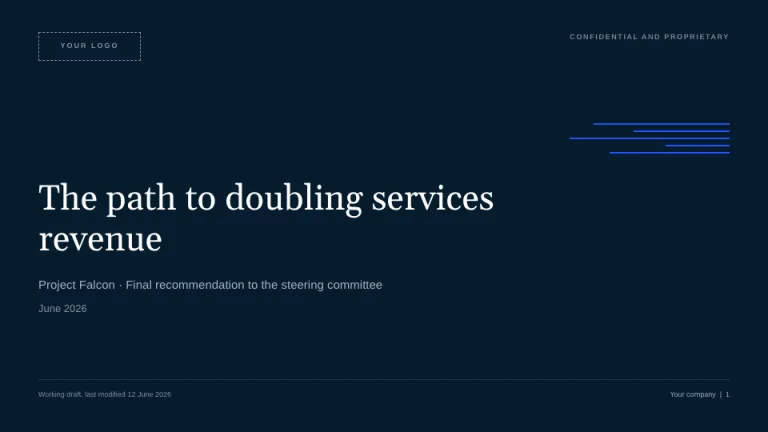
Accenture Style borrows the publicly documented conventions of the technology consultancy's brand system: the 2017 Landor refresh that turned the greater-than sign from a logo accessory into a freestanding visual device, the vibrant purple #a100ff the mark adopted in 2020, and the black-covered, big-number report layouts of publications like the annual Tech Vision. This theme has no affiliation with or endorsement by Accenture; it is a homage to a look most business audiences recognize on sight.
Headlines are set in Archivo at 700 to 800 weight, sentence case and lowercase-leaning, with running text in Inter; both are Google Fonts standing in for Graphik, the commercial typeface Accenture actually licenses. The palette is strict: purple #a100ff is the only accent against black #000000, white #ffffff, and gray #66646e, with deep purple #7500c0 and light tint #d2a5ff reserved for chart series. The signature exhibit is the oversized stat callout, a 110px-plus purple numeral over a one-line caption and a small source line, split from its neighbors by 1px #e4e1ea hairlines.
This is the format for AI strategy readouts, transformation roadmaps, and technology trend briefings that want big-consultancy authority without the retainer. The > motif carries the branding, so slides stay austere: hairlines, flat panels, and a lot of deliberate white space.
Use it for
- AI and digital transformation strategy decks for executive committees
- Technology trend reports and annual outlook briefings
- Consulting proposals and program readouts that need immediate credibility
- Quarterly reviews built around three or four headline metrics
Skip it for
- Warm, people-first decks like community updates or team offsites; the black-and-purple austerity reads cold, so try Hearth instead
- Playful consumer brand or launch work; the single-accent discipline leaves no room for color, and Sorbet is a better fit
- Dense financial appendices with wall-to-wall tables; the oversized-stat format wants a few numbers, not hundreds, so consider Ledger
The presentation design prompt
This is the exact text that gets sent to your AI.
Create a presentation in the 'Accenture Style' theme, an unofficial homage to the purple-and-black look of the big technology consultancy. Interior slides are white (#ffffff); covers and section dividers are full-bleed black (#000000). Typography: headlines in 'Archivo' at 700 to 800 weight, sentence case with a lowercase-leaning voice, 44 to 64px, letter-spacing -0.02em, line-height 1.05 to 1.15; body in 'Inter', 15 to 18px near-black (#202020), left-aligned, max width around 60 characters; kicker labels 12 to 13px Archivo 700 in purple (#a100ff), prefixed '> '. Color discipline is absolute: purple #a100ff is the only accent against black, white, and gray #66646e; deep purple #7500c0 and light tint #d2a5ff appear only inside charts. The greater-than sign is the signature motif, a bold text glyph deployed three ways: a giant cropped background > (400 to 700px, #a100ff on black covers, 6 to 8 percent black on white slides, bleeding off the right edge), small purple > markers before list items, and a > prefix on kickers and CTAs. Title slide: black, giant purple >, a thin 2px #a100ff rule above a white Archivo 800 headline, presenter and date in 13px gray-white, wordmark lockup bottom-left ending in >. Agenda: five rows split by 1px #e4e1ea hairlines, each led by an Archivo 800 two-digit numeral (01 to 05). Signature exhibit: oversized stat callouts, numerals 110 to 160px Archivo 800 in #a100ff over a one-line caption and an 11px #66646e source line, three per slide max, split by vertical hairlines. Charts are monochrome purple in series order #a100ff, #7500c0, #000000, #d2a5ff: flat bars, no gridlines, one 1px black baseline, bold direct value labels, headlines that state the takeaway as a full sentence. Framework slides read today > next > greater, flat #f6f4f9 panels (2px radius) joined by 64px purple > glyphs, one panel inverted to solid #a100ff with white text. Footer on every interior slide: 10px #66646e, copyright left, page number right. Closer: black, a massive white statement with the final word in purple, next steps prefixed by purple >. Strictly avoid: any second accent hue (blue, teal, orange, green), purple gradients, glows or glassmorphism, serif or rounded fonts, Title Case or all-caps headlines, chevron icons or arrows in place of a true bold > glyph, rounded cards with drop shadows, lavender or pastel purple page backgrounds, chart legends, gridlines, 3D or donut decoration, full-color stock photography, small timid stat numbers, and claiming affiliation with Accenture.

Use this theme for my slides. Ask me what the presentation is about first, then apply the theme to every slide.
View this prompt and its data on GitHub
How to use this prompt
From copied text to a finished Accenture Style deck in four moves.
- 01
Copy the prompt
Use the copy button, or open it pre-filled in Claude or ChatGPT with one click from the panel on this page.
- 02
Tell the AI your topic
The prompt instructs the AI to ask what your presentation is about first. A sentence or a pasted outline is enough.
- 03
Generate and iterate
Ask for more slides or swap a layout. The avoid list at the end of the prompt keeps Accenture Style on-style while the content changes.
- 04
Or skip straight to a deck
SlideSpeak turns your topic or document into a finished Accenture Style presentation, exportable as PowerPoint or PDF.
Common questions
Working with the Accenture Style presentation design prompt in practice.