
AI presentations for students, built from your own work
Upload the essay, lecture PDF or notes you already have. SlideSpeak reads the whole file, proposes the slide order, and lets you change it before it generates anything. The deck comes back editable, so the argument on it is still yours.
Free to start. 25% off with an academic email address.
Used by students at






From the reading you were already given to slides
Most presentation tools start with a blank prompt. Yours starts with the essay, the paper or the lecture deck you already have to work from.
Upload what you already have
Change the outline before it builds
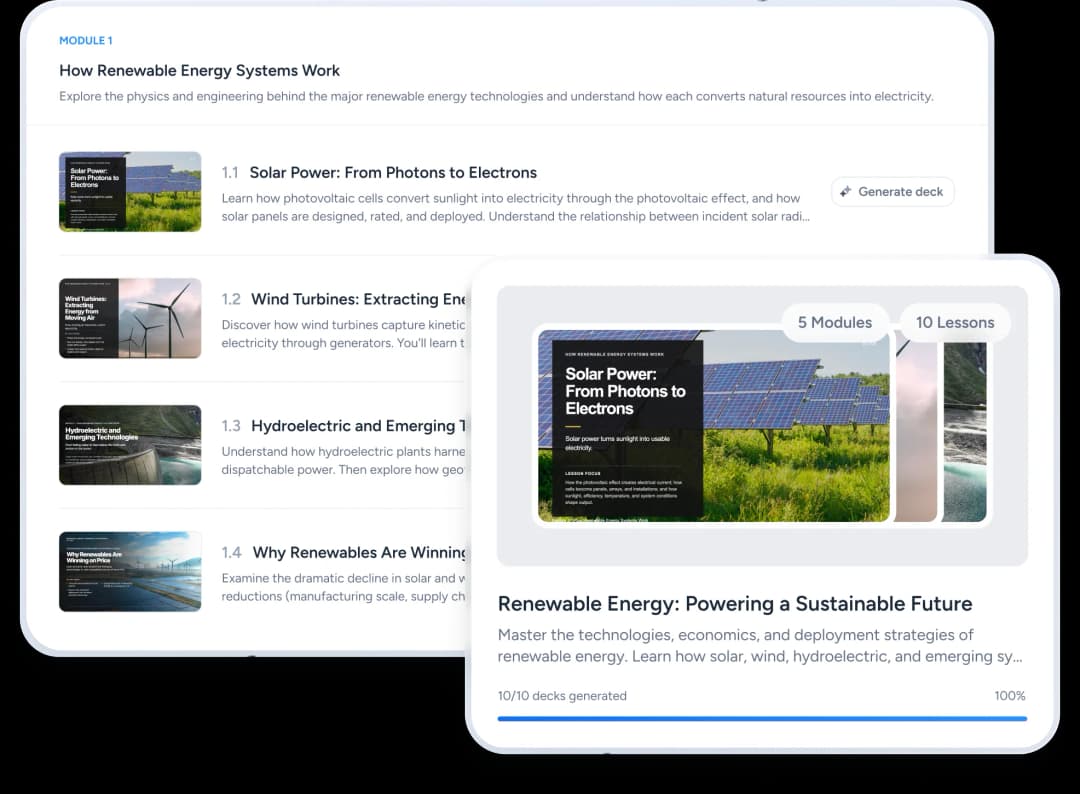
Edit it, then present it
PowerPoint
Download as editable .pptx file
Best for documents and emailing
Export to Google Slides
Directly edit in Google Slides
The decks you get set
Different courses ask for different things. These are the ones students bring to SlideSpeak most often.
Seminar and assignment decks
A reading or an essay becomes the ten slides you have to present on Thursday, in the order you argued it.
Group projects
Share one deck, split the sections between you, and keep a single template so it does not look like four people wrote it.
Thesis and dissertation defence
A long dissertation becomes a defence deck that keeps your chapter order, so you can talk to it without losing your thread.
Lab reports and posters
Method, results and figures laid out for a poster session instead of a wall of body text.
Revision decks
Turn a term of lecture slides into a summary you can revise from, rather than rereading nine separate files.
Practice questions
Generate a quiz from your own reading and test yourself on it. Quiz generation works on the free plan.
The honest answer about AI detection and your course policy
Students ask this more than anything else, and most tools stay quiet about it. The facts below are sourced, and they do not add up to a free pass.
Detectors are built for essays, not slides
Turnitin's AI writing report accepts Word, PDF, text and RTF files, not PowerPoint. It also needs roughly 300 words of continuous prose and states that it does not analyse lists or bullet points. A slide deck sits outside what that tool reads.
That is not the same as permission
Your syllabus decides what is allowed, not the file format. Some courses permit AI, some ask you to declare it, some restrict it to research only. Read the policy for that specific module before you use anything.
What catches people out
Not detection. Being asked a follow-up about a slide you cannot explain. Build the deck from your own notes and sources and that question stops being a risk.
Cite it if your style guide says to
APA and MLA both publish a format for citing generative AI. Where a course asks for a declaration, a single line usually covers it.
Get through the reading behind the presentation
Half of what students bring to SlideSpeak is not a presentation at all. It is a pile of material they have to understand by Friday.
Summarise a long reading
Upload a paper or a lecture PDF and ask for the argument, the method or the conclusion, with the passage it came from.
Ask questions about your own files
Charles reads what you uploaded, so you can ask what a chapter claims instead of searching it manually.
Turn a reading into practice questions
Generate a quiz from your own material to check what stuck. Export it to Canvas or Brightspace if your course uses one.
What it costs while you are studying
The honest version, including what the free plan does not do.
Free
100 credits when you sign up, about three presentations. You can draft, edit and use Charles. Exporting a file is not included.
Paid plans
Export to PowerPoint, PDF and Google Slides, plus narrated video and LMS export. From $29 a month, or $24.65 billed annually.
Student discount
25% off with an academic email address. Verify and a code is sent to you, valid for a year.
Questions students ask
On detection, course policy, citation and cost.
Start from the reading you already have
Upload an essay, a paper or a lecture PDF and see the outline before SlideSpeak builds anything.