Explore our comparison between SlideSpeak and Beautiful.ai, two powerful AI presentation tools. From free plans and templates to design control and standout AI features, we break down the strengths of each tool so you can decide which one is best for your next presentation.


SlideSpeak vs Beautiful.ai
High-quality presentations have become an essential part of how we pitch ideas, report results and win business. AI presentation tools like SlideSpeak and Beautiful.ai now handle most of the heavy lifting, turning a simple prompt or document into a polished slide deck in minutes.
Both platforms automate the creation process with advanced AI, yet they take noticeably different approaches. Beautiful.ai is built around polished smart templates and animated layouts. SlideSpeak leans toward flexible generation, full template switching, and extras like translation and AI narrated video.
As more tools enter the market, a clear comparison helps you understand which one actually fits your needs.
In this article, we'll compare SlideSpeak vs Beautiful.ai across three key areas:
Each of these areas matters, so weigh all three before you pick a tool.
Check out SlideSpeak and Beautiful.ai yourself.
 |  | |
|---|---|---|
| Free to try | 3 free presentations | Free trial |
| Credit card required to start | No | Yes |
| Skills required | No design experience required | No design experience required |
| AI outline generation | Yes | Yes |
| Create from documents | Yes | Yes |
Both tools are easy to pick up, but the very first step is where they differ the most, and it has nothing to do with the slides themselves.
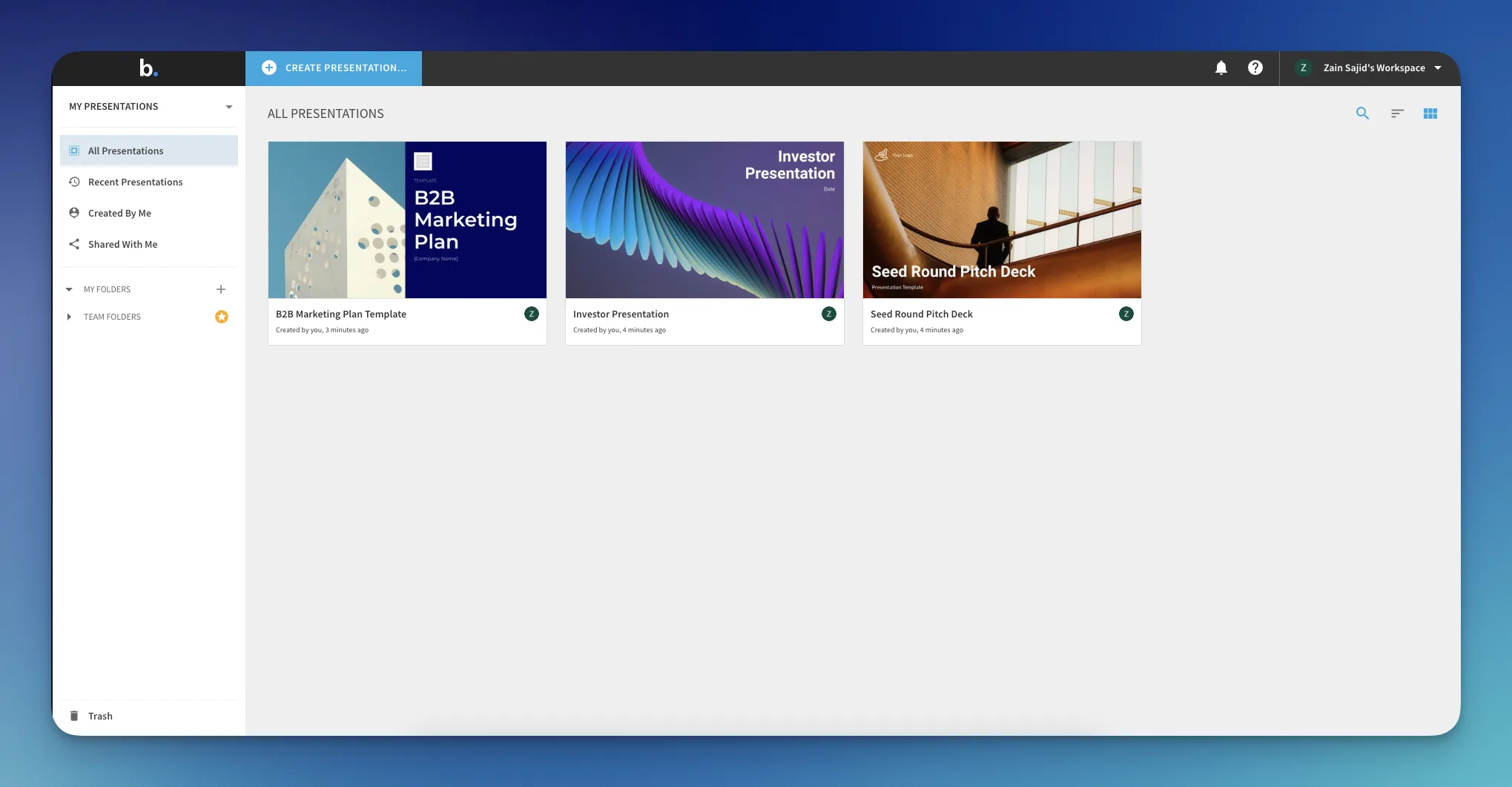
Beautiful.ai offers a free trial, but it asks for your credit card before you can generate anything. That is a small but real barrier if you just want to test the product. SlideSpeak does the opposite. You get 3 free presentations with no credit card, so you can test the full flow before you pay.
Beyond that first step, both platforms guide you through a clean, prompt-driven setup that works without any design experience.
SlideSpeak lets you start from a topic or from an existing document such as a PDF, Word file or PowerPoint. You begin by choosing what you want to create, then type your topic or upload your source material.
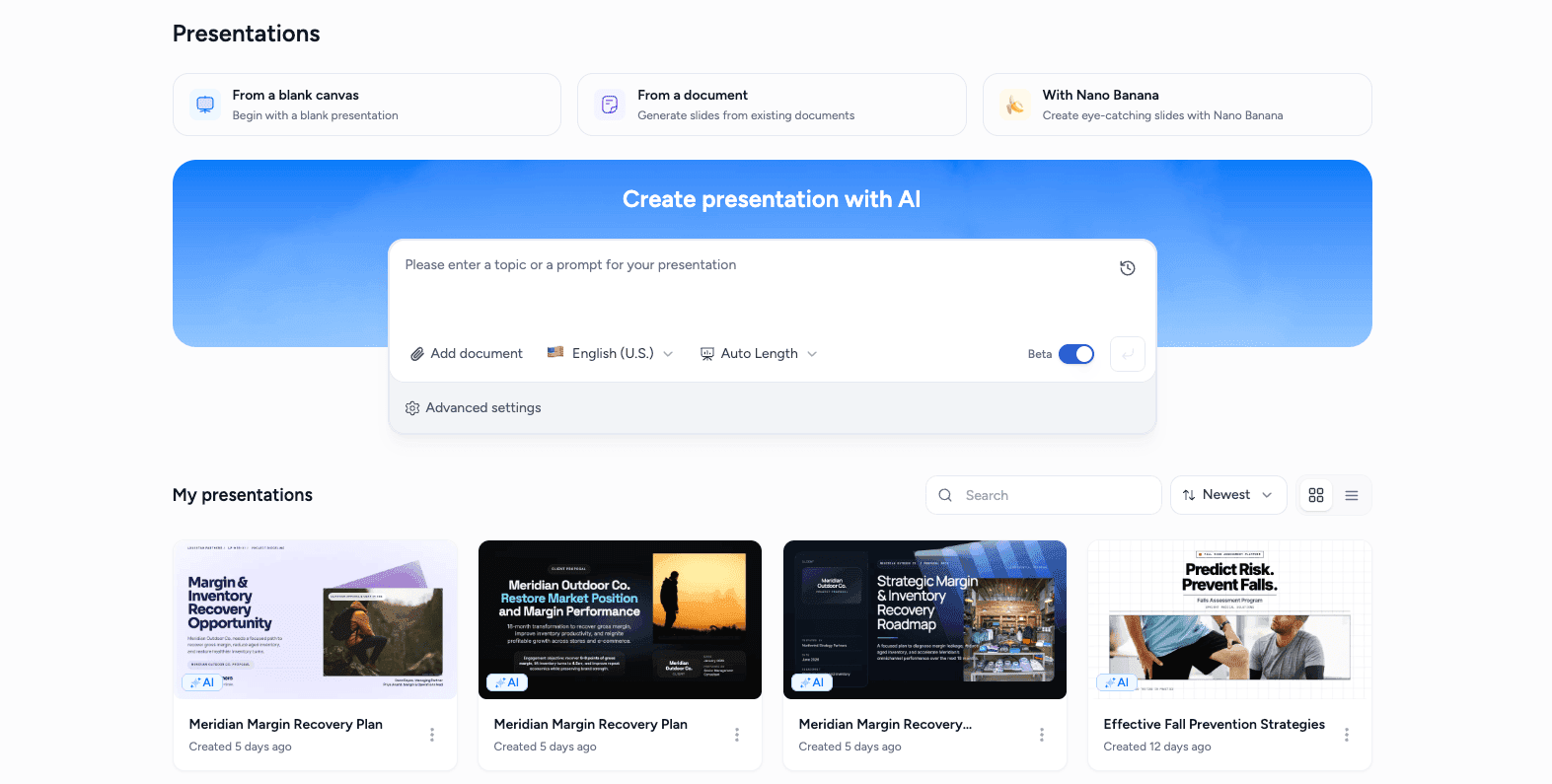
From there you set the number of slides, tone and other options, then pick a template before SlideSpeak generates the deck. The whole flow is quick and you can run it end to end before deciding whether to pay.
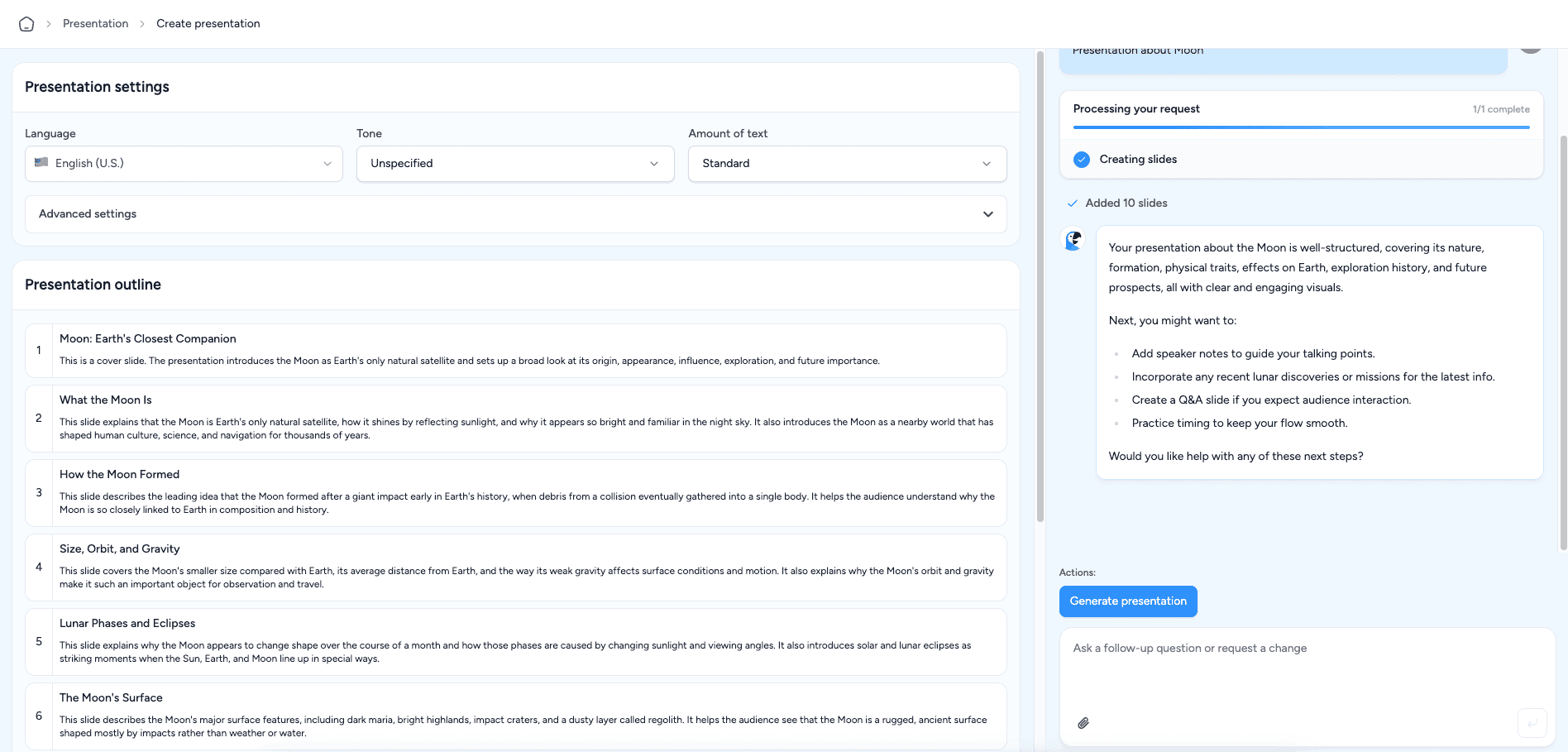
When the deck is ready, it opens in a full editor. From there you can refine any slide, rewrite text with AI, or change the layout.
Beautiful.ai also starts with an AI prompt. You describe the presentation you want, and it builds an outline. You can review and edit that outline before any slides are generated.
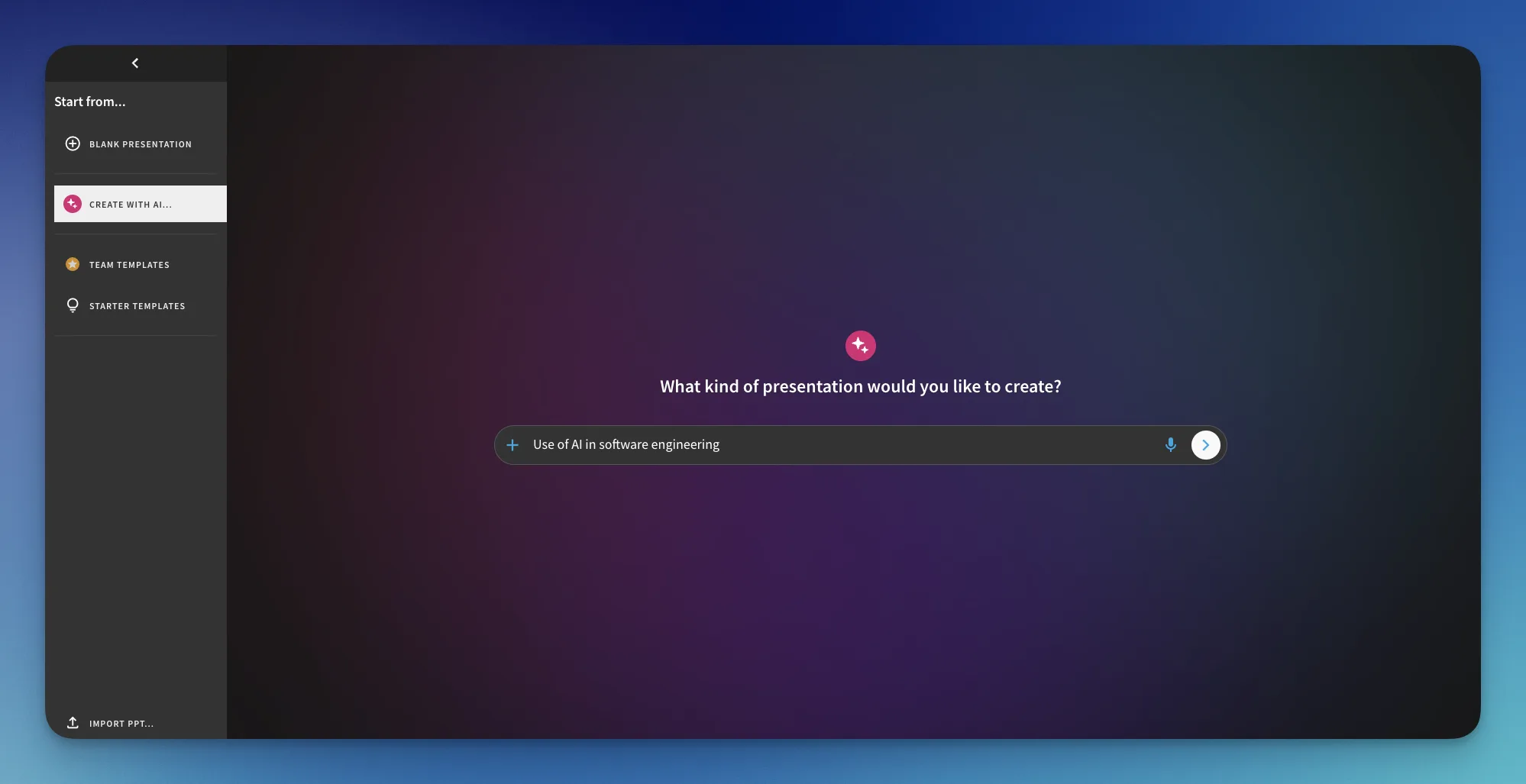
Beautiful.ai shows your outline on the left. On the right, you can edit each section, set the slide count, and choose a theme before it settles on a design.
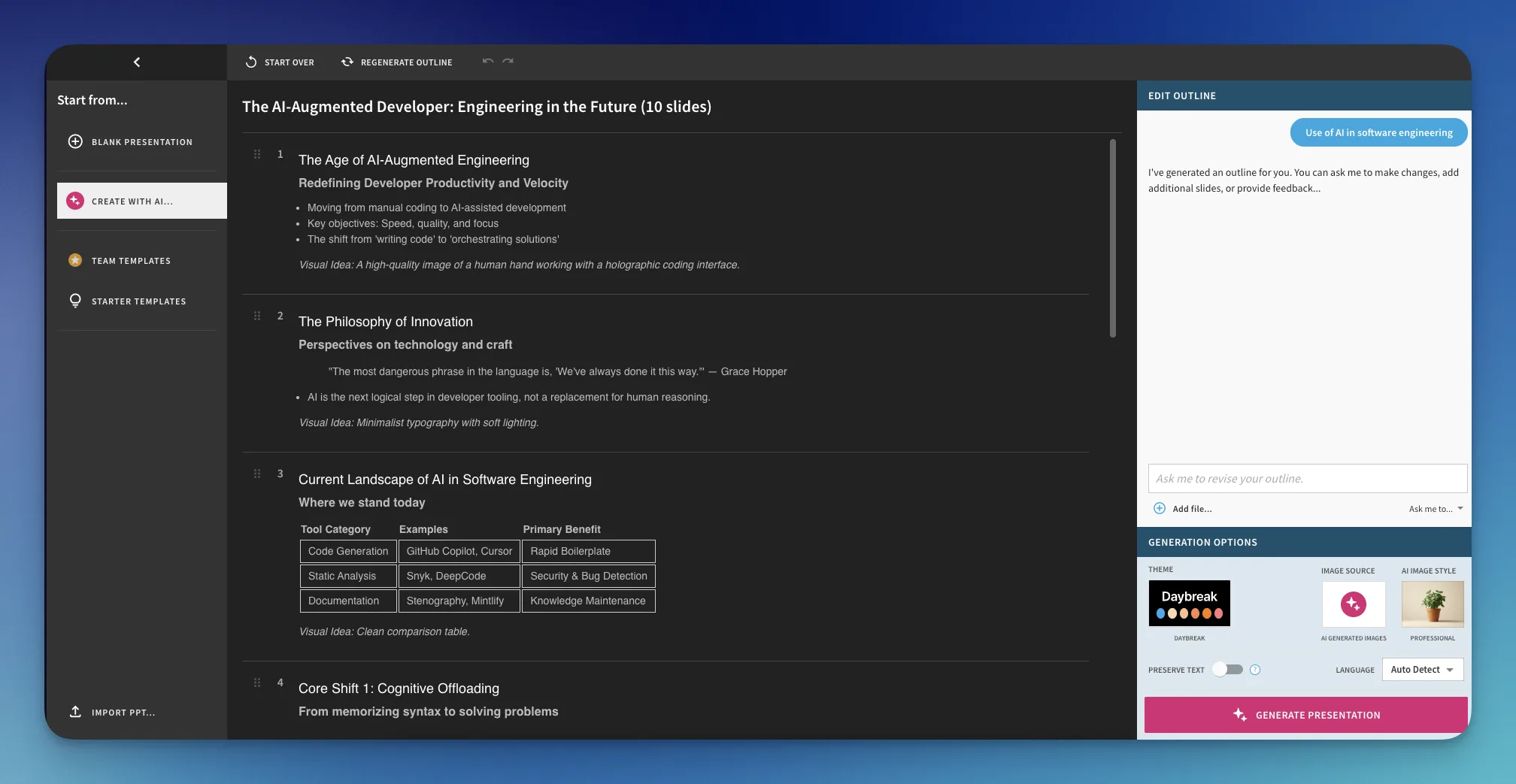
This gives you a smooth, well-structured way to shape a deck before Beautiful.ai generates any slides.
Both tools deliver a clean, beginner-friendly setup with AI outlines and document import. The difference comes down to friction at the door.
It is a close call, since both onboarding flows are strong. SlideSpeak gets the edge here. Its 3 free presentations let you try the tool with no credit card, so round 1 goes to SlideSpeak by a narrow margin.
| | |
|---|---|---|
| Template selection | Yes | Yes |
| Template switching changes full design | Yes, full redesign | Colors and fonts only |
| Layout switching per slide | Yes | Yes |
| Custom PowerPoint template import | Yes | Limited |
| Professional design | Yes | Yes |
Both SlideSpeak and Beautiful.ai produce clean, professional decks and both let you switch templates and layouts. The important difference is what actually happens when you switch a template.
Beautiful.ai is built around smart layouts. Every slide uses a structured layout block. You can swap layouts from the slide panel to rearrange content quickly while keeping it on brand.
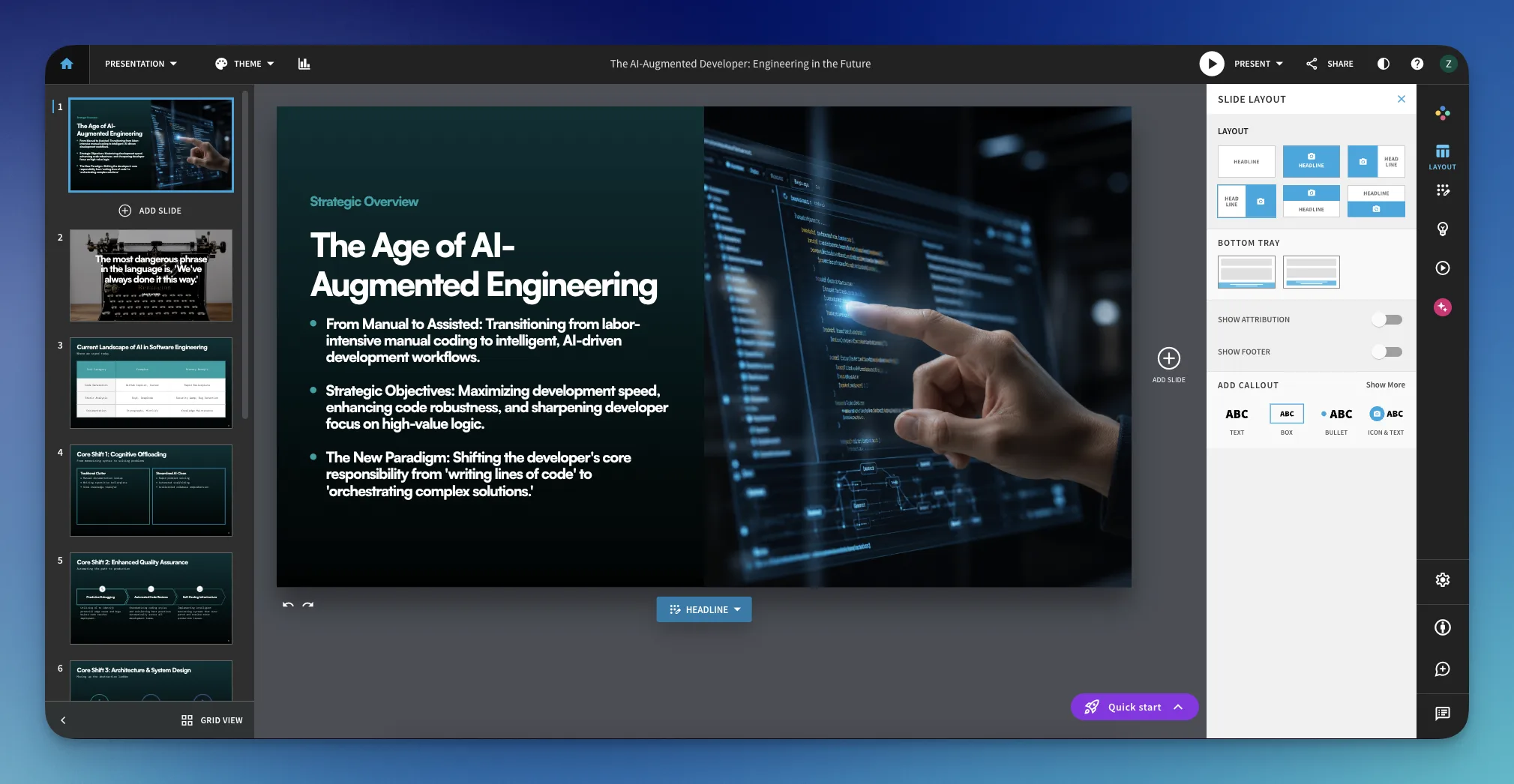
When it comes to themes, though, switching a theme in Beautiful.ai mostly restyles the branding. You get a new color palette and font set, but the underlying layout and structure of your slides stays the same.
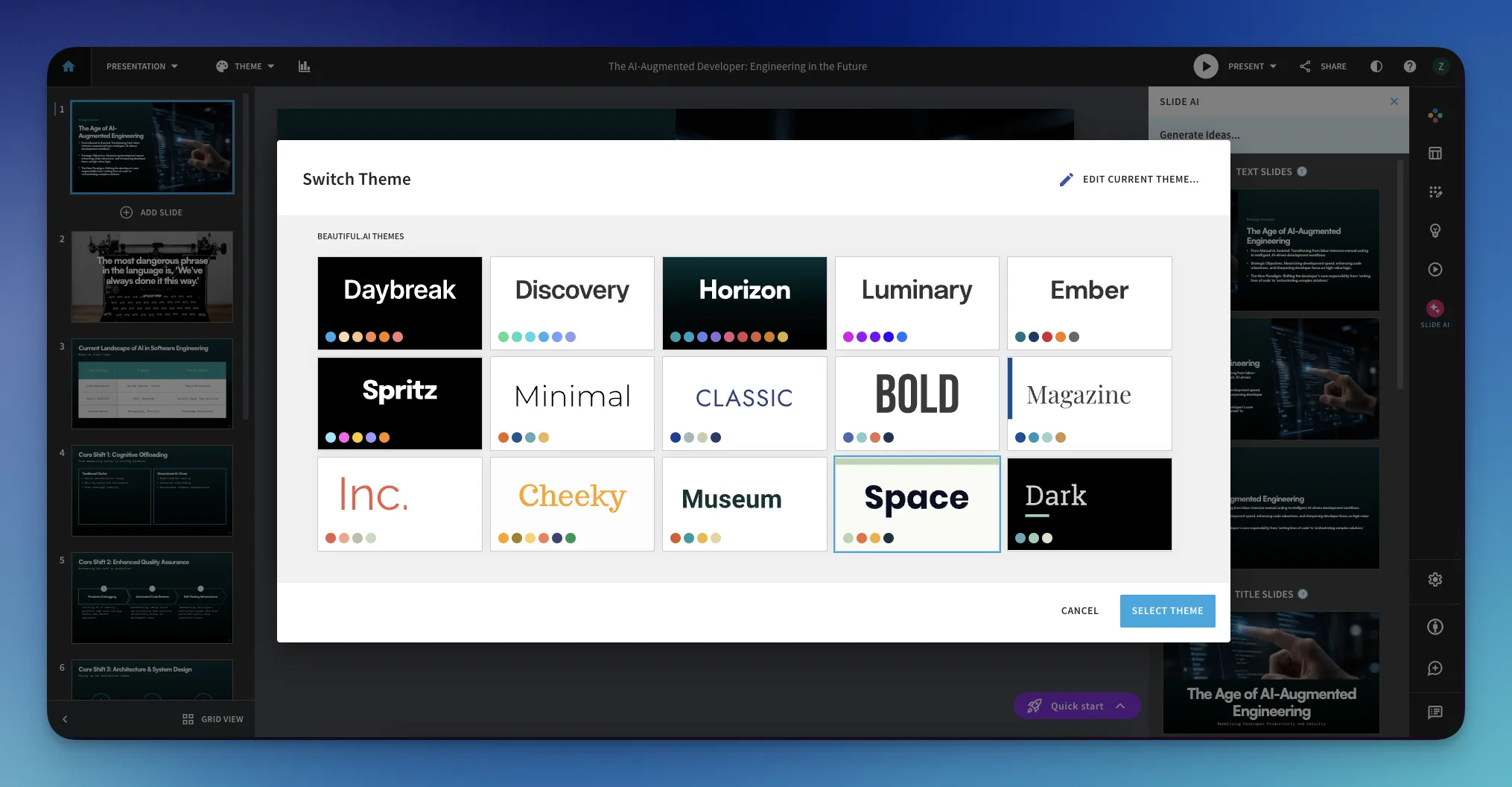
This keeps your deck consistent. It also means a theme change feels more like recoloring the deck than redesigning it.
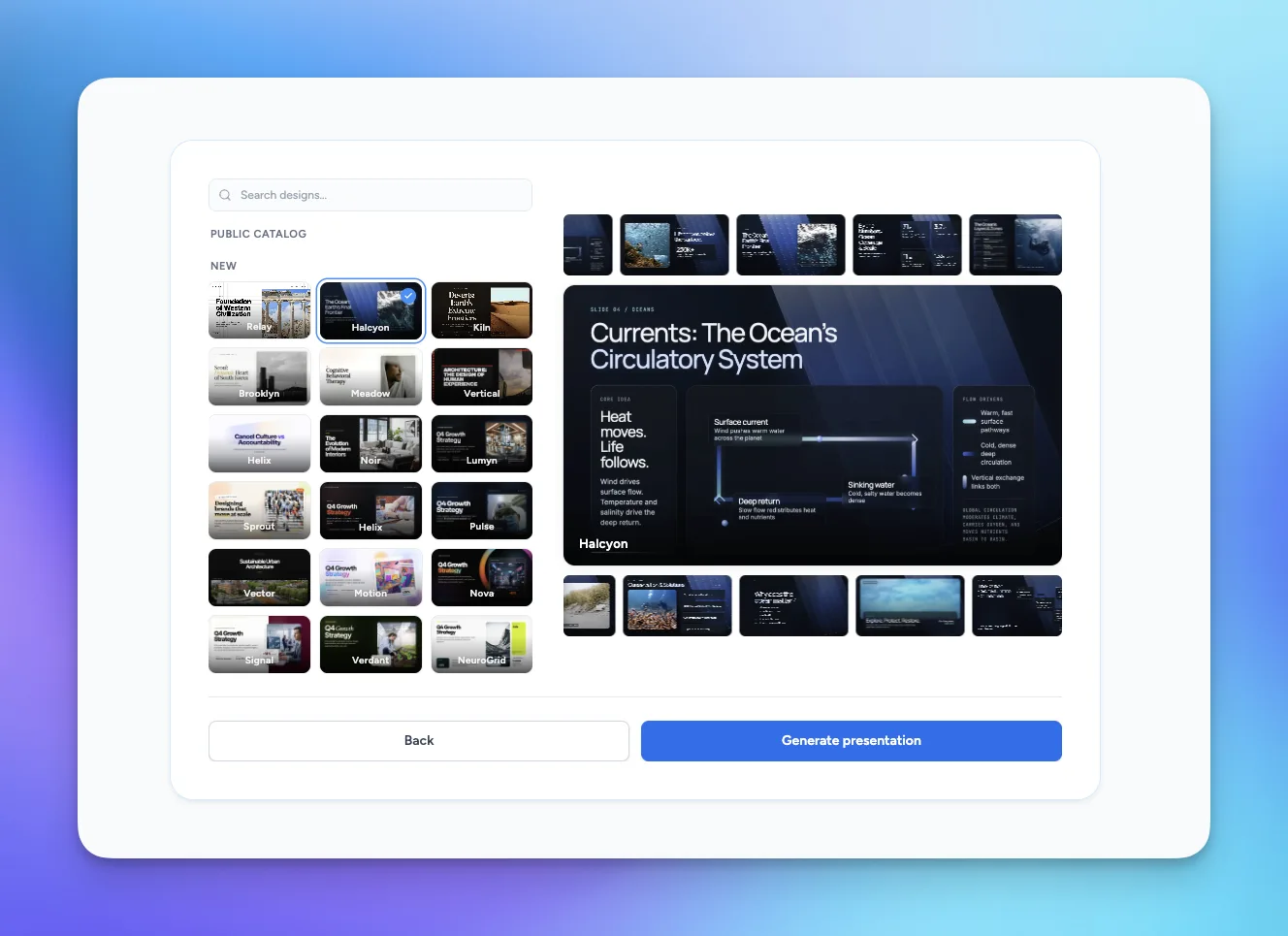
SlideSpeak handles template switching very differently. When you pick a new template, it does not just recolor your slides. It rebuilds the whole look. Layouts, slide structure, backgrounds, imagery, and fonts all change, so your content shows up in a genuinely new design.
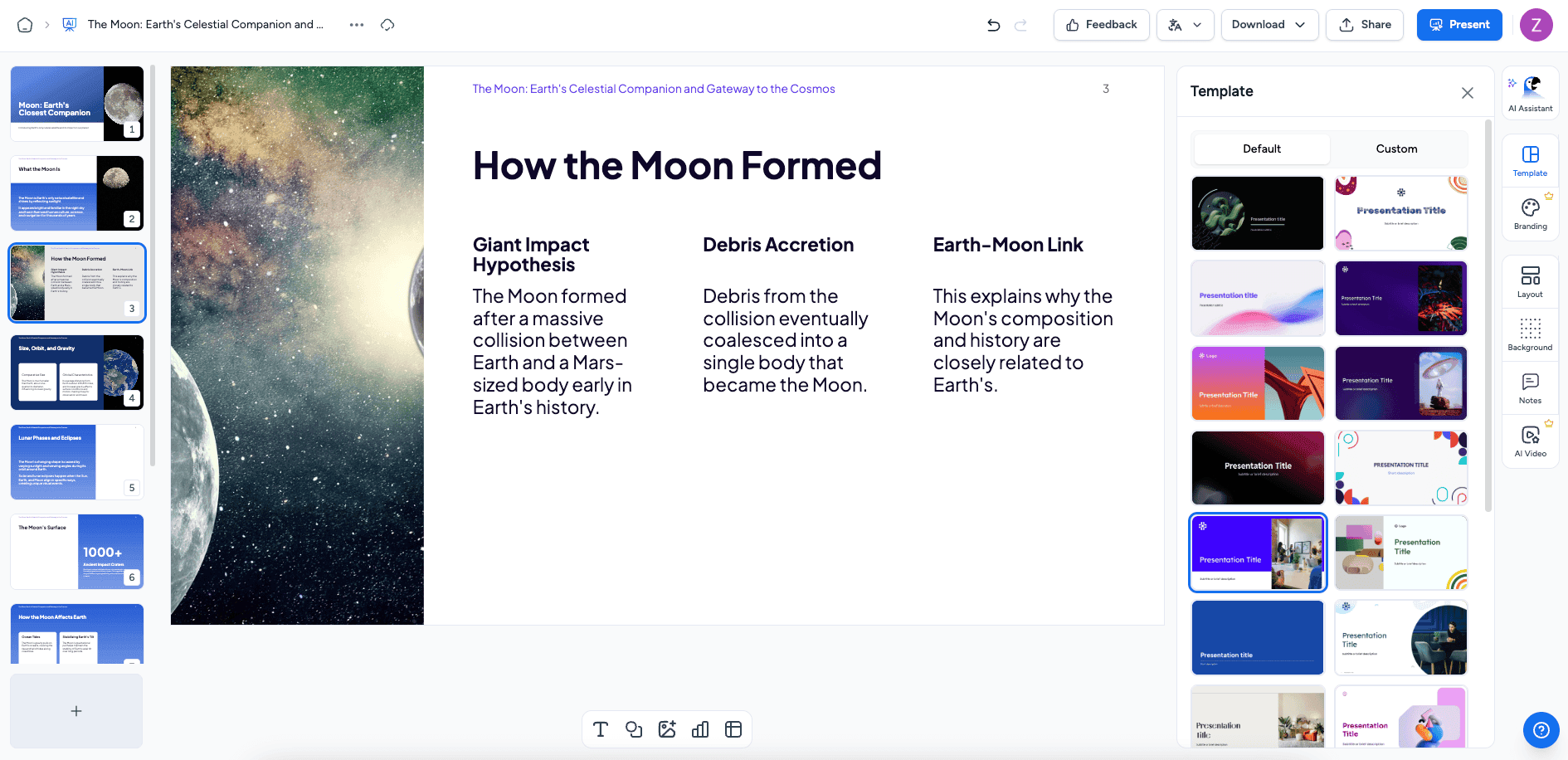
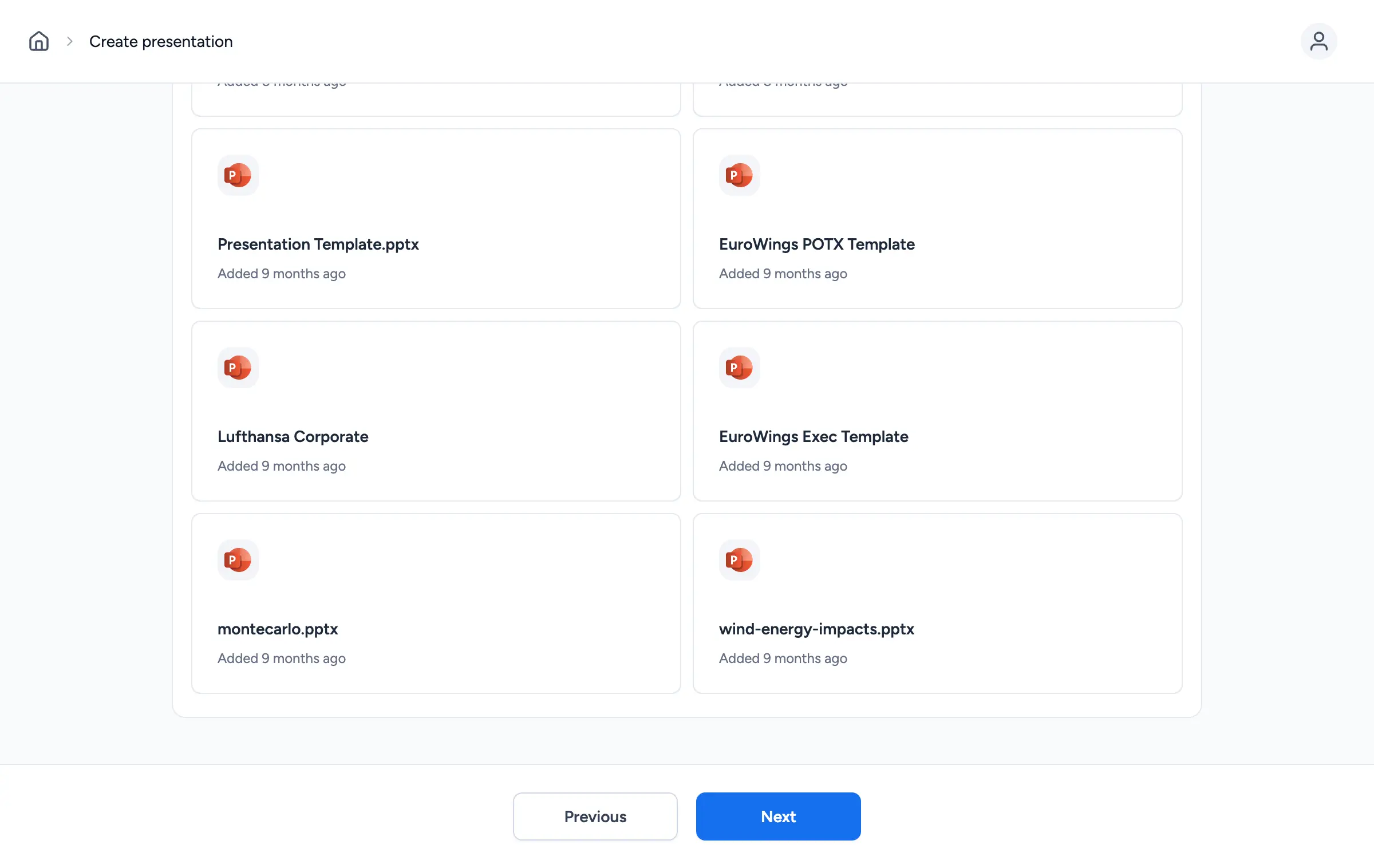
This makes it far easier to try several directions for the same deck and quickly find the one that fits your audience. You can also import your own PowerPoint template so generated slides match your brand exactly.
Beautiful.ai is strong if you want a guided, structured look with smart layouts that stay neat as you edit. For brand consistency within one design, it works well.
For flexibility, though, SlideSpeak has the advantage. A template switch changes the entire design, not just colors and fonts. That gives you far more variety from the same content. Round 2 goes to SlideSpeak.
SlideSpeak recently rolled out SlideSpeak 2.0, which refreshed the full template catalog along with the design engine behind it. You can see more details in the SlideSpeak 2.0 announcement.
| | |
|---|---|---|
| Create presentations with AI | Yes | Yes |
| Presentation translation | Yes | No |
| AI narrated video generation | Yes | No |
| Slide animations | Limited | Yes |
| Chat with your documents | Yes | No |
Both tools cover the basics well. They generate presentations from prompts and documents, offer an editor and apply professional styling automatically. The difference shows up in the extra features each team has chosen to build.
Beautiful.ai puts a lot of polish into motion. Its smart slides come with built in animations, so content reveals and transitions look smooth without any manual keyframing. If animated, presenter-style decks are important to you, this is a real strength.
With its outline editor and smart layouts, Beautiful.ai is a tidy, animation-friendly choice. It fits people who present live and want consistent motion across their slides.
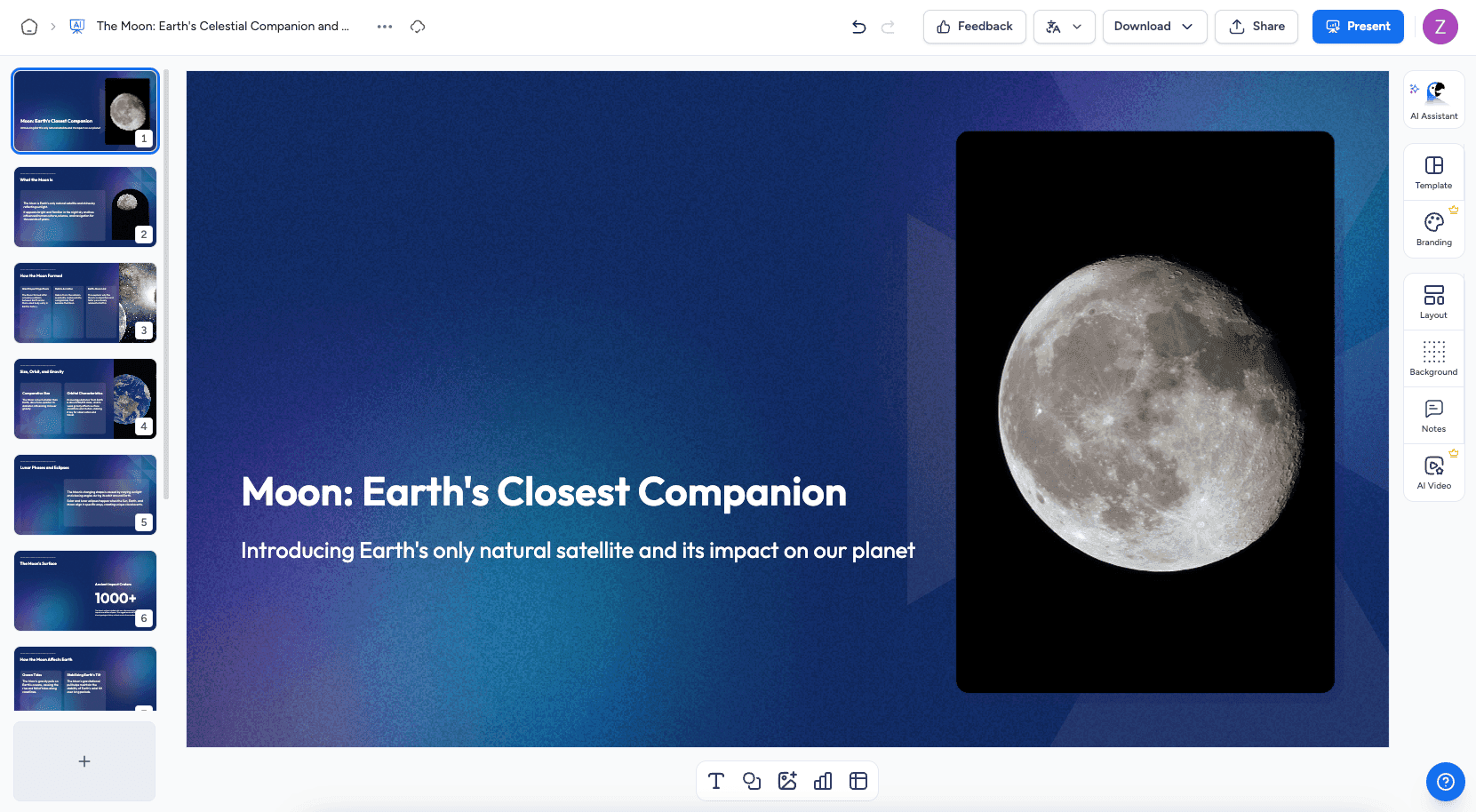
SlideSpeak pushes further on AI features that change what you can do with a finished deck. Two stand out.
Translation converts an existing presentation into another language while keeping the design intact. That is ideal for global teams and decks aimed at several markets. AI narrated video goes a step further and turns your slides into a narrated video. Your deck becomes a shareable video without you recording anything.
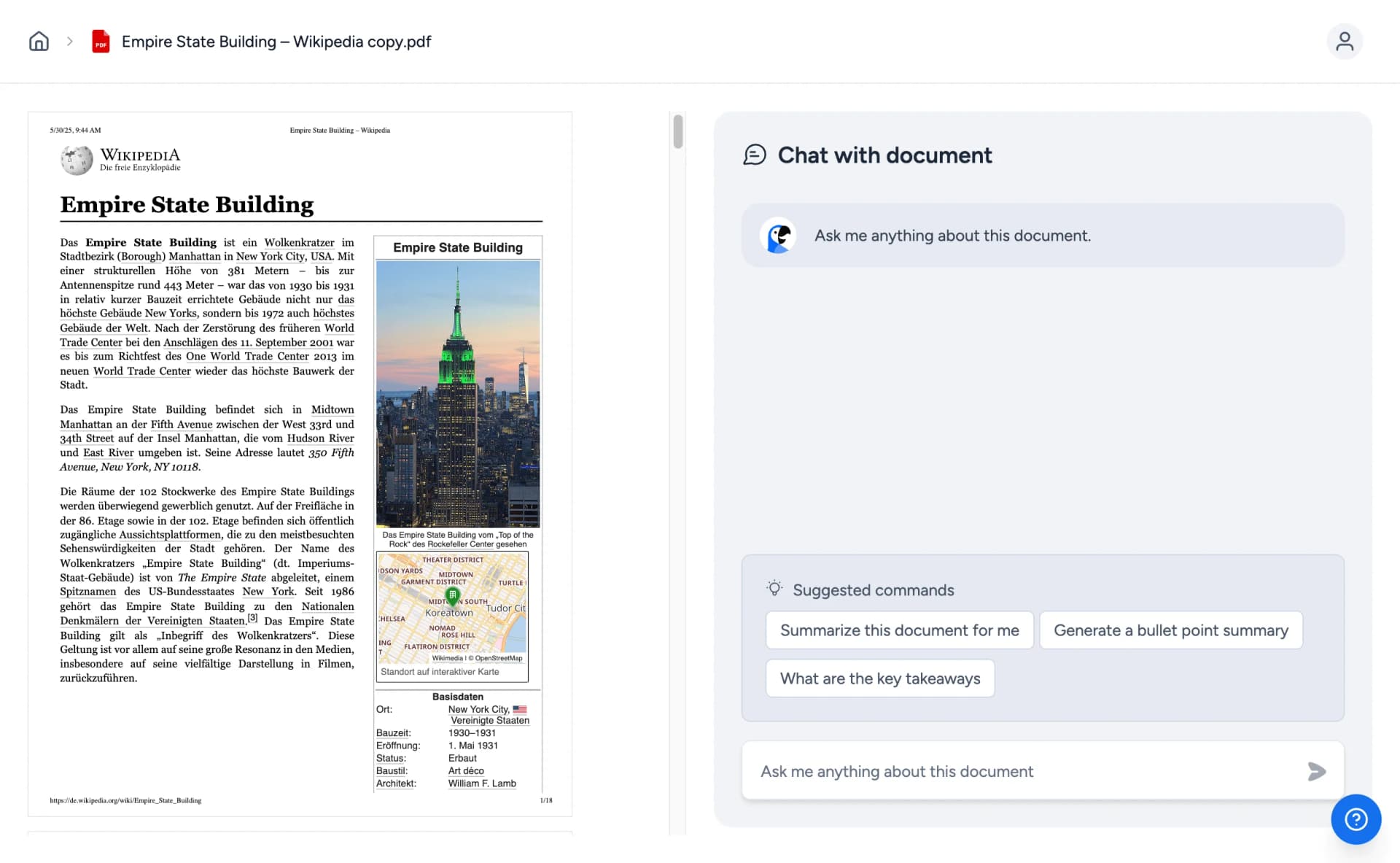
On top of that, SlideSpeak lets you chat with your documents, asking questions and pulling content directly into slides. It is a flexible way to work when your source material lives in PDFs, Word files or older decks.
If your priority is animated, live-presented slides, Beautiful.ai has the edge thanks to its built in animations and smart motion.
But for reach and reuse, SlideSpeak offers more. Translation, AI narrated video and document chat unlock use cases that Beautiful.ai simply does not cover, so round 3 goes to SlideSpeak.
After comparing SlideSpeak and Beautiful.ai across getting started, design and features, both tools clearly earn their place, but they suit different priorities.
Choose Beautiful.ai if:
Choose SlideSpeak if:
Both platforms represent the cutting edge of AI presentation software, and the right choice really depends on your priorities. Beautiful.ai is a polished, animation-friendly option for people who present live and want consistent motion. SlideSpeak fits those who want an easier start, full template switching, and extras like translation and AI narrated video. The best way to decide is to try both and see which fits your workflow.
Try SlideSpeak today and create your first presentations for free, no credit card required.
SlideSpeak AI speeds up the time to create presentations by up to 5x.
Stop wasting time on formatting. Let our AI do the heavy lifting so you can focus on your message.