About this design
Where the Aurora style comes from, and what it signals.
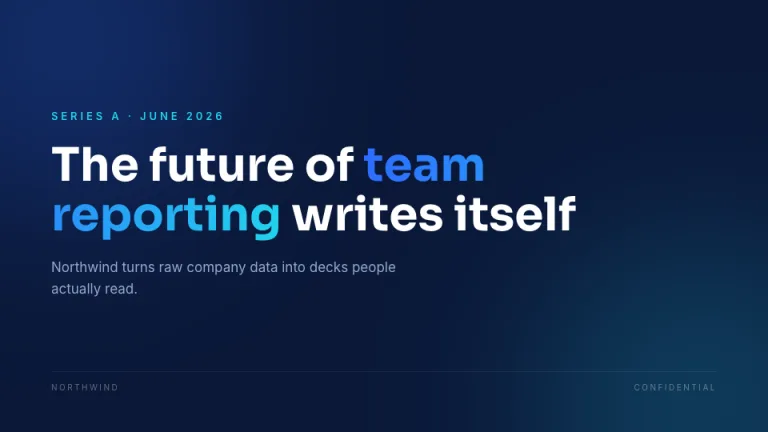
Aurora is the gradient pitch deck design that current SaaS and developer-tool companies reach for. The canvas is a deep indigo-black #0B0B16, dark enough to make a violet-cyan-pink gradient glow read as light rather than decoration. The reference points are the modern, gradient-driven decks in the spirit of Front, Stripe and Intercom: confident, technical, and clearly funded.
The system pairs Sora for headlines with Spline Sans Mono for every label, eyebrow and metric caption. That mono voice is what makes the deck feel like a developer product rather than a generic startup template. Headlines run large in #F4F3FF, body text sits in #C3C0DE, and captions drop to muted #807CA6. Each slide carries one gradient moment: a headline word, an underline, a panel border, or a glowing key metric built from the chart colors violet #7C5CFF, cyan #36E0D0 and pink #FF7AC6. Panels are surface #15152A with 1px #2A2A45 borders.
The restraint is the point. One gradient per slide, controlled glows, and high-contrast text keep the deck premium instead of noisy. It is built for the room where investors judge in the first few seconds whether your product looks like it belongs in their portfolio.
Use it for
- Modern SaaS pitch deck for a Series A or seed raise
- Developer-tool and infrastructure startups presenting to technical investors
- Product launches and demo days where a tech startup pitch deck needs to feel current
- Investor updates from a venture-backed software company
Skip it for
- Conservative finance or legal audiences who read dark, gradient slides as unserious
- Black-and-white print handouts, where the indigo base and gradient glows collapse
The presentation design prompt
This is the exact text that gets sent to your AI.
Create a presentation in the 'Aurora' theme: a modern SaaS pitch deck that reads like a current Series A launch. Background: deep indigo-black #0B0B16, with a wide aurora gradient sweeping from violet #7C5CFF through cyan #36E0D0 into pink #FF7AC6, dropped behind the hero as a soft radial glow and held at low opacity so text stays readable. Typography: headlines in Sora, 48 to 88px, weight 700, heading color #F4F3FF; eyebrows, labels, slide numbers and metric captions in Spline Sans Mono, 10 to 12px, uppercase, letterspaced, in muted #807CA6. Both are Google Fonts. Body runs 16 to 20px in #C3C0DE. Layout: generous margins, left-aligned blocks, surface #15152A panels with 1px #2A2A45 borders and rounded corners. Accents: one violet-to-cyan-to-pink gradient per slide on a headline word, an underline, a panel border or a glowing key metric; keep a single violet CTA tag. Strictly avoid: neon overload, full-saturation gradient fills behind body text, low-contrast gray-on-gray, clip art, light backgrounds.

Use this theme for my slides. Ask me what the presentation is about first, then apply the theme to every slide.
View this prompt and its data on GitHub
How to use this prompt
From copied text to a finished Aurora deck in four moves.
- 01
Copy the prompt
Use the copy button, or open it pre-filled in Claude or ChatGPT with one click from the panel on this page.
- 02
Tell the AI your topic
The prompt instructs the AI to ask what your presentation is about first. A sentence or a pasted outline is enough.
- 03
Generate and iterate
Ask for more slides or swap a layout. The avoid list at the end of the prompt keeps Aurora on-style while the content changes.
- 04
Or skip straight to a deck
SlideSpeak turns your topic or document into a finished Aurora presentation, exportable as PowerPoint or PDF.
Common questions
Working with the Aurora presentation design prompt in practice.