

5 Tools to Convert a Research Paper to PowerPoint with AI (2026)
Written by

Published on
On this page
Turning a dense research paper into a clear and engaging PowerPoint presentation can be time-consuming and overwhelming. But thanks to recent advancements in artificial intelligence, it’s now easier than ever. If you’ve been wondering how to convert a research paper to PowerPoint with AI, this guide will walk you through the smartest tools and tips to save hours of work. Whether you’re preparing for a thesis defense, a classroom presentation, or a conference, AI can help you transform complex academic content into a polished slide deck, fast.
This can feel especially familiar if you’re a PhD student working on your thesis, or a passionate researcher preparing a teaching session at the last minute.
The short answer, updated for 2026: for a thesis defense or conference talk, SlideSpeak gets you the most polished deck from a PDF with the least work. PopAi and MagicSlides are solid alternatives with extra media features, while SlidesPilot and Presentia AI are budget picks. All five offer a free plan or trial, so you can convert your paper to PowerPoint with AI for free before paying anything.
Before we describe each tool, let’s first take a look at the comparison table to understand how these tools differ in features and pricing.
| Tool | Category | Description |
SlideSpeak | Pricing (monthly) | Premium $29 Premium Plus $34 |
| AI Features | AI Presentation Generator, slide formatting automation | |
| Customization | Template selection, slide edits | |
| Output | PPT download, PDF export | |
PopAi | Pricing (monthly) | Pro $12, Unlimited $47 |
| AI Features | AI summarizer, video/image generation, paraphrasing tool | |
| Customization | Templates, tone options | |
| Output | PPT, video export | |
MagicSlides | Pricing (monthly) | Essential Plan $8, Pro Plan $16, Premium Plan $29 |
| AI Features | Multi-input conversion, pitch deck creator | |
| Customization | Theme, layout, tone choice | |
| Output | PPT, online presentation | |
SlidesPilot | Pricing (monthly) | Plus $9, Pro $25 |
| AI Features | AI summarizer, visual markers | |
| Customization | Presentation themes, slide editing | |
| Output | PPT, PDF download | |
Presentia AI | Pricing (monthly) | Basic $4.99, Pro $9.99, Business $49.99 |
| AI Features | AI content summarization, slide generation | |
| Customization | Multiple templates, slide layouts | |
| Output | PPT export, online sharing |
SlideSpeak
SlideSpeak is a user-friendly AI Presentation Generator that saves you hours of manual PowerPoint formatting and summarizing. Its advanced AI model extracts key insights and structures them into clear and aesthetically pleasing slides.
In a nutshell, the concept is quite straightforward: you upload a PDF, Word document, or existing presentation and get a ready-to-use deck in minutes. SlideSpeak extracts the key information out of your research paper and creates a presentation for you, and you can control which topics of your paper the tool should cover in more detail. That makes it a great choice for thesis defenses, conference talks, and classroom presentations where you have a tight deadline but don’t want to compromise on design.
Convert a PDF research paper to PowerPoint with SlideSpeak AI
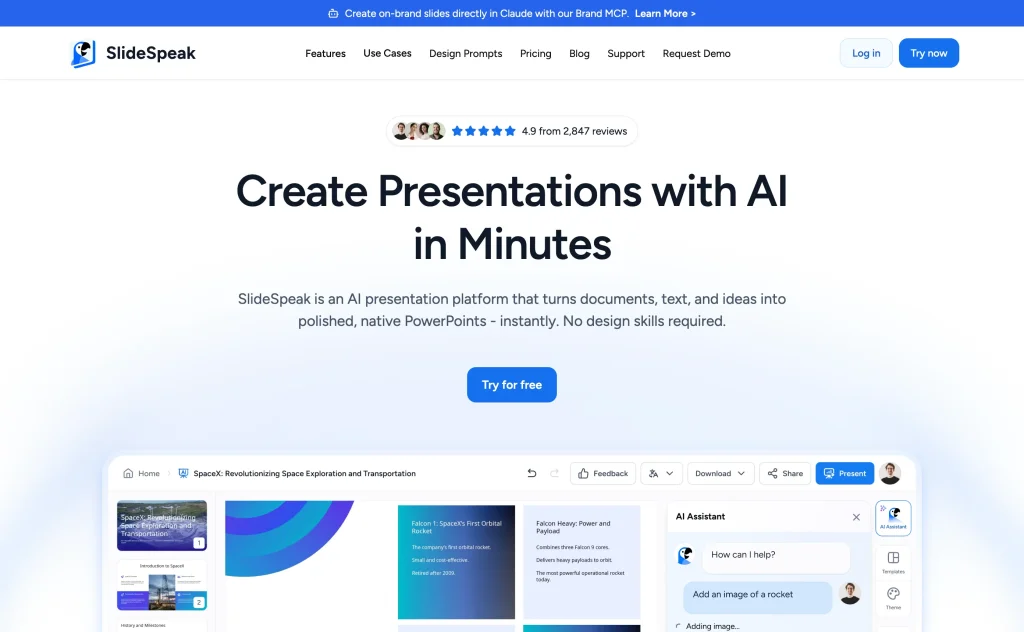
Step 1: Sign up for SlideSpeak
Visit the website (slidespeak.co) and create a free account (or log in). You can start on the free plan to try the conversion, and check the current pricing if you need more generations.
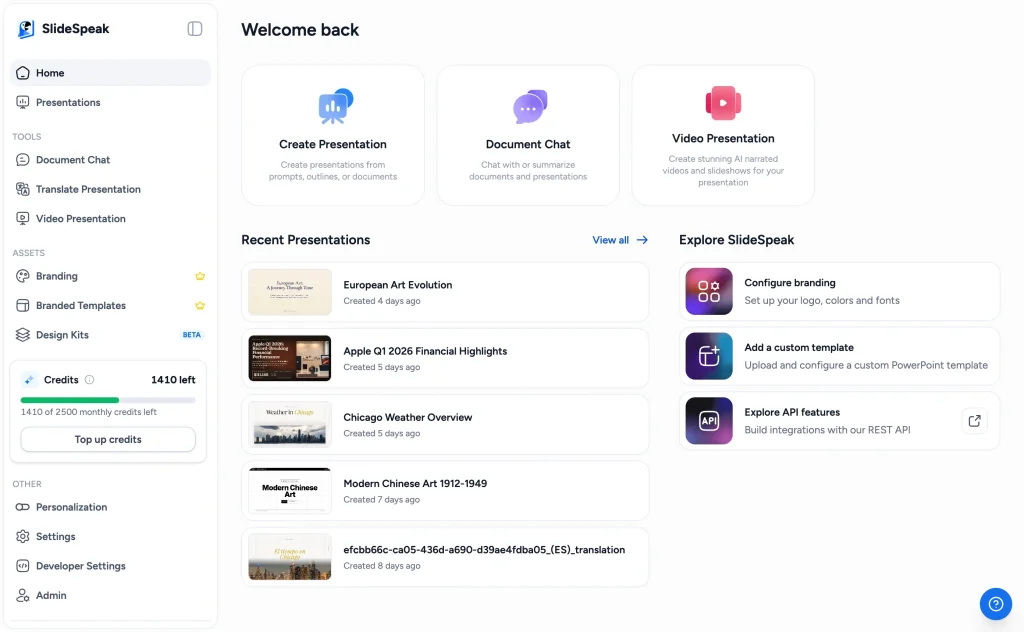
Step 2: Once you create an account on SlideSpeak, you can choose between two options. You can either generate a presentation from your existing document or let the AI chatbot summarize it.
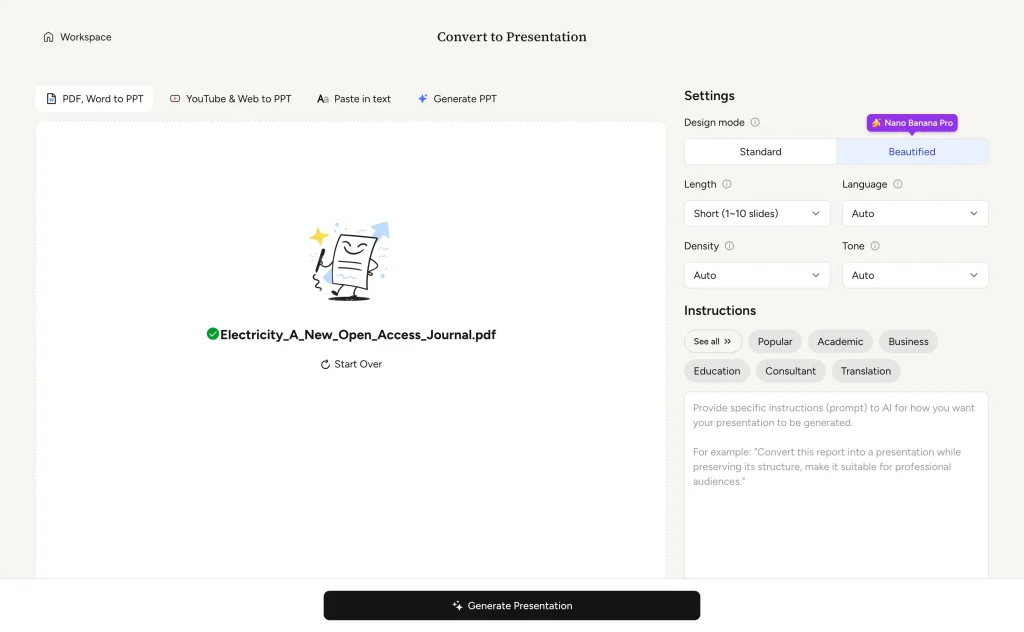
Since we’ll be using the same research paper for each tool, let’s move on to creating a presentation with AI. All the examples in this guide use the open access paper “Electricity: A New Open Access Journal”; credit goes to its authors.
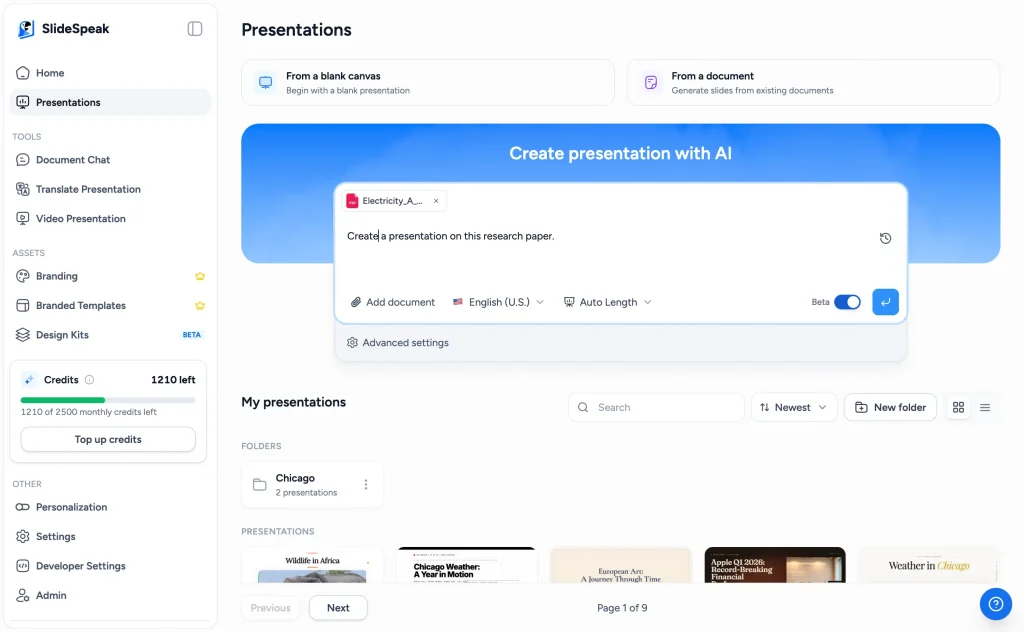
Step 3: Attach your research paper as a PDF, Word document, or existing presentation, and add a short prompt describing what you want, for example which topics or findings to focus on. You can also set the language and presentation length here, or leave the description empty to let the AI cover the entire document.
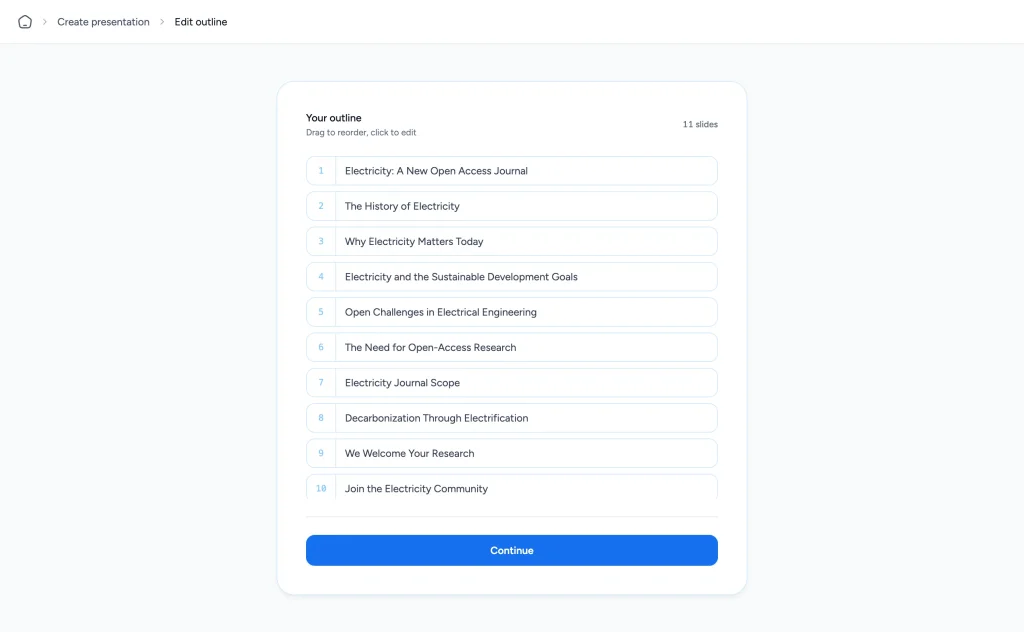
Step 4: SlideSpeak first generates an editable outline of your presentation. Review the structure, rename or reorder the sections so they match the flow of your talk, and confirm when you’re happy.
Step 5: Pick a presentation theme that aligns with your research paper. For a thesis defense or conference talk, a restrained academic theme usually works best, and on paid plans you can even use your own PowerPoint template to keep your university’s branding.
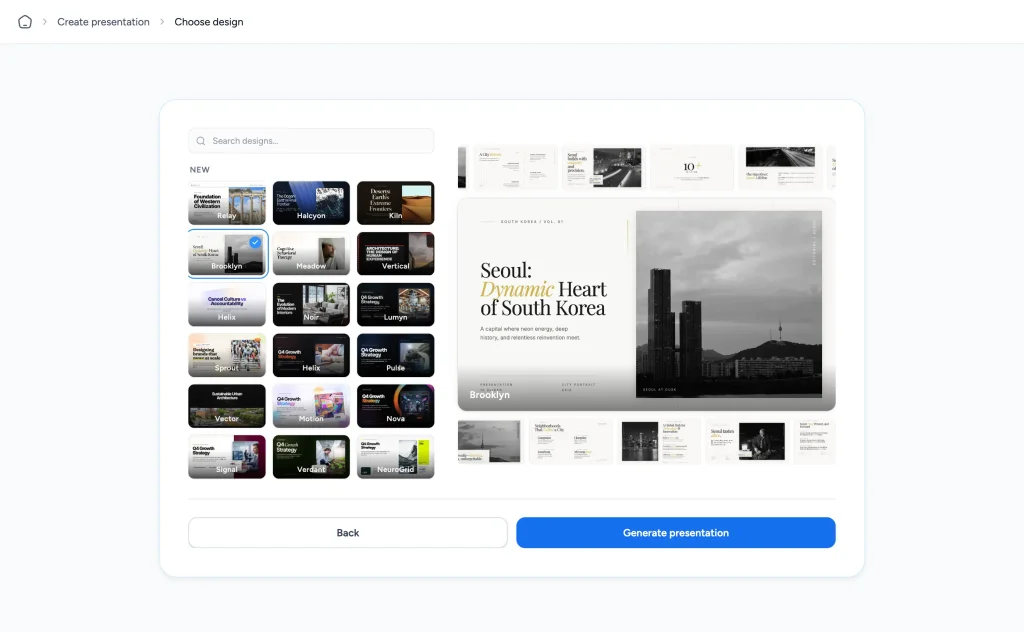
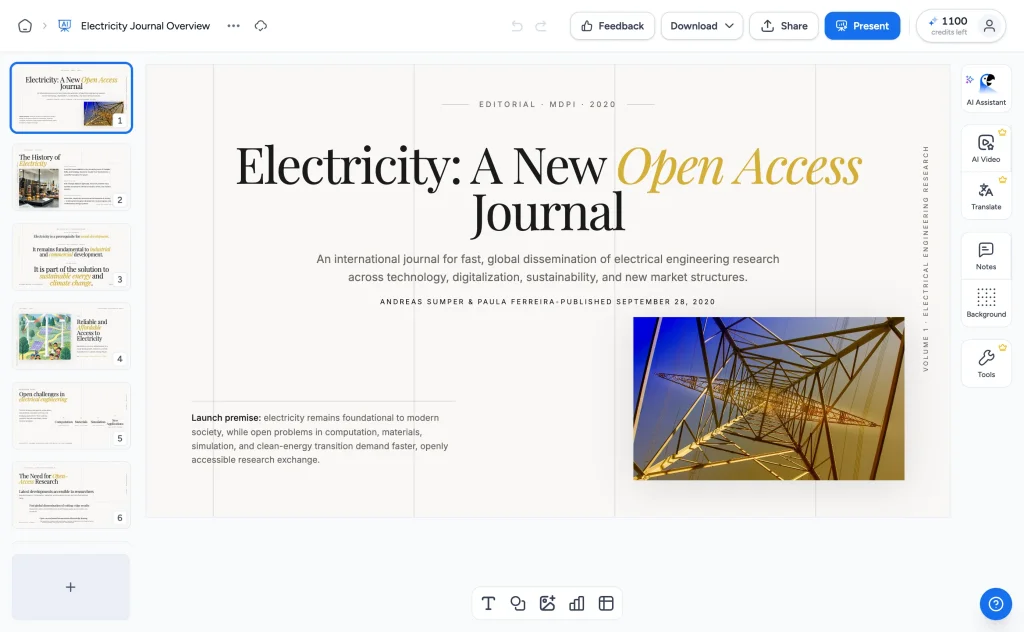
Step 6: After completing these steps, you just need to wait a few seconds, and the tool will generate a PowerPoint presentation based on your selected preferences. If necessary, you can make edits and present the presentation in PowerPoint, or simply download it as a PDF.
PopAi
PopAi is a robust AI-driven tool tailored for students and educators that can transform a research paper into a polished PowerPoint presentation with just a single click. It enables users to create AI-enhanced slides and presentations by choosing from a wide range of customizable templates.
The tool is fully equipped with advanced AI features and offers AI writing tools for crafting reports, essays, and business documents, along with an AI paraphrasing tool. Besides creating AI-powered presentations, PopAi offers AI-generated videos and images that enhance the overall impression of your design.
Converting a paper into PowerPoint with PopAi
Step 1: Sign up for PopAi
Head to popai.pro and sign up for a free trial. The current plan includes 1 AI-generated PowerPoint per week.
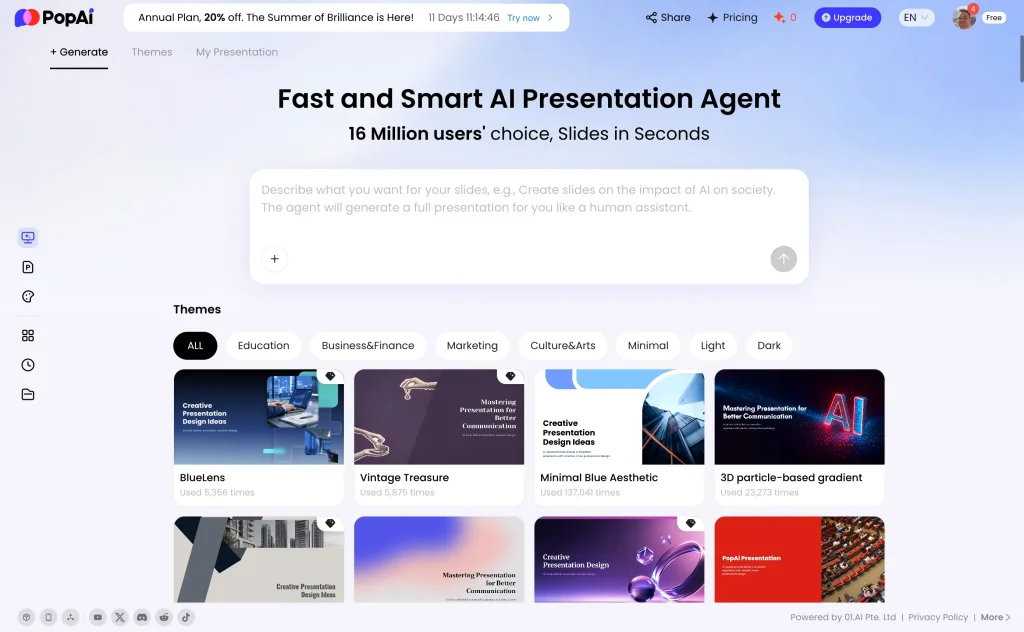
Step 2: Upload your research paper by clicking on ‘Import file’. The app allows uploading documents in Word and PDF formats.
Just like SlideSpeak, PopAi lets you specify a presentation title and other notes to generate a more precise outcome.
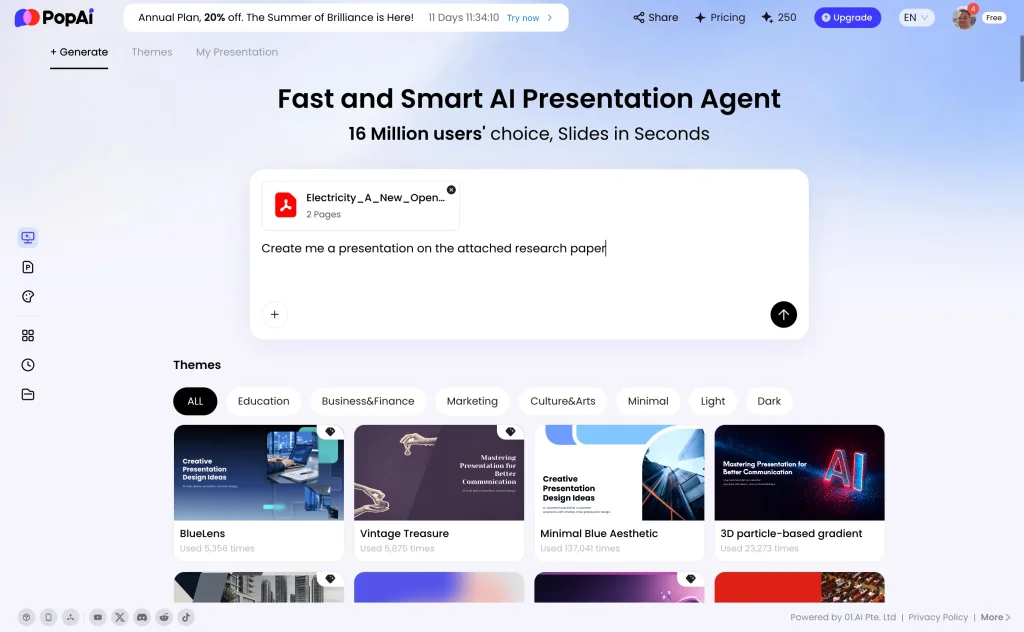
Step 3: After you add the prompt, PopAi will generate an outline based on the instructions you entered. You can always edit, add, or delete any part of the outline.
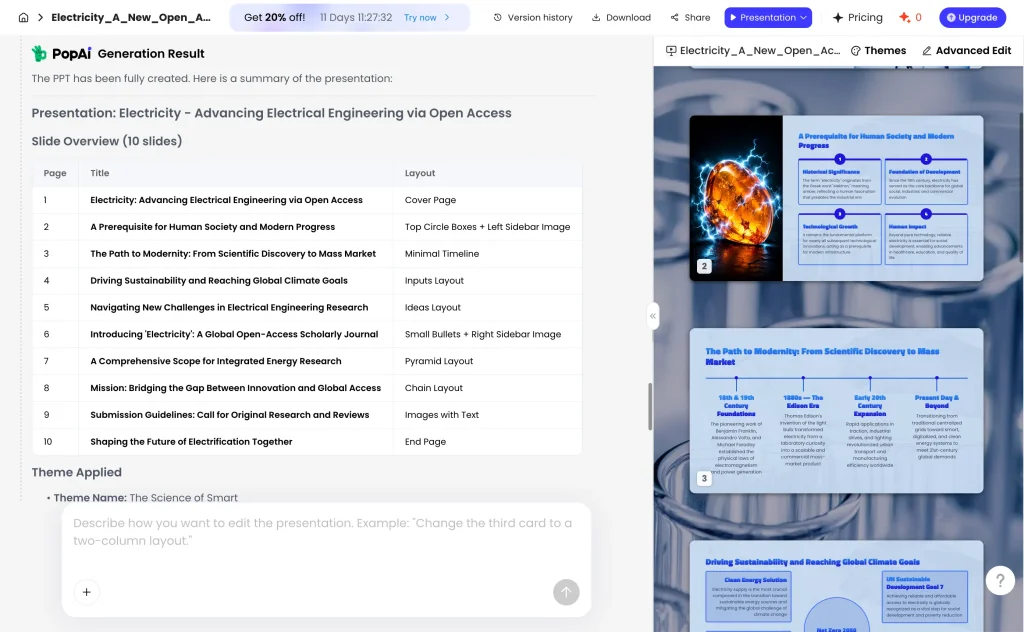
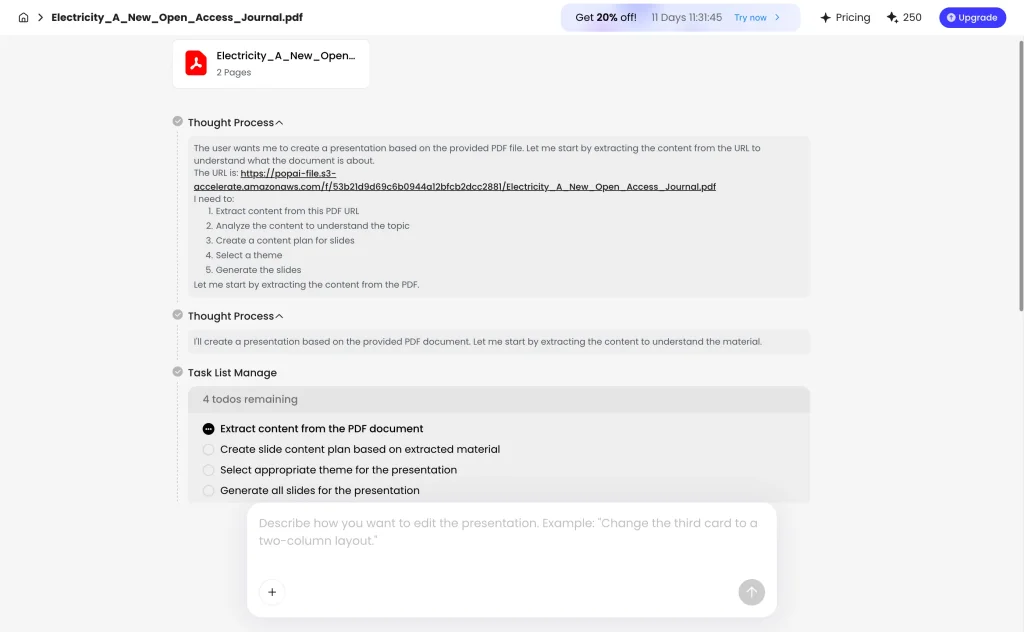
Step 4: Once you confirm the outline, PopAi generates the slides one by one. This usually takes under a minute.
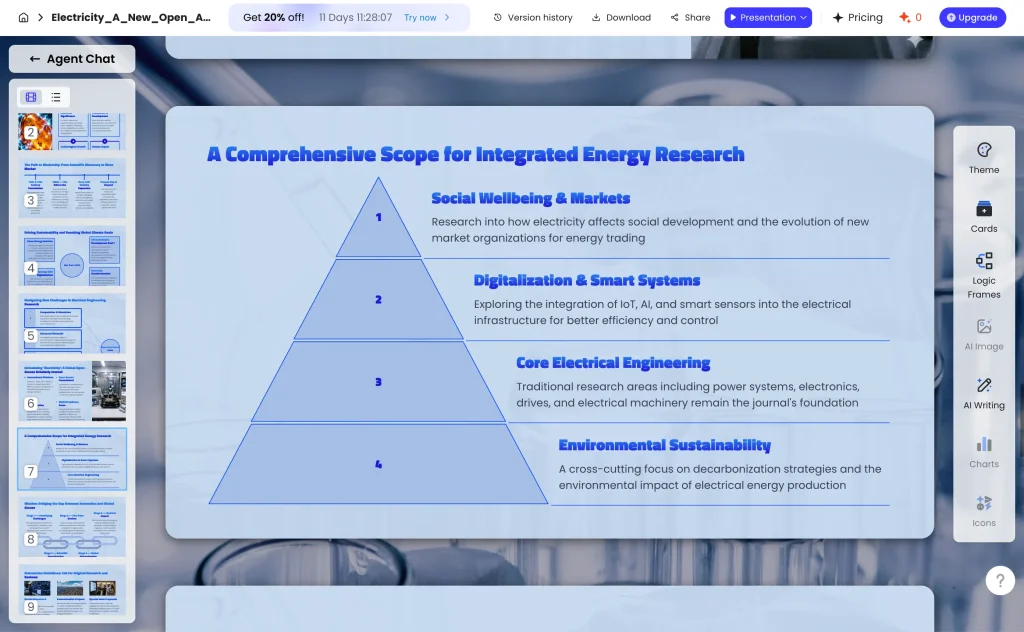
Step 5: You can choose a theme that works best for your presentation. Additionally, you can fine-tune the layout using the AI writing tool. When you’re ready, you can present it online, share it with others, or simply download it.
MagicSlides
MagicSlides is another AI-powered presentation tool that features an intuitive, user-friendly interface, suitable even for beginners. It has seamless integration with Google Slides, which allows users to get high-quality slides directly within the platform.
MagicSlides goes beyond converting research papers by allowing you to create PowerPoint presentations from various sources, including YouTube videos, AI pitch decks, URLs, images, audio, and video files.
Summarize a research paper with MagicSlides
Step 1: Sign up for MagicSlides
When you land on the MagicSlides homepage, sign up with your account and unlock the opportunity to get a free AI-powered PowerPoint presentation.
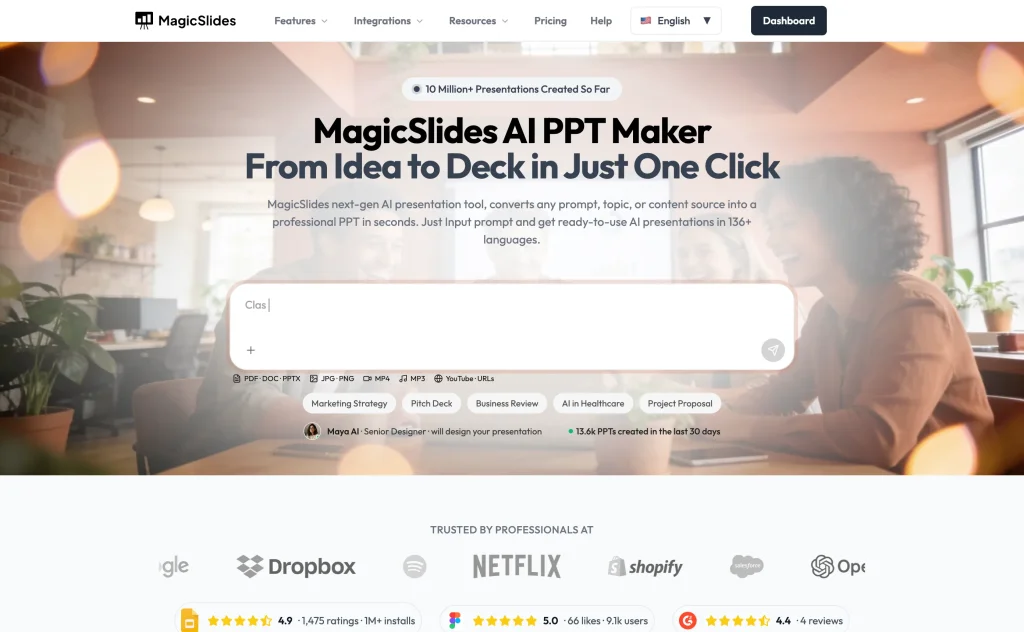
Step 2: As mentioned earlier, the tool supports multiple file formats, such as PDF, images, Word, PowerPoint, video, and audio. Just click on the ‘Upload Files’ icon to import the document in the format you need.
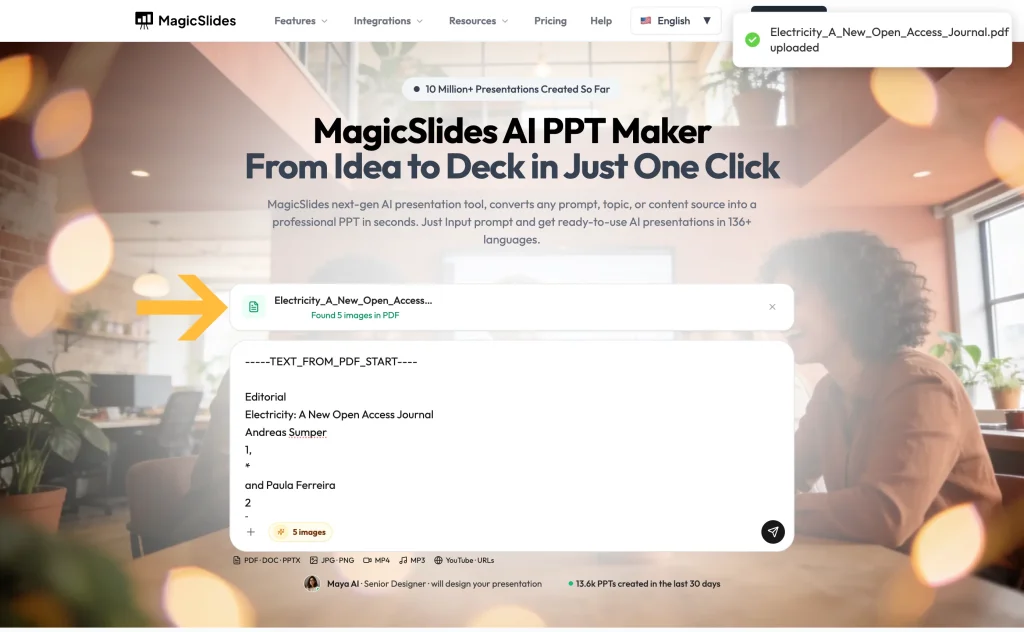
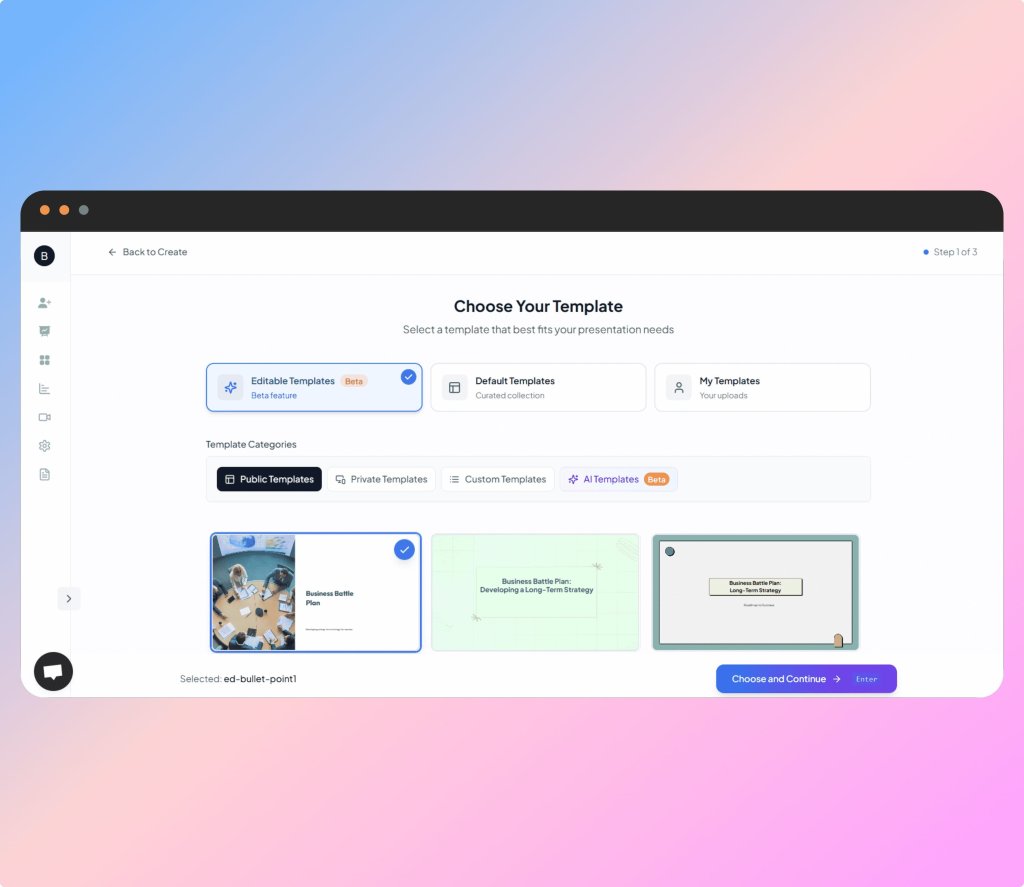
Step 3: You can proceed by selecting the most appropriate template.
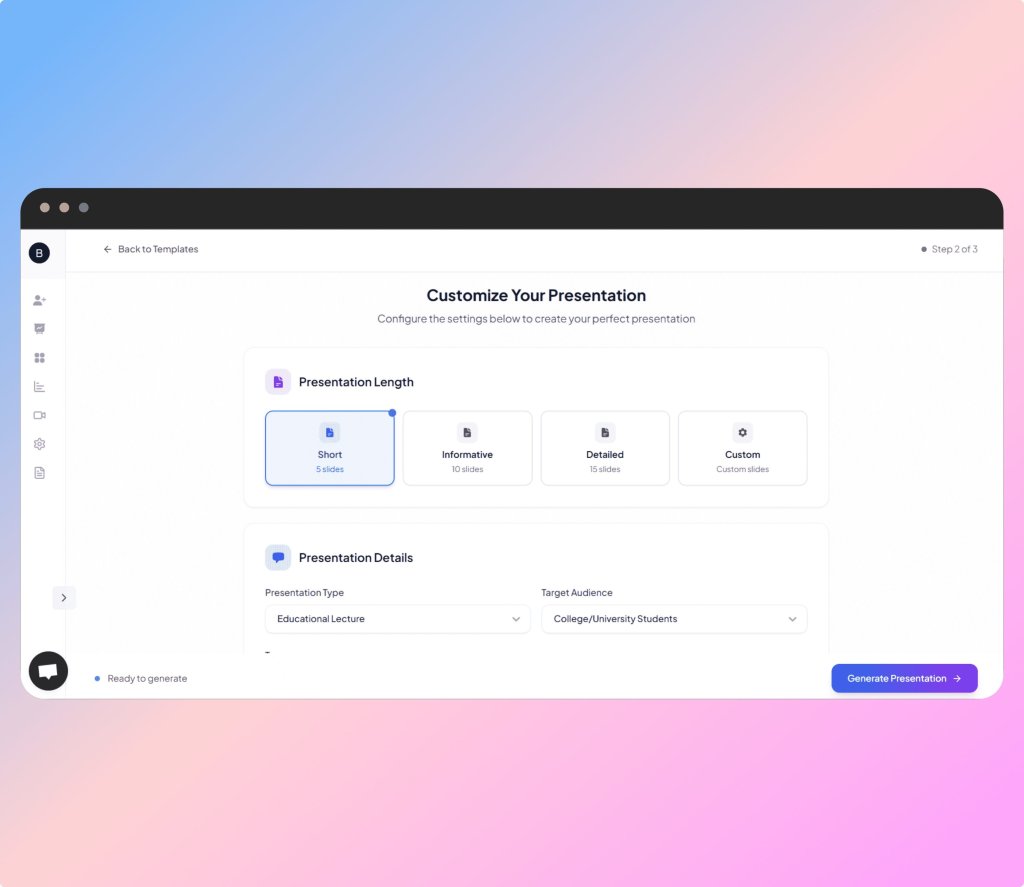
Step 4: You can also specify the desired length of your presentation, along with its type and target audience.
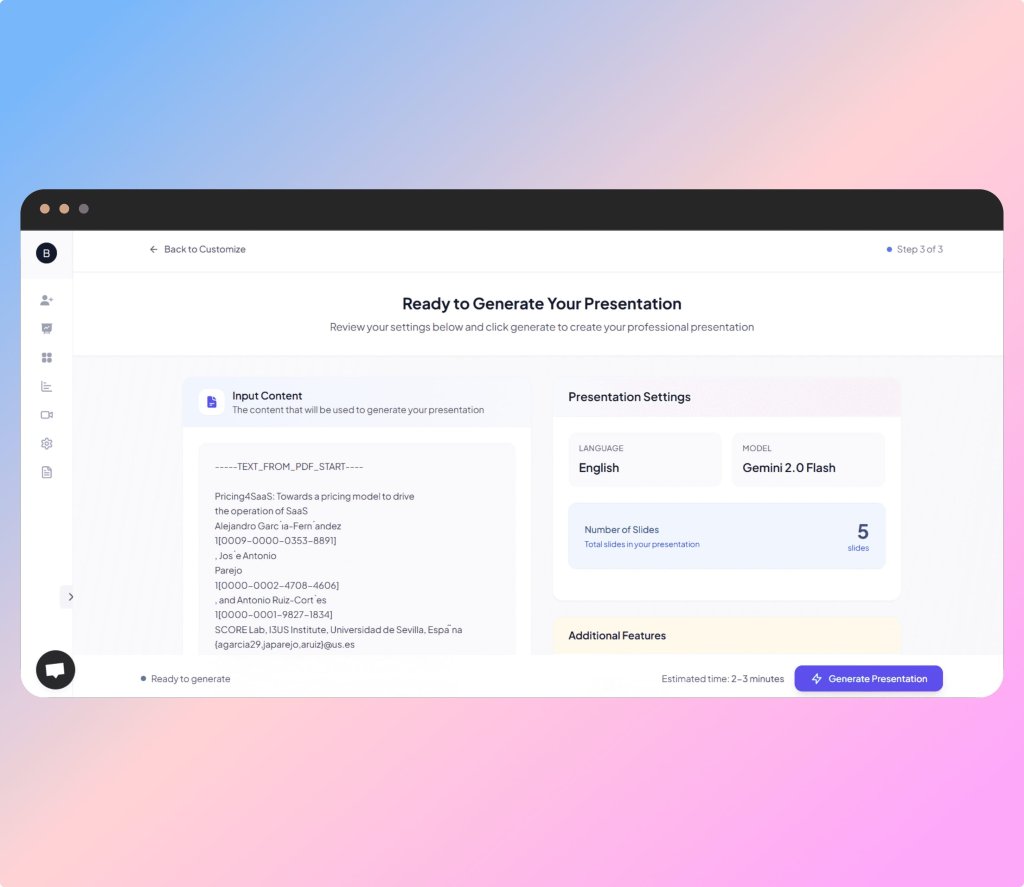
Step 5: On the next screen, you’ll see the input content along with some presentation settings you selected in earlier steps.
Step 6: After a few moments, your presentation will be ready. You can download it directly from the platform or edit it as needed.
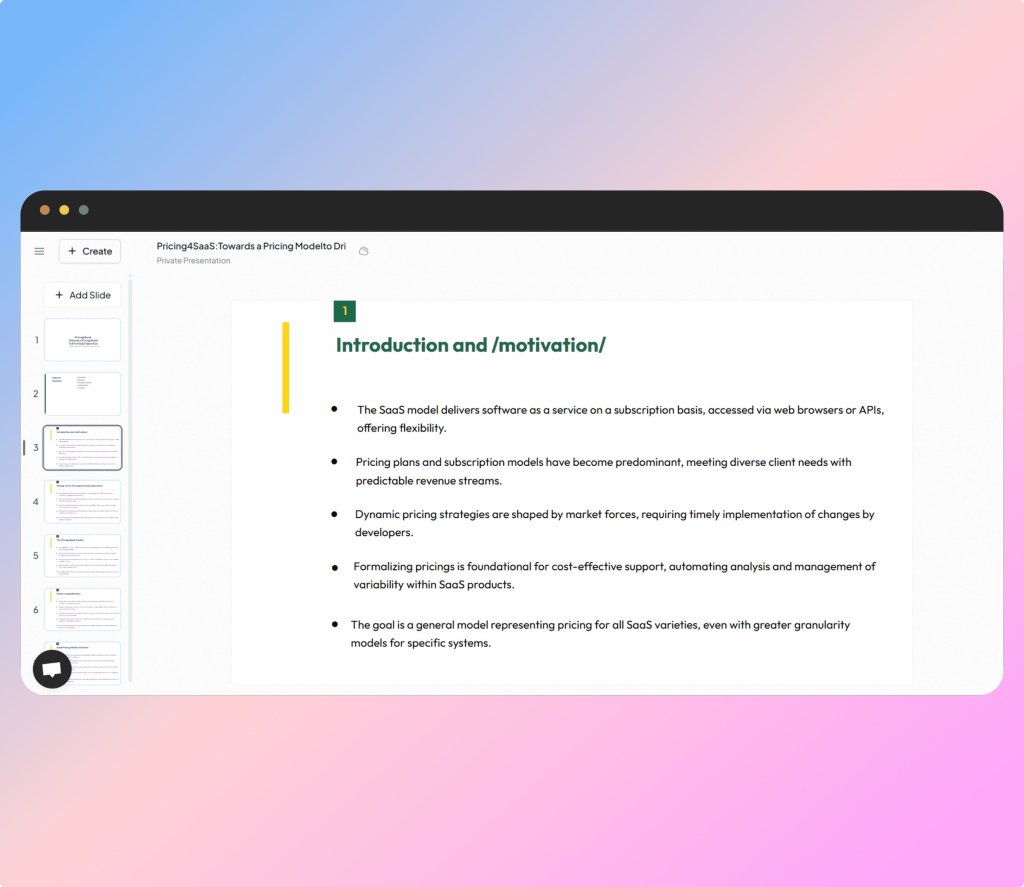
SlidesPilot
SlidesPilot is a comprehensive tool designed to simplify the process of converting research papers into polished PowerPoint presentations using AI. Beyond just transforming documents to PPT and vice versa, SlidesPilot offers smart visual markers that help highlight key points, making your slides more engaging and easier to follow.
Its built-in AI summarizer automatically condenses lengthy content, helping your presentations stay clear and concise without losing essential insights. With an intuitive interface tailored for researchers, students, and professionals alike, SlidesPilot streamlines your workflow effortlessly.
Using the SlidesPilot Presentation converter
Step 1: Sign up for SlidesPilot
As with other software, you need to head over to the SlidesPilot homepage and sign up for a free plan to access one AI conversion.
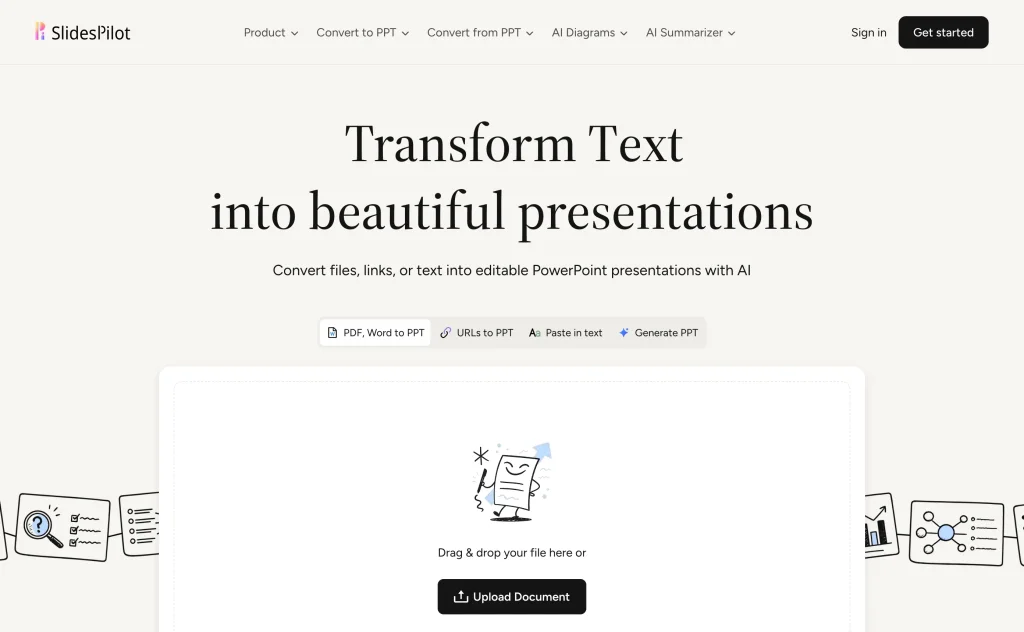
Step 2: You can enter a topic, and AI will generate the presentation for you from scratch. We will go with the second option and upload our presentation in PDF format.
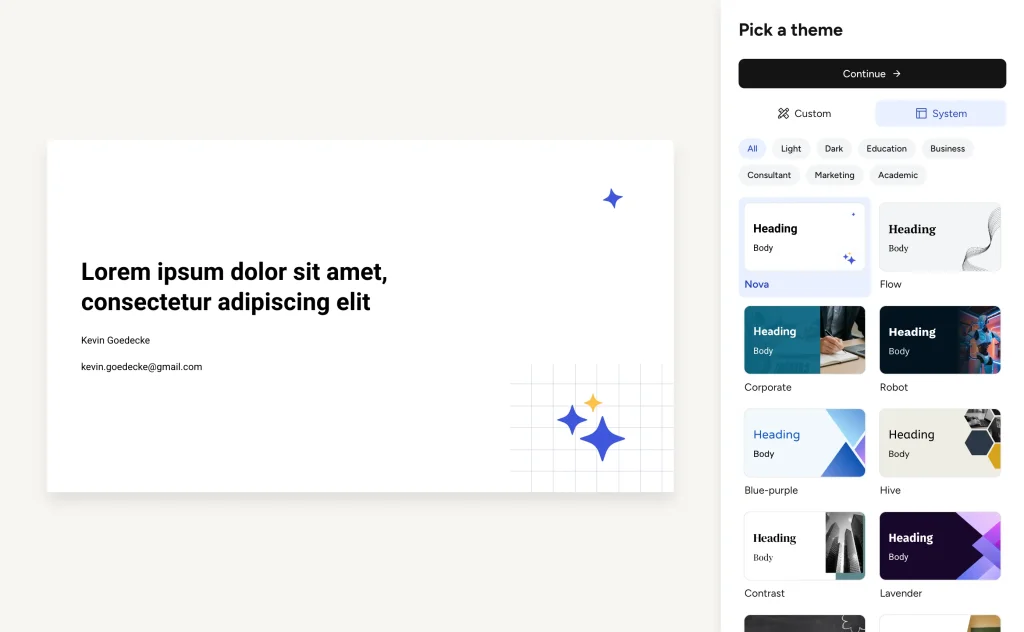
Step 3: In the next slide, pick the theme that best reflects the content of your research paper.
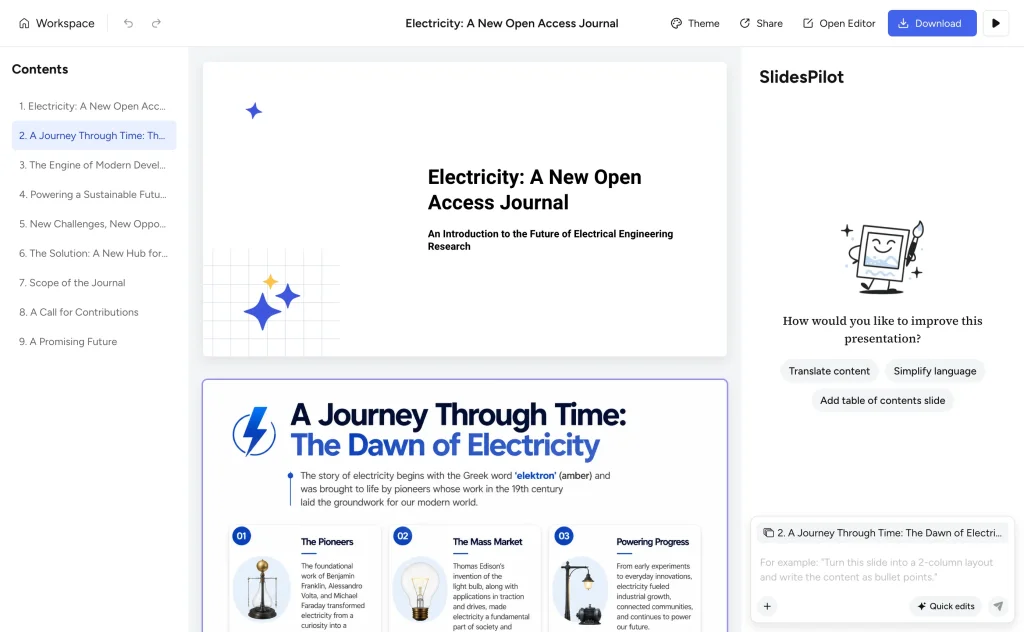
Step 4: And that’s it: your presentation is ready. If needed, you can edit any part and download it once you are satisfied with the content.
Presentia AI
Presentia AI is our final recommendation for turning long-form documents into professional PowerPoint presentations within minutes. This tool specifically lists “Research Paper to PPT” as one of its key use cases right on the homepage, making it clear that it’s designed with students, academics, and researchers in mind.
The platform uses advanced AI to analyze and extract key points, then organizes them into clean, well-structured slides. Its intuitive interface ensures that even complete beginners with no design skills can produce visually appealing presentations efficiently.
How to create a Research paper presentation with Presentia AI
Step 1: Sign up for Presentia AI
Visit the Presentia AI homepage and sign up with your account to access a free trial and begin creating presentations.
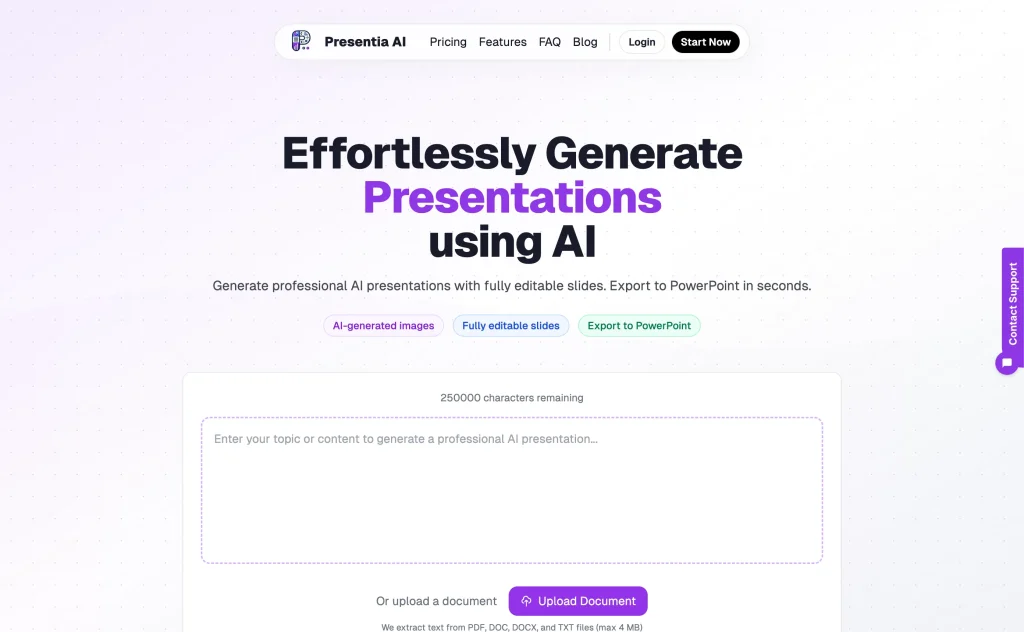
Step 2: Upload the desired research paper in DOC, DOCX, or PDF format. With the paid version, you can choose the template that best meets your document’s purpose and customize the slide tone, structure, and length.
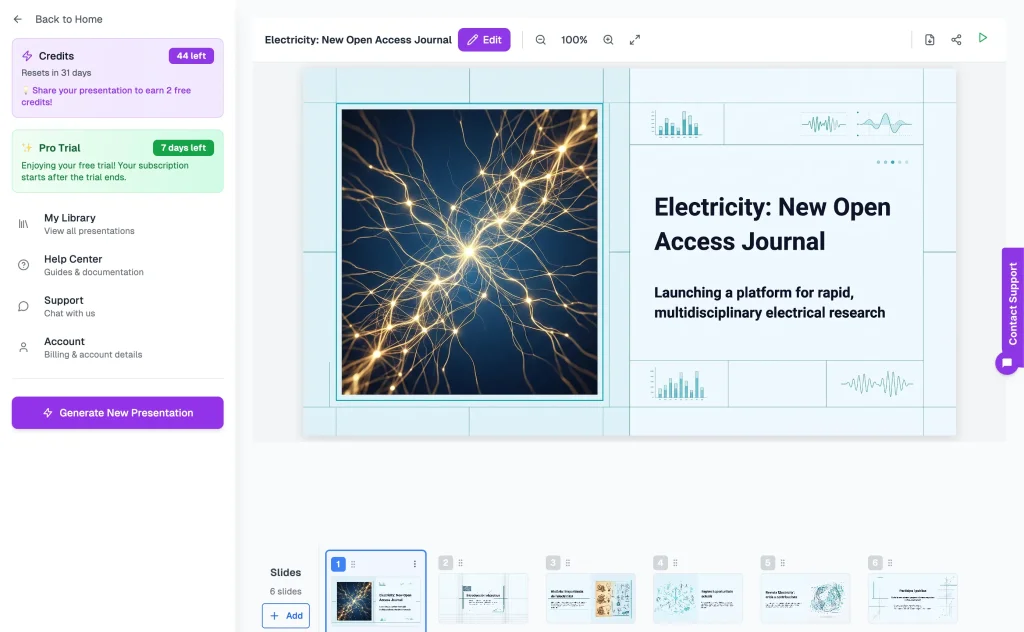
Step 3: The free version doesn’t support downloading, but with the paid one, you can share the presentation online and download it in PPT format.
The Bottom Line
As you can see, converting research papers to PowerPoint presentations without AI can be challenging. The tools we discussed serve as essential time-savers by automating the tedious tasks of summarizing content and designing slides.
They simplify the process, allowing students, researchers, and professionals to focus on their core work while quickly generating polished presentations. These AI tools offer faster, easier solutions that streamline your workflow and cut down hours of manual work.
SlideSpeak stands out with its user-friendly interface that transforms documents into well-structured slides effortlessly. PopAi excels by combining AI-powered presentations with AI-generated videos and images for a more dynamic experience.
MagicSlides supports multiple content types beyond research papers, such as videos and URLs. SlidesPilot features advanced visual markers and an AI summarizer to keep presentations concise and engaging. Presentia AI is known for its customizable templates and intuitive editing tools that enhance presentation design.
Choosing the right tool depends on your specific needs, including your workflow, content type, and desired level of automation. That’s why selecting the best AI presentation tool should be an individual choice, made after considering all the pros and cons.
FAQs
Q: Can’t I just create PowerPoint presentations from research papers myself?
A: Yes, it’s possible to do it manually, but it’s often time-consuming and labor-intensive. These AI tools automate summarizing and slide design, letting you focus on your research content while saving precious time and ensuring a clear, professional presentation.
Q: What formats can these AI tools convert into PowerPoint?
A: Most tools support common document formats such as PDFs and Word documents. Some even support URLs or audio/video files, making it easy to convert various types of content into presentations.
Q: Are these tools suitable for beginners or non-designers?
A: Absolutely! These AI-powered tools feature intuitive interfaces and are designed for users of all skill levels.
Q: Can I customize the presentation after the AI generates it?
A: Yes, you can usually edit, add, or remove slides and customize design elements after the AI generates your presentation to make sure it fits your exact needs.
Q: What are the top AI presentation tools for academic research presentations?
A: The five tools in this guide: SlideSpeak, PopAi, MagicSlides, SlidesPilot, and Presentia AI. SlideSpeak is the strongest overall for turning a research PDF into a clean, editable deck. PopAi adds AI video and image generation, MagicSlides accepts the widest range of inputs (including YouTube videos and URLs), and SlidesPilot and Presentia AI are the budget options.
Q: What is the best AI presentation tool for a thesis defense or conference presentation?
A: For a polished thesis defense deck, we recommend SlideSpeak: upload your thesis as a PDF or Word file, choose the educational tone and a restrained theme, and set the text density to concise so your slides support your talk instead of repeating it. You get an editable PowerPoint you can rehearse with and present offline, which matters when conference Wi-Fi lets you down.
Q: Can I convert a research paper to PPT with AI for free?
A: Yes. All five tools in this guide offer a free plan or trial that covers at least one conversion, so you can test the full workflow without paying. The free tiers are limited (typically one deck, fewer templates, or no download), so expect to upgrade if you convert papers regularly.
Q: Can a thesis be exported to PowerPoint?
A: Yes. Upload your thesis as a PDF or Word document and the AI condenses it into slides. For long documents, it helps to add a short description telling the AI which chapters or findings to focus on, then export the finished deck as a PPTX file you can edit in PowerPoint.
Q: How do I turn an essay, report, or article into a presentation with AI?
A: Exactly the same workflow as a research paper: upload the essay, report, whitepaper, or article, tell the AI what to emphasize, pick a theme, and download the deck. All five tools handle any long-form document, not just academic papers.


