

Create complete training courses with AI
Start from a topic or from material you already have. SlideSpeak works out the module and lesson structure first, then builds every lesson in the course rather than a single deck.
- Plan modules and lessons before a single deck exists
- Generate every lesson as an editable presentation
- Narrate, quiz, share, and export from the same course
Review the outline before generating a single lesson. Planning costs no credits.
Trusted by teams at Airbus, Cisco, BCG, GE HealthCare and T-Mobile





Start fresh, or turn existing material into training
Build a new curriculum from a prompt, attach a presentation you already use to a lesson, or use SlideSpeak's PowerPoint, PDF, and Word course tools to restructure source material into teachable modules.
Turn the deck you already teach from into modules
Upload the PowerPoint your team already runs and SlideSpeak restructures it as e-learning: modules in a clear order, learning objectives, knowledge-check questions, and speaker notes on every slide. You keep editable slides rather than a course locked inside someone else's platform.
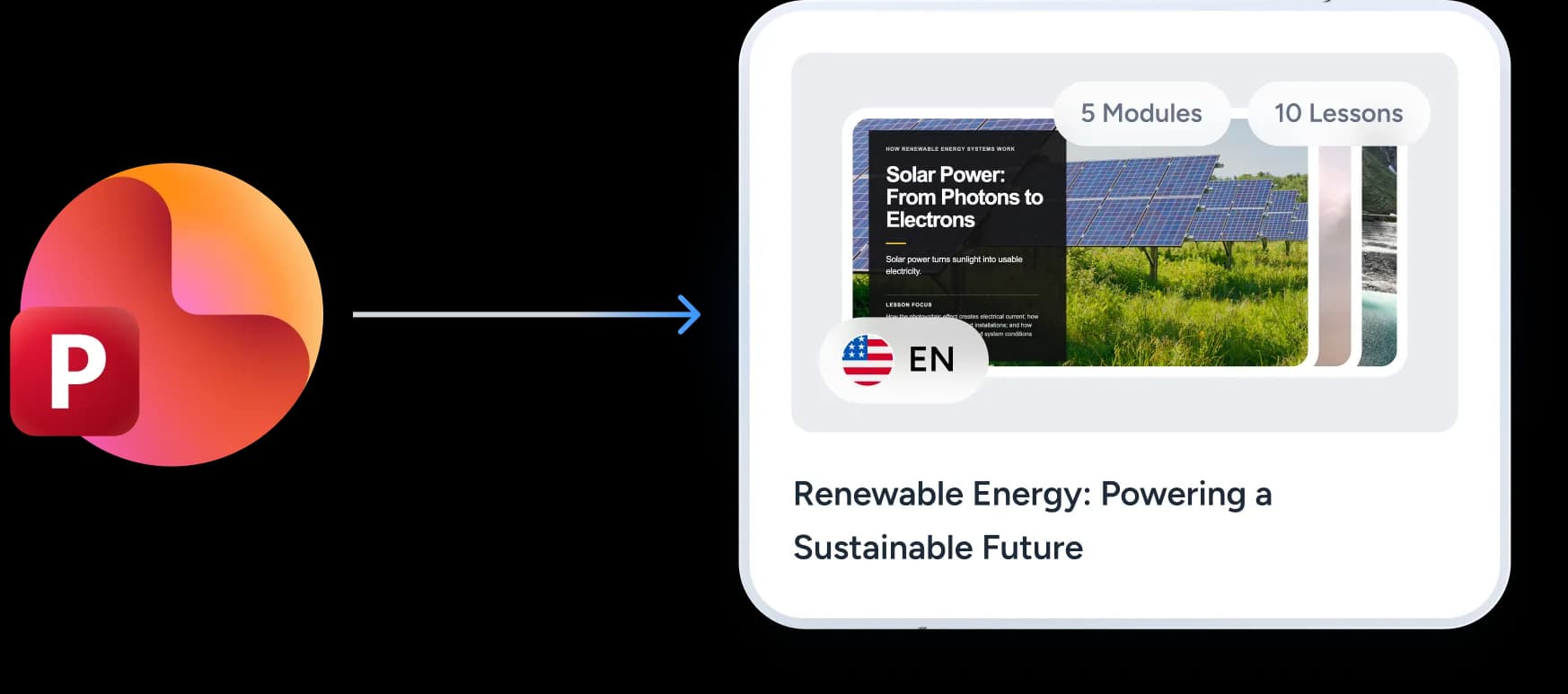
Convert PDFs and Word manuals into lesson material
A policy handbook or a reference guide rarely teaches well as it stands. Convert a PDF or a Word document into structured course material, edit what the AI got wrong, then drop the result into the module where it belongs.
Attach a presentation you already own to a lesson
When a deck already covers a lesson, use Add existing deck on that lesson instead of generating a new one. One thing to expect: an attached deck keeps the design it came with, so it will not match the generated lessons around it.

Plan the whole course before you build the first lesson
Describe what you want to teach and who it is for. SlideSpeak proposes a course outline with modules, lessons, descriptions, and slide plans. Edit the structure until it is right, then generate lessons one at a time.
Describe the course and set its size
- Modules and lessonsPlan up to six modules with up to five lessons in each, or leave both on Auto and let the AI size the course from the topic.
- One design for the whole coursePick the design once, at the start. Every lesson the course generates uses it, so twelve lessons look like one program rather than twelve unrelated decks.
Read the outline as a curriculum
- Everything on the page is editableRewrite any course, module, or lesson title in place, and delete a lesson or a whole module before anything is produced.
- Planning costs no creditsPlan a course, decide the shape is wrong, and plan another one without it costing you anything.
Generate the lessons one at a time
- A counter tracks the whole courseThe course page shows how far along you are, for example 3/12 decks generated.
- Every lesson opens in the normal editorA generated lesson is an ordinary SlideSpeak presentation, so you can rewrite a slide, restyle it, or rebuild it with the AI assistant.


Create the material around every lesson
A lesson is an ordinary presentation, so anything SlideSpeak does to a presentation, it can do to a lesson.
Editable lesson decks
Every lesson generates on the course design you picked and stays editable slide by slide, ready to export as PowerPoint or PDF.
Narrated lesson videos
Turn a lesson deck into a narrated video for people who take the training in their own time, and record your screen, narrated, wherever a lesson needs a software walkthrough or a procedure shown step by step. Videos made from a lesson appear on that lesson's row in the course.
Knowledge checks
Generate questions from a lesson deck, review them before anyone sees them, then hand the quiz out or export it to your LMS.
Share and LMS export
Share the course as a read-only link, or export a lesson as a SCORM package with your completion rule, pass mark, and attempts. Quizzes also export as QTI 1.2 or a Brightspace question CSV, and videos as PowerPoint with narration.
What you can start a course from
Course Builder starts from a description of what you want to teach. When the material already exists, these tools restructure it into course material first.
| What you start with | What SlideSpeak makes of it | Where to start |
|---|---|---|
| A topic and an audience | A course outline: modules, lessons, descriptions, and the slides planned for each lesson | Course Builder |
| A PowerPoint deck (.pptx) | Modules in a clear order, learning objectives, a knowledge-check quiz, and speaker notes on every slide | PowerPoint to online course |
| A PDF | Manuals, guides, and reference documents restructured into editable course material | PDF to online course |
| A Word document (.docx) | Written procedures and handbooks rebuilt as teachable modules with questions and notes | Word to online course |
| A SlideSpeak deck you already made | Attached to a lesson as it is, keeping its own design rather than being restyled | Add existing deck |
Want to try it on a single file first?Use the free AI online course generator | ||
Customer stories
Teams already running on SlideSpeak
Consulting, strategy and product teams using SlideSpeak on their own templates and through the API.
The ability to upload our own template means our presentations always look professional and on-brand.

Boris Elbert
Consultant at BCG
SlideSpeak cut my report prep time in half. I upload the 80-page brief, get a summary in 30 seconds, and I'm already three steps ahead in the meeting.

Sarah Chen
Strategy Lead at Oliver Wyman

150+
Languages
Generate and translate course material for every region your teams work in.

50+
Slide layouts per template
Every custom layout in your slide master is available to the AI.
50M+
API calls per month
The scale the SlideSpeak API runs at today.


We use the SlideSpeak MCP and API to automate sales proposals and reports. This has helped us to streamline our sales process and close more deals by having more personalized presentations.
Jordon Cornish
CGO at Synkka
What happens to the material you upload
Your data is stored fully encrypted and is never used to train our models. We adhere to strict security guidelines.
- Sharing a course is read-only: anyone with the link can read the curriculum and open the lesson decks, never edit or generate
- Preview shows exactly what a participant sees, and it works before you have shared anything
- Turning sharing off immediately closes access to the lesson decks reached through the link
Course tools to try on a single file
Convert one file first to see what the AI does with your material, then bring the result into a full course.

AI Online Course Generator
Turn any topic into a structured online course with AI — modules, a quiz, and notes.

Convert PowerPoint to Online Course
Convert PowerPoint presentations into interactive online courses with AI.

Convert PDF to Online Course
Convert PDF documents into interactive online courses with AI.

Convert Word to Online Course
Convert Word documents into interactive online courses with AI.
Create Quiz from PowerPoint
Convert PowerPoint presentations into interactive quizzes automatically. Perfect for testing and assessment.
PowerPoint to SCORM Converter
Convert PowerPoint presentations into LMS-ready SCORM packages
Frequently asked questions
Common questions from L&D and training teams building courses with SlideSpeak.
Plan your next course before the first slide exists
Build the outline, review the curriculum, and generate the lessons when you are ready.