
What’s New in SlideSpeak? August 2026 Update
Written by

Published on
On this page
SlideSpeak used to stop at the deck. It now runs the whole chain: deck, narrated video you can edit, quiz that lands in your gradebook, course generation, and more.
Dive with me into our August 2026 release notes 👇
AI Video
Our AI video used to be one shot: deck in, narrated video out, no way to intervene. It is now an editor with a timeline, a voice system, captions and an on-screen presenter.
The editor
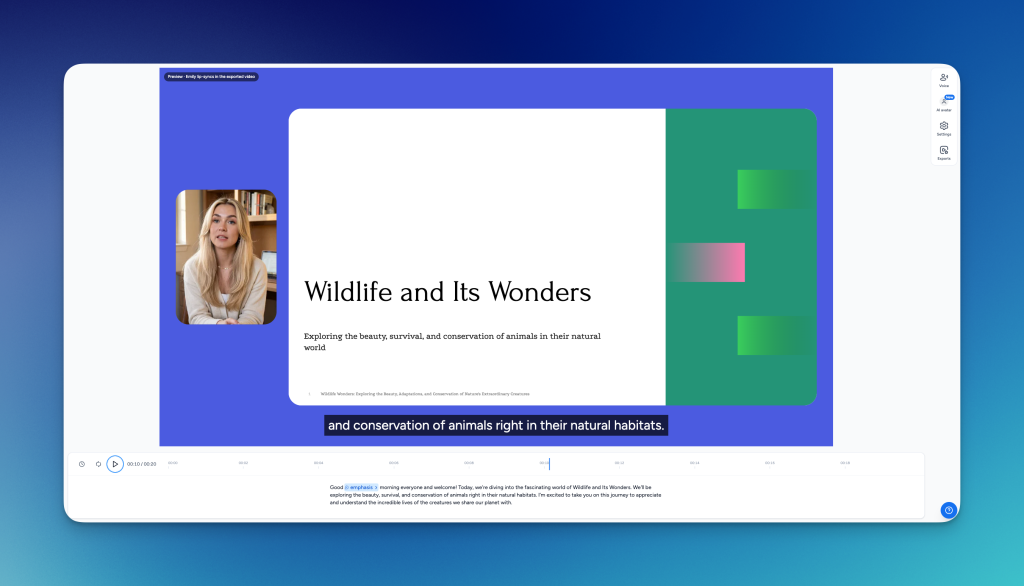
Here’s what’s new:
- A scrubbable timeline. Per-slide durations stay where you put them, and playback starts from slide 1.
- Exports run from their own side panel, so you can start a render and keep working.
- The narration script moved out of a dialog into the main view, in a wider editor. Fix the wording before you render, rather than after you download.
- Print or download the whole script as a PDF.
How to use it
- An acronym comes out wrong, or a sentence reads clumsily. Fix that line in the script and render once, instead of exporting the video and patching the transcript in a separate editor.
- Download the script as a PDF and hand it out as a transcript alongside the video.
Voice-over
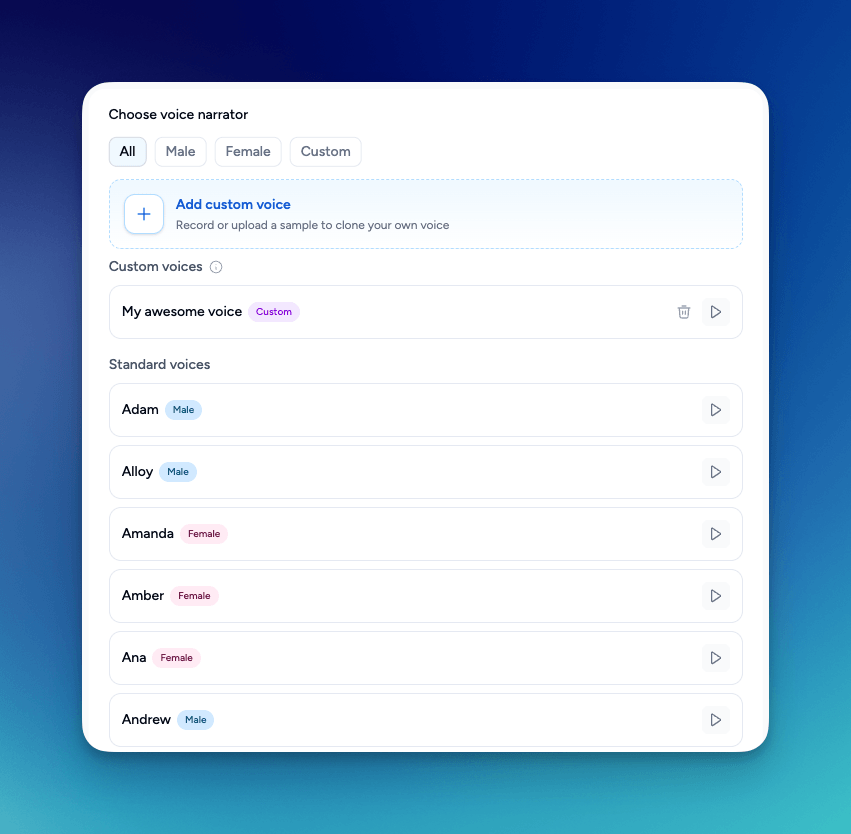
Record a sample, then pick a tone. Add delivery markers to shape pacing and emphasis, all inside the script.
Stock voices and cloned ones now live in one narrator list, with the paired voice visible on each entry. Narration speed is a separate control on generation.
How to use it
- If you don’t want to record yourself, pick a stock voice and every refresher video in your library will sound like the same narrator.
- If you teach forty different lectures and want your own voice on all of them, clone it and slow the narration down so students can keep up with their notes.
Captions
Style them in the settings panel and preview them cue by cue, exactly as they will export.
Captions come from the narration script, not from speech recognition on a recording. There is nothing to correct afterwards: no mis-transcribed terms, no timing drift, no second pass.
How to use it
- Your videos have to pass an accessibility review under Section 508 or ADA. Captions arrive clean, so the correction pass you normally do in your hosting platform goes away.
- Your material is full of acronyms and technical terms that speech recognition mangles. Here it transcribes them the way you typed them.
On-screen presenter
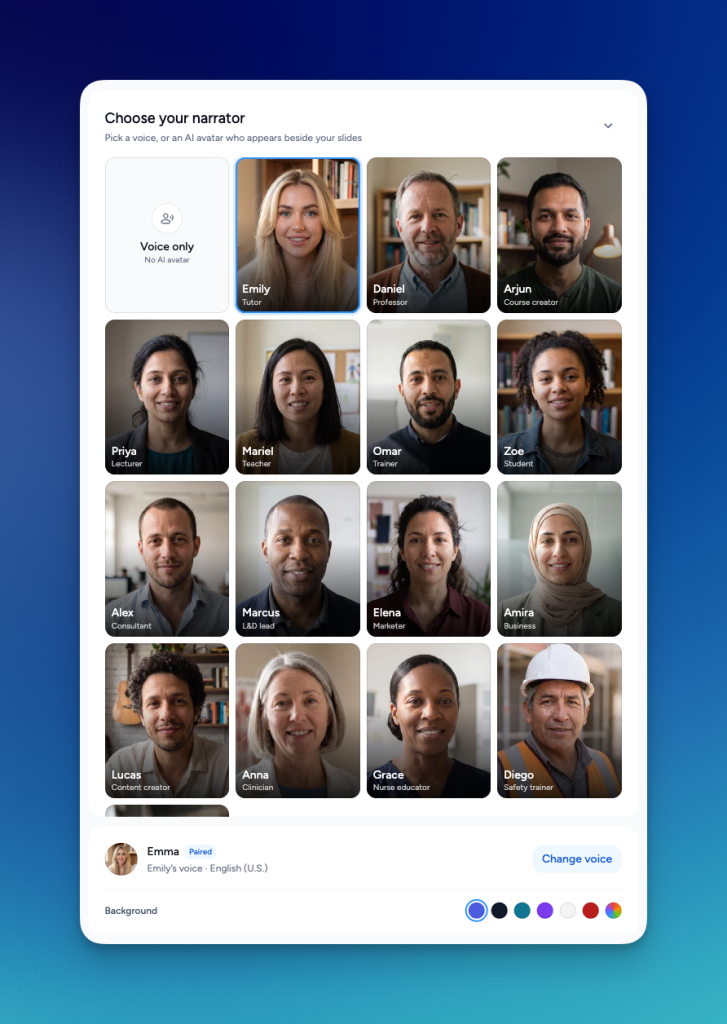
A presenter appears on the slide, mouth synced to the narration, using a cloned voice or a stock one.
How to use it
- You sell expertise and your service explainers need a face. Put a presenter on the website videos so a two-person firm looks like a production team.
- A safety induction lands better with someone delivering it than with a voice over static slides.
Output and sharing
- HD (900p) on export, free on every paid plan.
- Public share links with a branded share page and analytics on who opened it.
How to use it
- Send a client a branded link instead of a large file, then check whether they opened it before the follow-up call.
- Publish the same refresher video to an intranet, where staff who already sat through the live session can re-check a step.
Share links suit clients and external audiences. They do not replace a lecture-capture platform your institution mandates.
Course builder
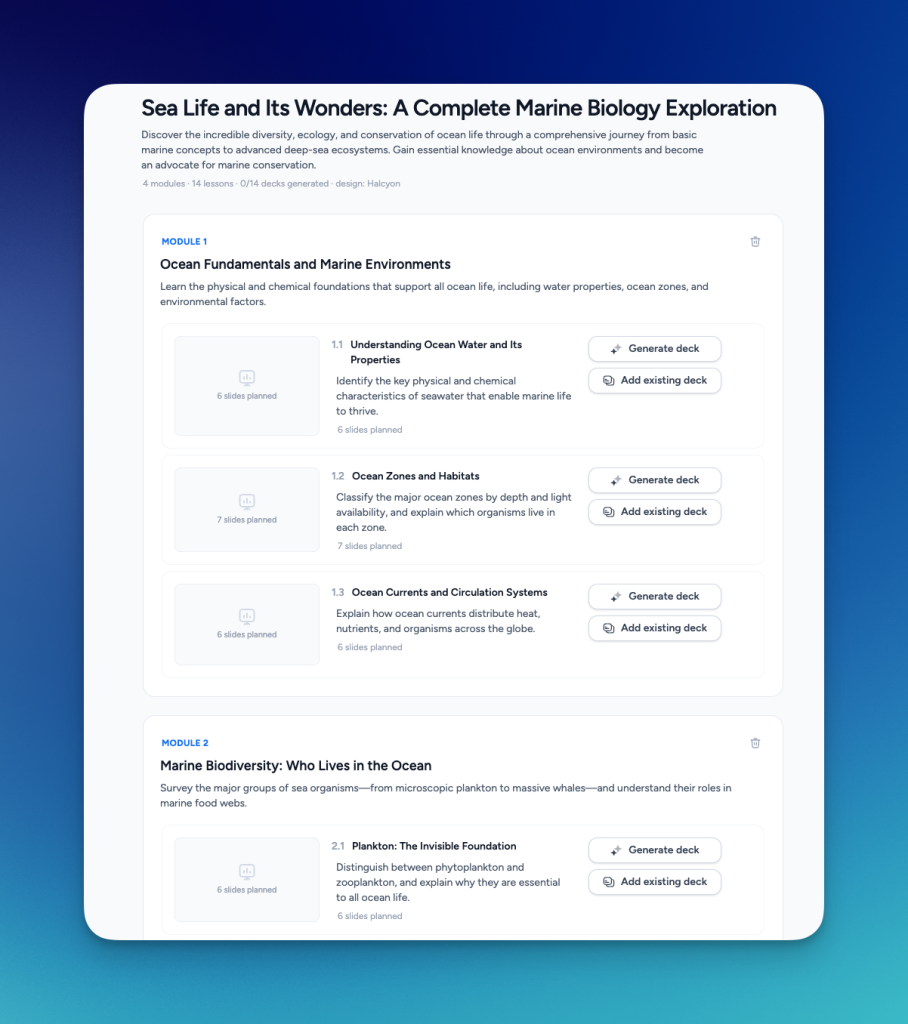
Give it a subject and it plans the curriculum first: title, description, modules, lessons, and a slide plan per lesson. Nothing generates until you approve that shape.
How to use it
- Build a semester of lectures in one sitting, with every deck in the same style, instead of twelve separate prompts in September.
- Run the same site induction across twenty-five projects: plan the modules once, regenerate per site.
Quizzes
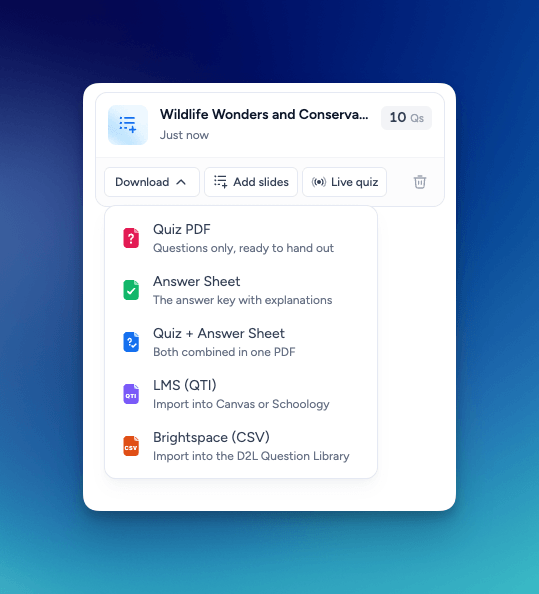
Generate a quiz from any deck, then send it where it needs to go.
- QTI 1.2 export. See LMS export for where each format goes.
- A dedicated D2L Brightspace CSV.
- A live quiz your room joins from a QR-code slide.
- Quiz question slides with AI suggestions, generated from whole-deck context, with an optional limit to stop at a given slide.
- A standalone Quiz tool in the dashboard, plus a rebuilt mobile quiz editor, delete confirmations and clearer validation.
How to use it
- Retire the per-LMS quiz template you maintain by hand. Export QTI or the Brightspace CSV and the questions land in your gradebook.
- Put three questions after each segment of a certification course, using only the slides up to that point.
Everything else that shipped
- Version history with a snapshot before every overwrite, and restore.
- Reusable sections. Save an intro or disclaimer once, insert it into any deck you generate.
- Table style editing (font sizes, banding, band colors) and crop-preserving image resize.
- Design kits: generated decks follow kit layouts, kits can be assigned to templates, and brand settings got a tile overview and sectioned editor.
- The HTML slide pipeline behind SlideSpeak 2.0 moved to newer models, with layout defect handling and output-quality fixes.
- Public API v2 gained import, translate, video generation and voice listing, with normalized errors.
- And a lot of bug fixes!
Also in this release
Slides on the SlideSpeak AI 5.0 engine now cost 5 credits instead of 10. For a period we quoted 5 and charged 10, which is fixed.


