Three steps to your videos
Pull every embedded video out of a .pptx in seconds. No technical knowledge required.
Upload your PowerPoint
Drag and drop your .pptx file or click to browse. Files up to 100 MB.
Extract
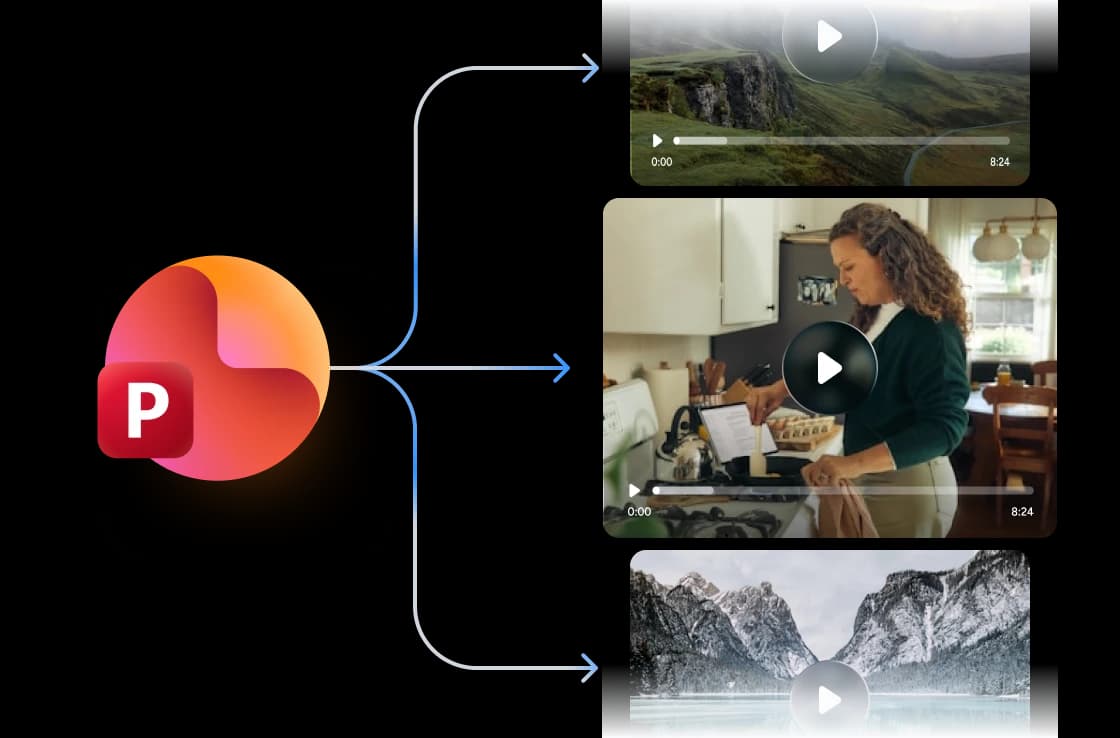
Our engine reads the slide media archive, pulls every embedded video, and bundles them in slide order.
Download videos
You get your videos in seconds as a ZIP archive, all in original format and quality.
Built for accuracy, speed & security
We pull every embedded video from your .pptx in original quality: same codec, resolution, and bitrate, no re-encoding, no missed clips.
Extract PowerPoint Videos Online
Our extractor pulls every embedded video from your .pptx (MP4, MOV, MKV, and more) in original quality. No re-encoding, no quality loss, no missed clips.
FREE & No Sign-up Required
Our PowerPoint video extractor is 100% free with no account required. Upload your file and download every embedded video in seconds. No daily limits, no watermarks.
Safe and secure processing
SlideSpeak encrypts every PowerPoint file you upload and deletes it after processing.

Why choose SlideSpeak?
Built for teams and creators who need every embedded video out of a deck, in original quality, without giving up their files.
Original Quality Preserved
Videos come out the same as they went in: original codec, resolution, and bitrate. No re-encoding, no degradation.
All Formats Supported
Extract MP4, MOV, MKV, AVI, WMV, and any other video format embedded in a PowerPoint file.
Free to Use
Our PowerPoint video extractor is 100% free, with no daily limits, no watermarks, and no hidden fees.
Fast Processing
Most files extract in seconds, even decks with many embedded videos. No queues, no waiting room.
Secure and Private
We handle your PowerPoint files with strict security and privacy. We encrypt them in transit and delete them for good after extraction.
No Software Needed
Extract PowerPoint videos in your browser, nothing else required. No PowerPoint, no Office license, no desktop install.
Blazing fast, even for large files
Most PowerPoint files extract in under 10 seconds, even decks with many embedded videos. Our server-side engine parses the slide archive and bundles the videos in parallel.
<10s
Avg. extraction time
100%
Original quality
500+
Slides supported
60K+
Files processed
How we stack up
See why SlideSpeak is the simplest way to pull every embedded video out of a PowerPoint file.
| Features |  | PowerPoint Desktop | PPT.AI | ChatSlide.ai |
|---|---|---|---|---|
| Free extractions | Unlimited | Manual per clip | 50 free | Freemium |
| Sign-up required | No signup | Office license | Optional | Required |
| Browser-based (no install) | Yes | Desktop app | Yes | Yes |
| Max file size (free) | 100 MB | Local only | 10 MB | 100 MB |
| Bulk extract (all videos at once) | Yes | Save Media As per clip | Yes | Yes |
Explore our other tools
All free, all browser-based. No signup needed.

Extract Notes from PowerPoint
A FREE tool to extract all speaker notes from PowerPoint files.

Extract Comments from PowerPoint
A FREE tool to extract all comments from PowerPoint files.

Extract Excel from PowerPoint
Extract all Excel files embedded in PowerPoint presentations.
PowerPoint Image Extractor
Extract all images from PowerPoint presentations

Convert PowerPoint to Video with AI
Convert PowerPoint presentations to videos with AI narration.
PowerPoint Compressor
Compress your PowerPoint files and optimize the size of it for easier sharing.
Keep going with these tools
The tools people reach for next, plus the SlideSpeak features behind them.
PowerPoint Image Extractor
Extract and download all images from a PowerPoint file. One click and done.
AI Presentation Generator
Create a full slide deck from a prompt, topic or document.

AI PPT Editor
Enhance existing slides: rewrite text, fix layouts, and lift the quality of any deck.
Frequently Asked Questions
Find answers to common questions about Extract Videos from PowerPoint.

Turn any idea into a presentation — free to try
An AI presentation platform to turn ideas, PDFs, Word, and Excel files into ready-to-present slides.