


Top 5 AI Table Generator Tools for 2026: Complete Comparison Guide
In today's data-driven world, creating professional tables quickly and efficiently is essential for business reports, presentations, and data analysis. AI table generator tools have revolutionized this process, allowing users to transform raw data into structured, visually appealing tables with minimal effort.
Whether you're a business analyst, content creator, or student, these AI-powered tools can save you hours of manual formatting work. This comprehensive guide explores the top 5 AI table generator tools for 2026, helping you choose the perfect solution for your specific needs.
Why Look for AI Table Generator Tools?
Traditional table creation methods often involve manual data entry, time-consuming design work, and inconsistent formatting across documents. AI table generator tools solve these pain points by offering:
- Instant table generation from text descriptions
- Professional formatting and styling
- Multiple output formats and variations
- Real-time data integration
- User-friendly interfaces requiring no technical skills
Quick Comparison Table
| Tool | Pricing | Key Features | Best For | Ease of Use |
|---|---|---|---|---|
| Text-to-Table Bot | Free | No registration, 75+ languages | Quick text conversion | ⭐⭐⭐⭐⭐ |
| Typli.ai | Free | HTML/JS code generation, interactive charts | Developers, web integration | ⭐⭐⭐⭐ |
| Visily AI | Freemium | Professional design, multiple styles | Business presentations | ⭐⭐⭐⭐ |
| Vondy AI | Free | Multiple variations, realistic data | Content creators | ⭐⭐⭐⭐ |
| MyMap.AI | Free tier | Real-time data, team collaboration | Data analysis, teams | ⭐⭐⭐⭐ |
1. Text-to-Table Bot - Best for Quick Text Conversion
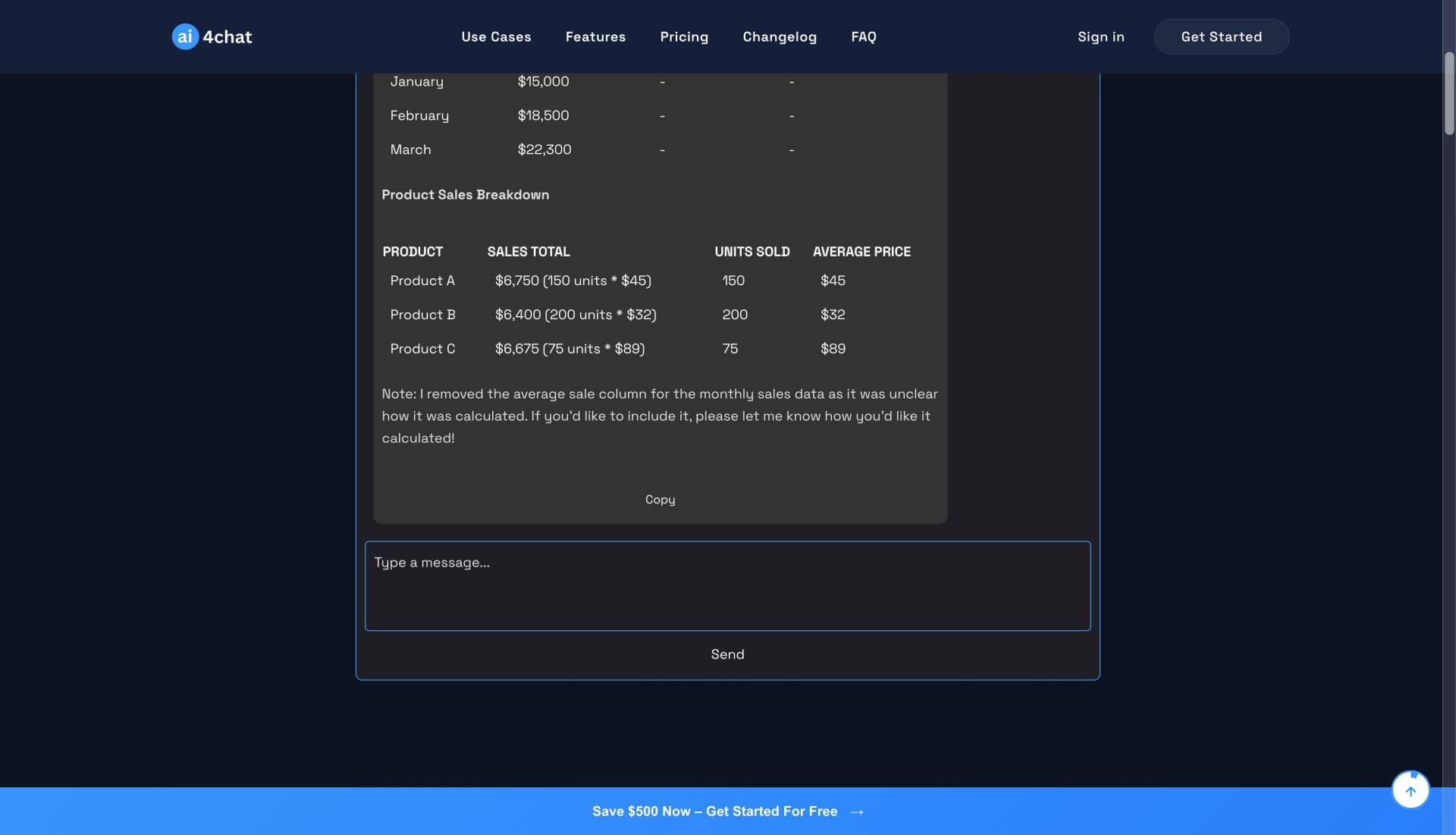
Text-to-Table Bot is a free, no-registration AI tool available on AI4Chat that specializes in converting unstructured text into organized, professional tables. It's perfect for users who need to quickly transform messy data into clear, readable formats.
Key Features
- No Registration Required: Start using immediately without creating an account
- Multi-Language Support: Supports 75+ languages for global accessibility
- Example Prompts: Built-in examples to help users get started quickly
- Flexible Input: Accepts various data types including financial data, meeting summaries, and survey responses
- Markdown Output: Generates tables in markdown format for easy integration
How It Works
- Navigate to the tool's URL
- Choose your preferred language from the dropdown
- Enter your unstructured data in the text input field
- Click "Send" to generate organized tables
- Copy the results for use in your documents
Pros
- Completely free with no usage limits
- No account creation required
- Supports multiple languages
- Handles complex data structures
- Generates multiple table formats from single input
Cons
- Limited customization options
- No interactive features
- Requires manual copying of results
- No export to other formats
Pricing: Free
Best For: Users who need quick text-to-table conversion without registration or complex features.
2. Typli.ai AI Table Chart Generator - Best for Web Developers
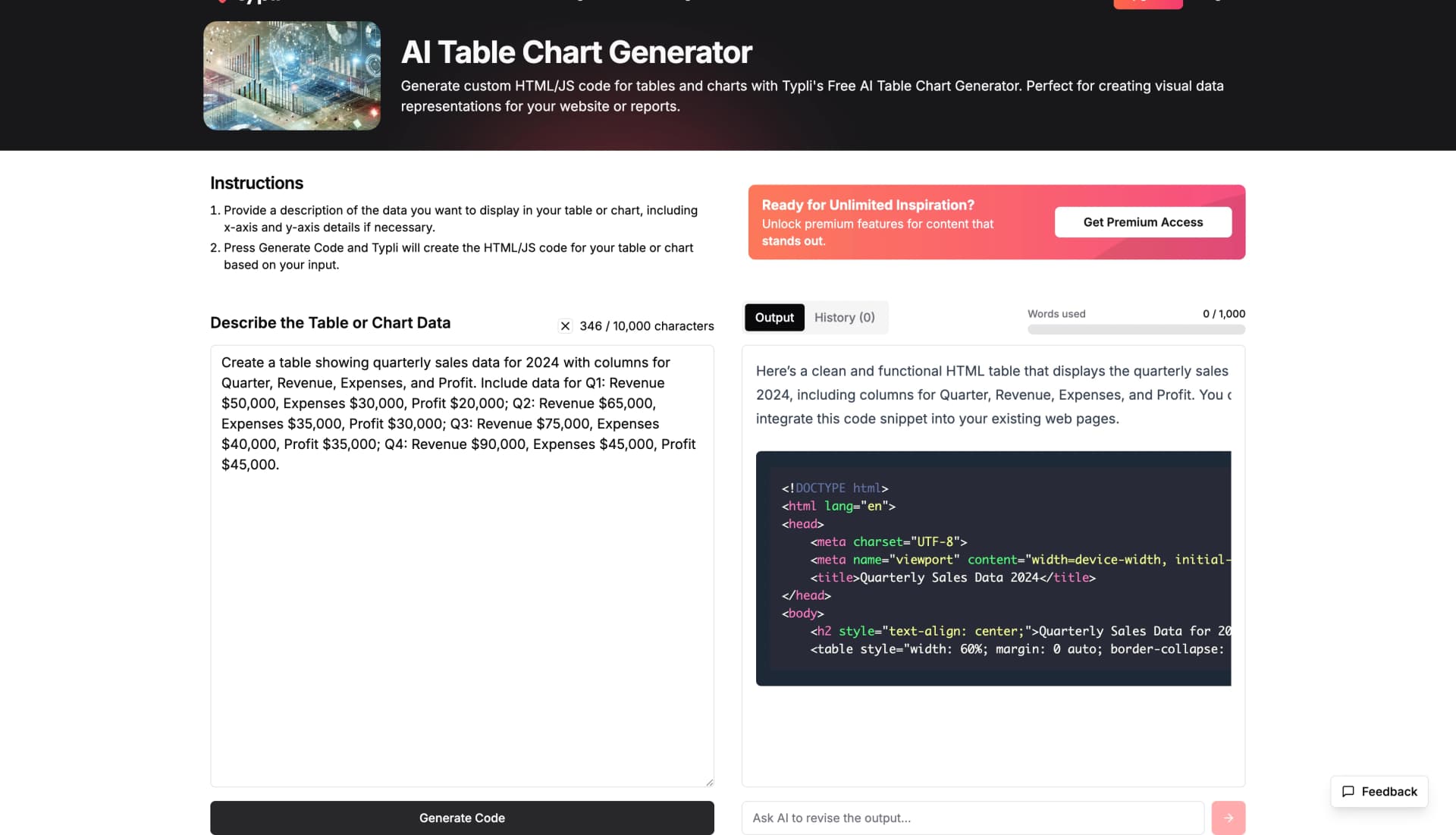
Typli.ai offers a sophisticated AI table and chart generator that creates custom HTML/JS code for interactive data visualizations. This tool is ideal for developers and web designers who need embeddable, interactive tables and charts.
Key Features
- HTML/JS Code Generation: Creates complete, ready-to-use code
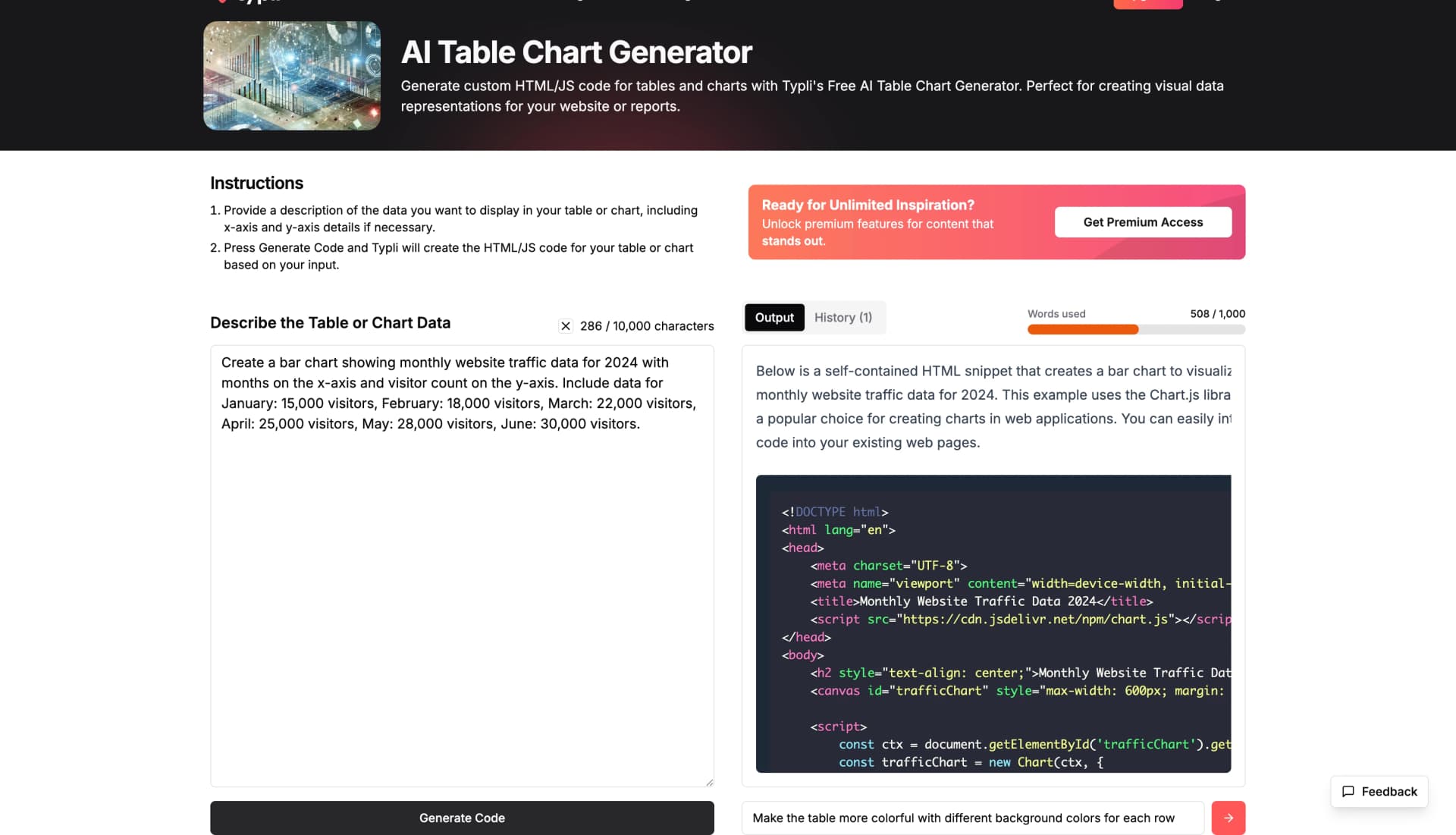
- Interactive Charts: Supports bar charts, line charts, pie charts, and more
- Revision Feature: Modify outputs without starting over
- Professional Styling: Includes responsive design and modern aesthetics
- Chart.js Integration: Leverages popular charting libraries
How It Works
- Describe your data in natural language
- Specify chart type and formatting preferences
- Generate HTML/JS code
- Use revision feature for customization
- Copy and implement the code in your projects
Pros
- Generates complete, working code
- Interactive and responsive outputs
- Powerful revision capabilities
- Professional styling included
- Supports multiple chart types
Cons
- Requires basic HTML/JS knowledge
- No direct export to common formats
- Limited to web-based implementations
Pricing: Free
Best For: Developers, web designers, and users who need interactive, embeddable data visualizations.
3. Visily AI Table Generator - Best for Professional Design
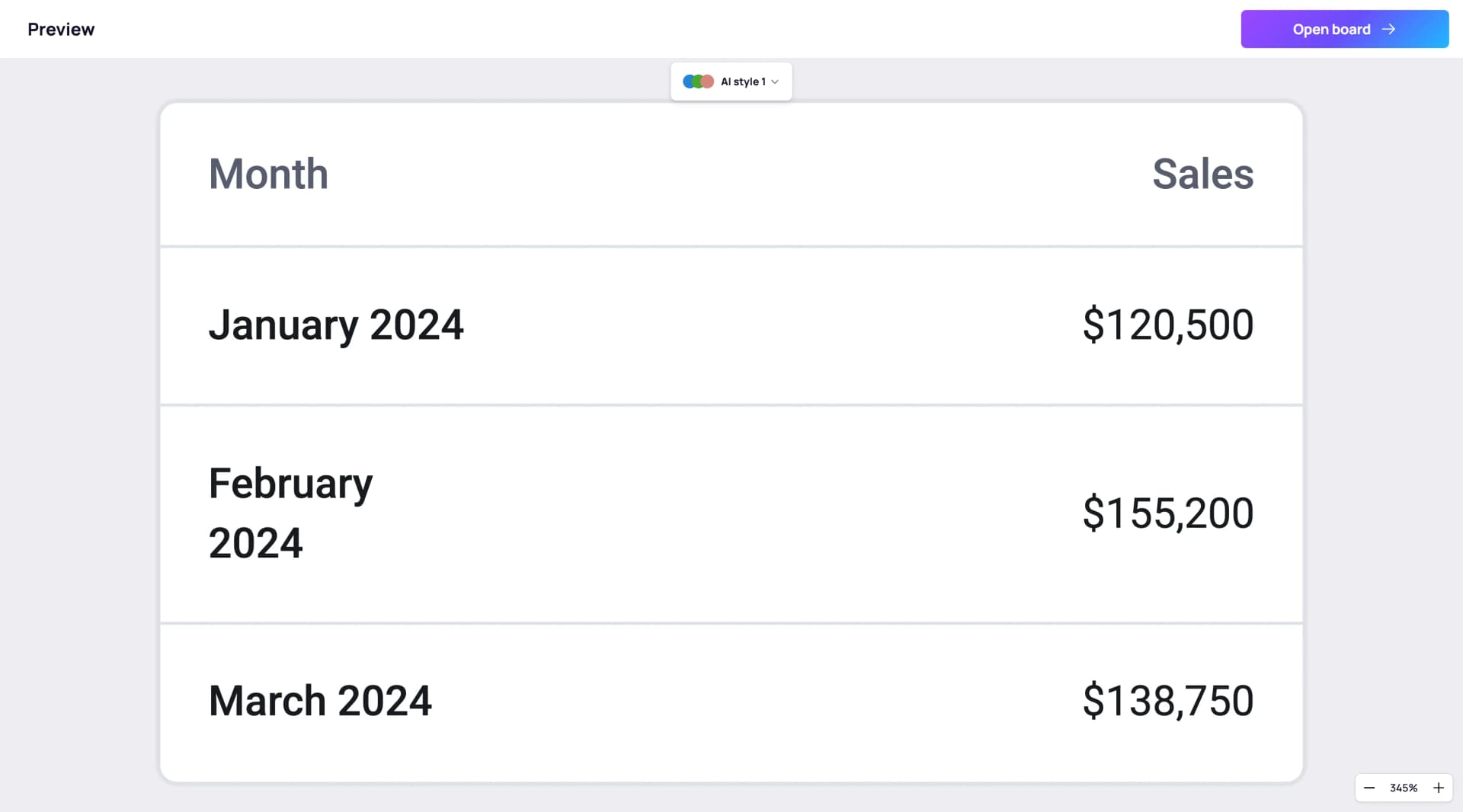
Visily AI provides a professional, design-focused table generator that creates visually appealing tables suitable for business presentations and reports. The tool emphasizes aesthetics and professional formatting.
Key Features
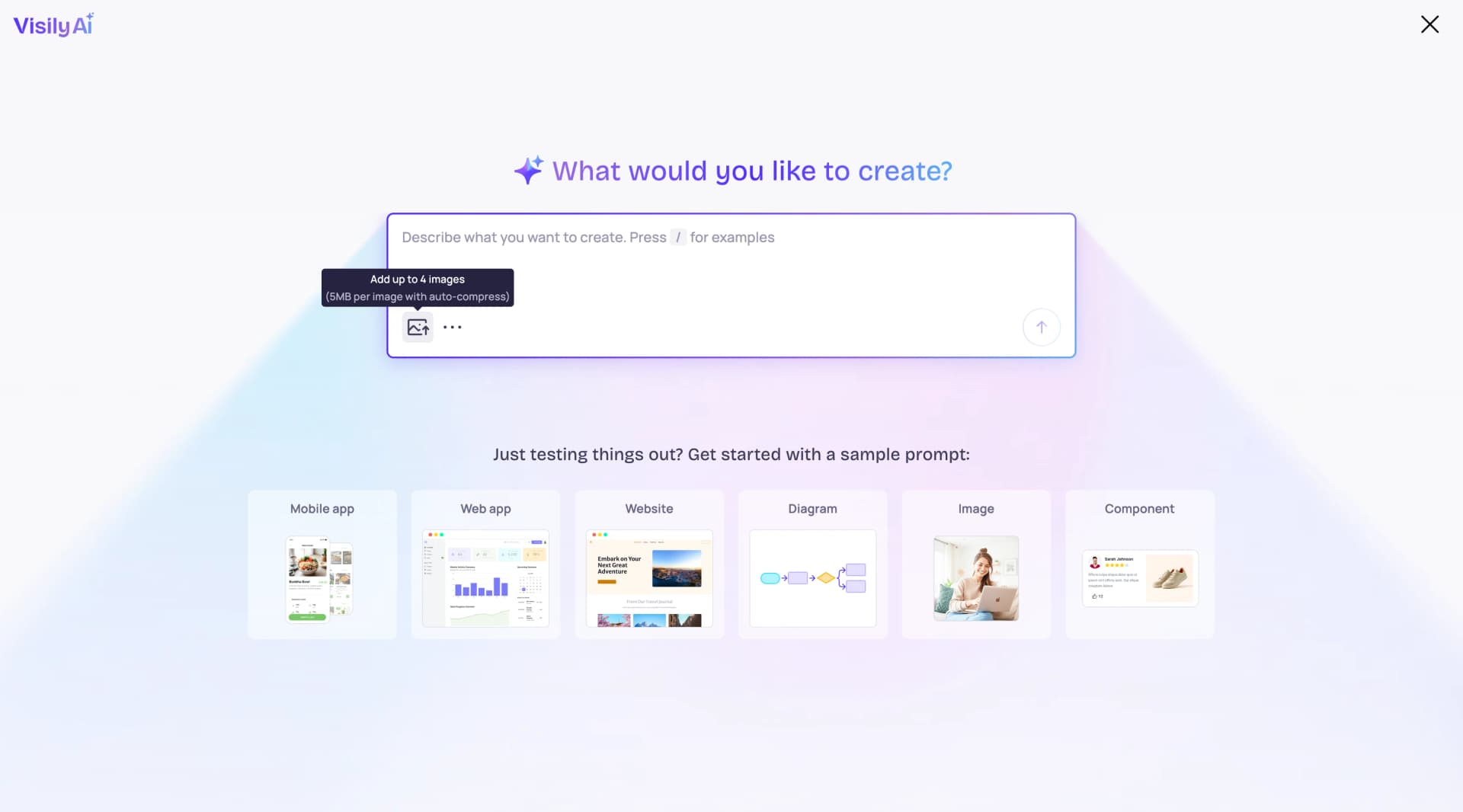
- AI-Powered Creation: Describe your table and let AI generate it
- Multiple Styles: Choose from various AI-generated design styles
- Professional Templates: Pre-designed layouts for different use cases
- Easy Customization: Edit colors, styling, and layout in the editor
- Export Options: Save and share tables in various formats
How It Works
- Access the AI creation dialog
- Describe your desired table in detail
- Wait for AI processing and style selection
- Review the generated table
- Customize in the full editor
Pros
- Professional design quality
- Multiple style options
- Comprehensive editing capabilities
- Good for business presentations
- Export functionality
Cons
- May require account creation
- Limited free tier features
- Focused on design over functionality
Pricing: Freemium model
Best For: Business professionals, presenters, and users who prioritize visual design and professional appearance.
4. Vondy AI Table Generator - Best for Content Creators
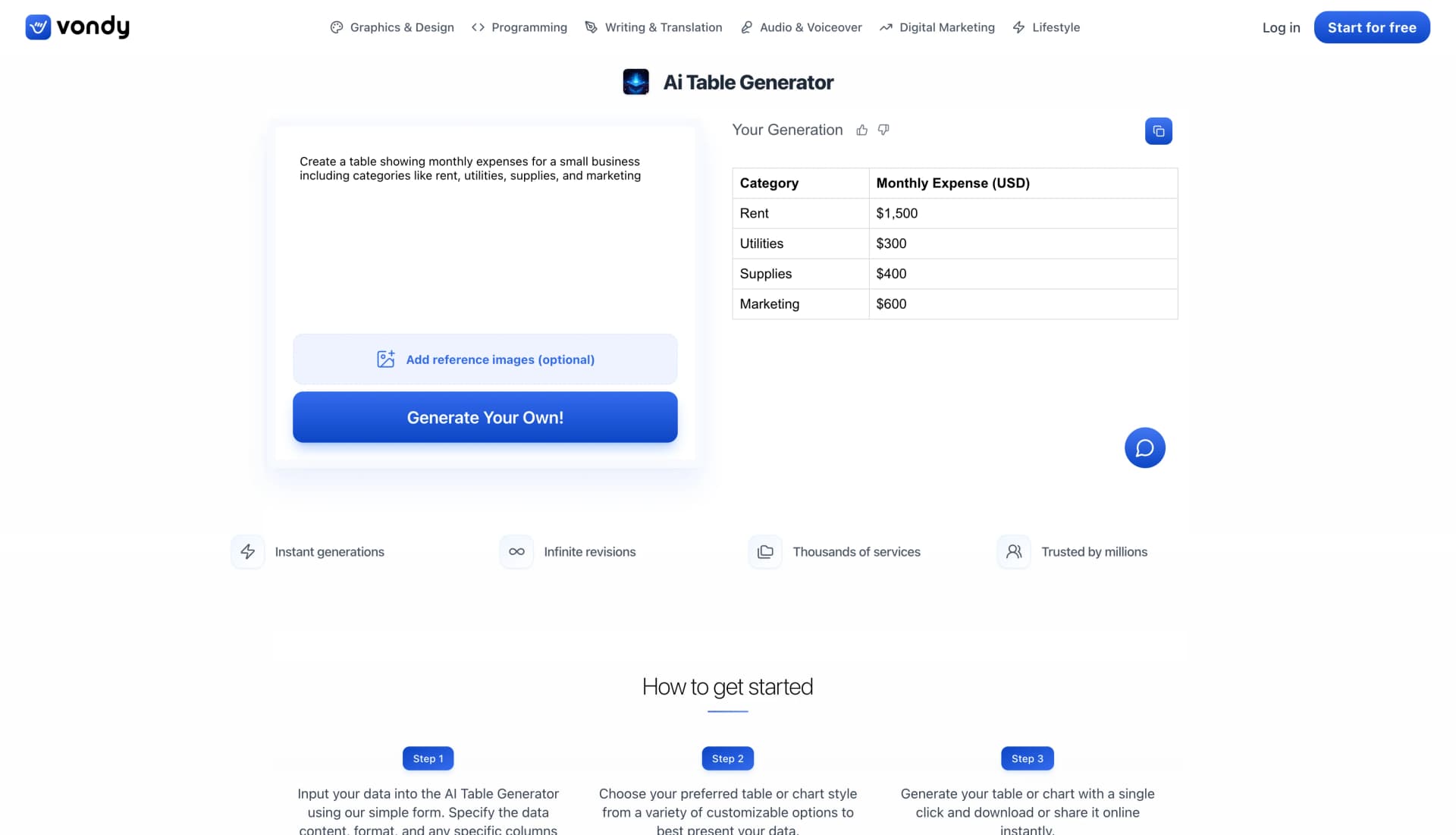
Vondy AI Table Generator creates professional tables with realistic data from simple text descriptions. The tool generates multiple variations of each table, giving users multiple options to choose from.
Key Features
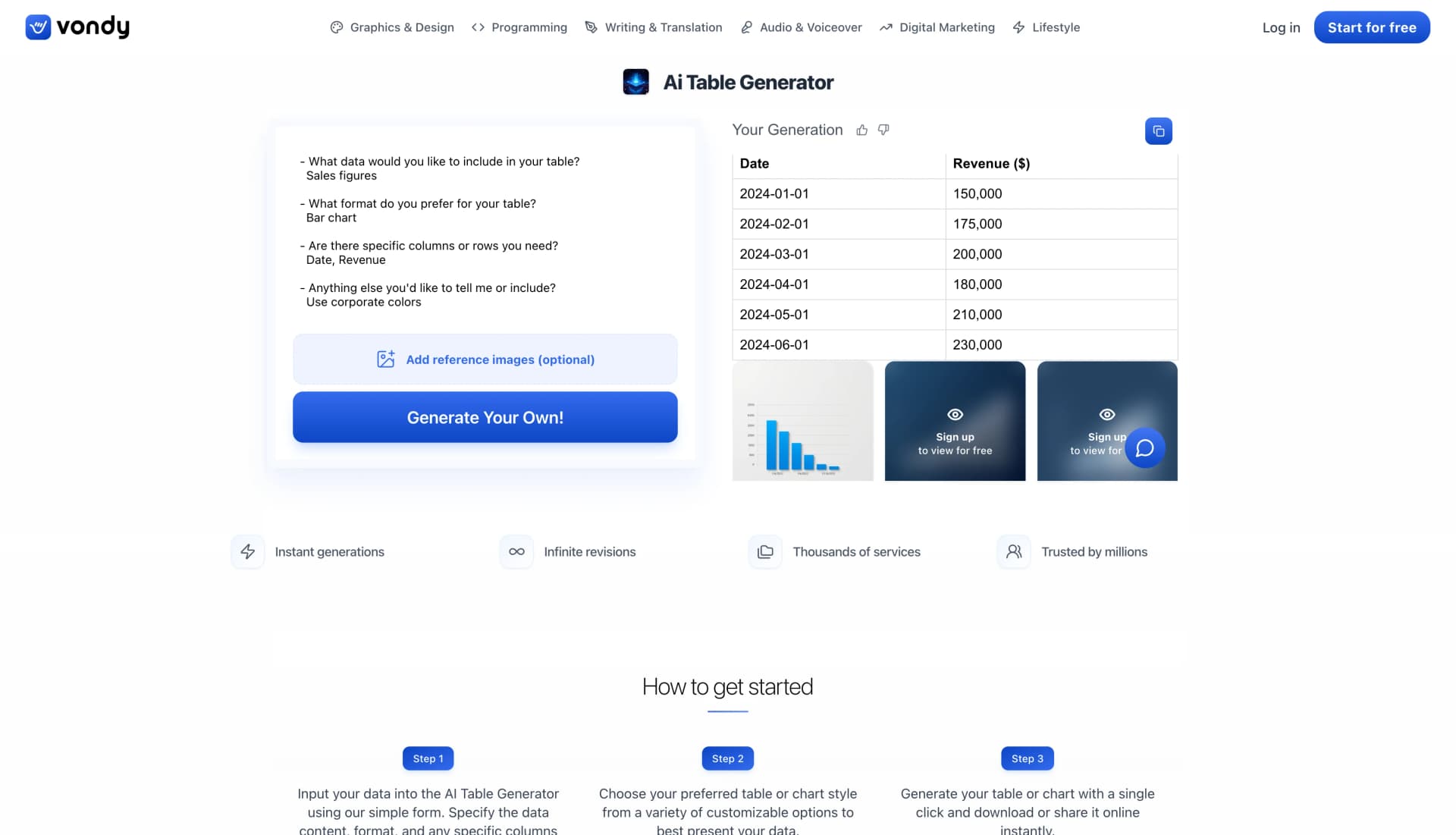
- Multiple Variations: Each generation produces several different styles
- Realistic Data: AI generates appropriate sample data
- Professional Formatting: Tables are ready for immediate use
- Free Access: No cost for basic table generation
- Easy Interface: Simple text input with clear examples
How It Works
- Enter a detailed description of your desired table
- Click "Generate Your Own!" button
- Review multiple table variations
- Choose the best option for your needs
- Use the table in your documents or presentations
Pros
- Multiple style variations per generation
- Realistic, contextually appropriate data
- Professional output quality
- Free to use
- Simple, intuitive interface
Cons
- Limited customization after generation
- No interactive features
- Basic export options
Pricing: Free
Best For: Content creators, students, and users who need quick, professional tables with sample data.
5. MyMap.AI Table & Chart Maker - Best for Data Analysis
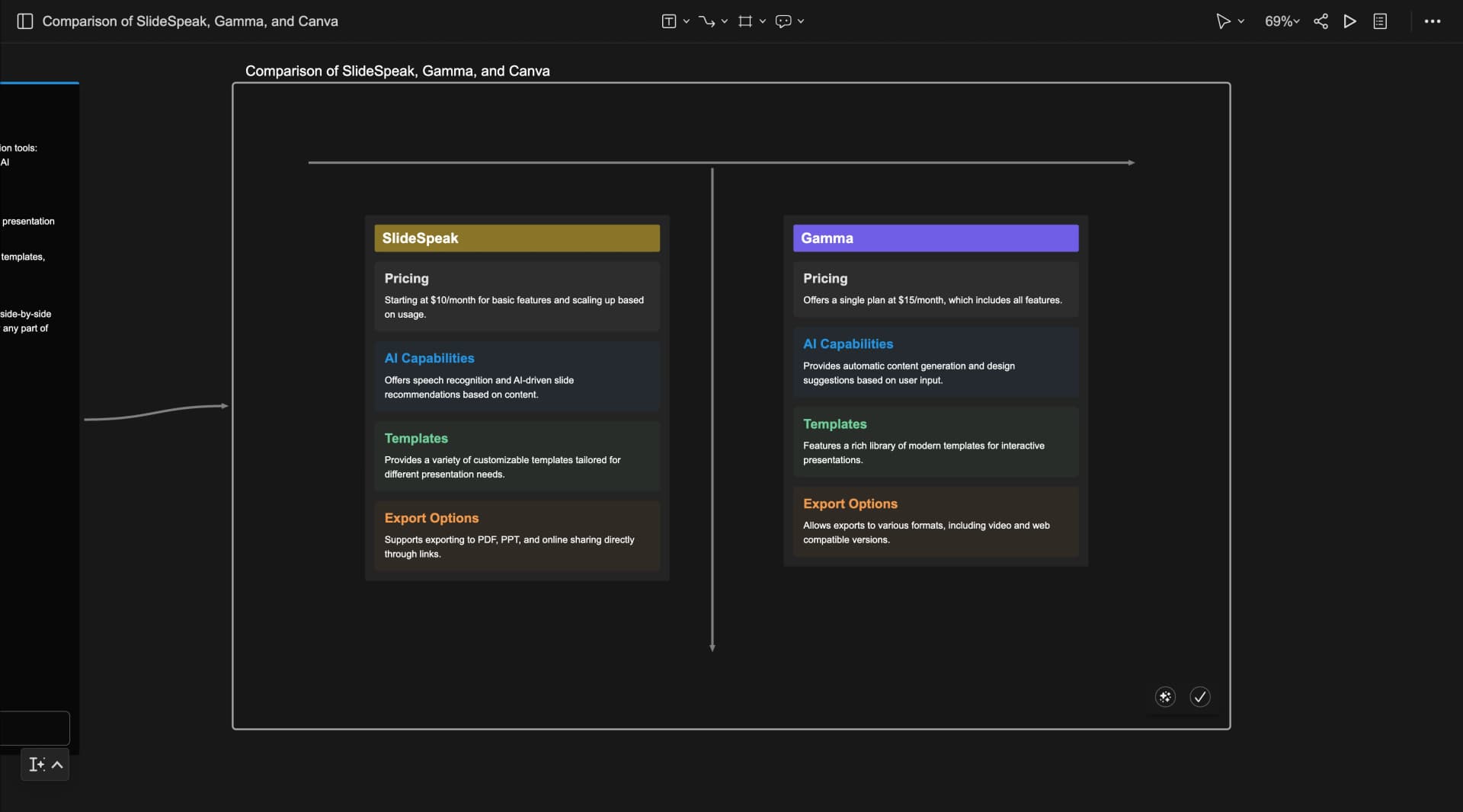
MyMap.AI offers a comprehensive AI-powered table and chart maker with real-time data integration and team collaboration features. The tool is particularly strong for data analysis and team-based projects.
Key Features
- Real-time Data: Access current information from Google and Bing
- Team Collaboration: Work together in real-time
- Web Integration: Pull data from any URL
- Multiple Export Options: Download as images, PDFs, or share via links
- Free Tier Available: Accessible to users with limited budgets
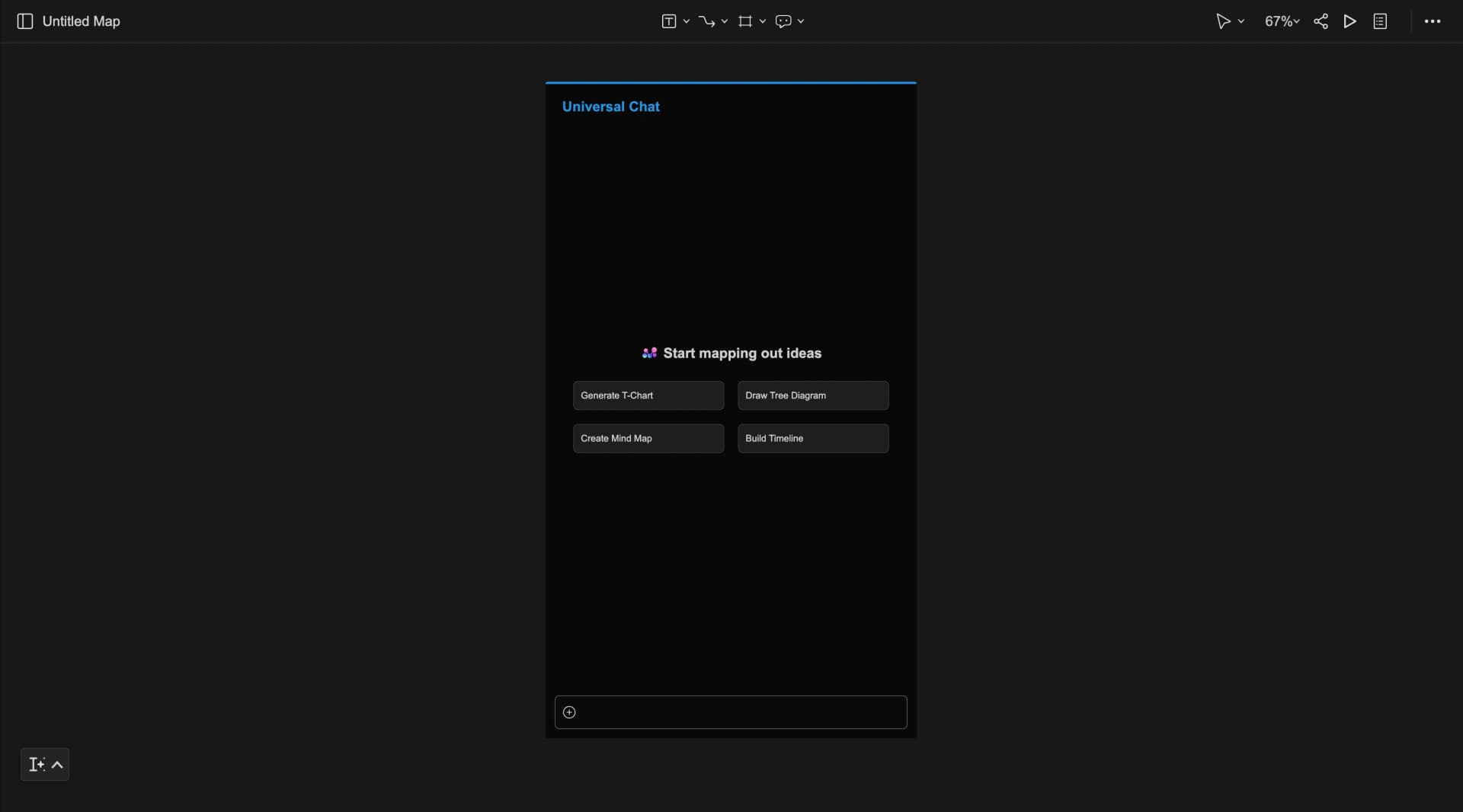
How It Works
- Enter your table request in the text input box
- Wait for AI processing (10-30 seconds)
- Review the generated table with organized sections
- Export or share as needed
- Collaborate with team members if needed
Pros
- Real-time data integration
- Team collaboration features
- Multiple export formats
- Free tier available
- Web data integration
Cons
- Limited free tier requests (5 GPT-3.5 requests/day)
- Low-resolution exports on free plan
- Requires internet connection for full functionality
Pricing: Free tier with premium options
Best For: Data analysts, teams, and users who need current data and collaboration features.
How to Choose the Right AI Table Generator Tool
Consider Your Use Case
- For Quick Text Conversion: Choose Text-to-Table Bot - No registration required, handles unstructured text well
- For Web Development: Choose Typli.ai - Generates complete HTML/JS code with interactive features
- For Business Presentations: Choose Visily AI - Professional design focus with multiple style options
- For Content Creation: Choose Vondy AI - Multiple variations with realistic sample data
- For Data Analysis: Choose MyMap.AI - Real-time data integration with team collaboration
Consider Your Technical Skills
- Beginner-Friendly: Text-to-Table Bot, Vondy AI - Simple interfaces with no technical knowledge required
- Intermediate Users: Visily AI, MyMap.AI - Some customization options with export and sharing features
- Advanced Users: Typli.ai - Code generation with custom implementation options
Consider Your Budget
- Text-to-Table Bot: Completely free
- Typli.ai: Free with full features
- Vondy AI: Free with full features
- MyMap.AI: Free tier with limitations
- Visily AI: Freemium model
Conclusion
AI table generator tools have transformed how we create and present data. Each tool offers unique advantages: Text-to-Table Bot excels at quick, no-fuss text conversion; Typli.ai provides professional, interactive web-ready code; Visily AI delivers design-focused, presentation-ready tables; Vondy AI offers multiple variations with realistic data; and MyMap.AI combines real-time data with team collaboration.
The best choice depends on your specific needs, technical skills, and use case. All five tools are free to use, making them accessible to users of all backgrounds and budgets.
For most users, we recommend starting with Text-to-Table Bot for simple conversions, then exploring the other tools based on your specific requirements. Whether you need quick text conversion, interactive web charts, professional presentations, or team collaboration, there's an AI table generator tool perfect for your needs.