

Do you want to cancel your subscription or account? No problem at all, we will walk you through the steps to cancel your subscription using our dashboard.
Cancelling Your Subscription
Step 1: Log into your account
Go to https://app.slidespeak.co and log into your SlideSpeak account.
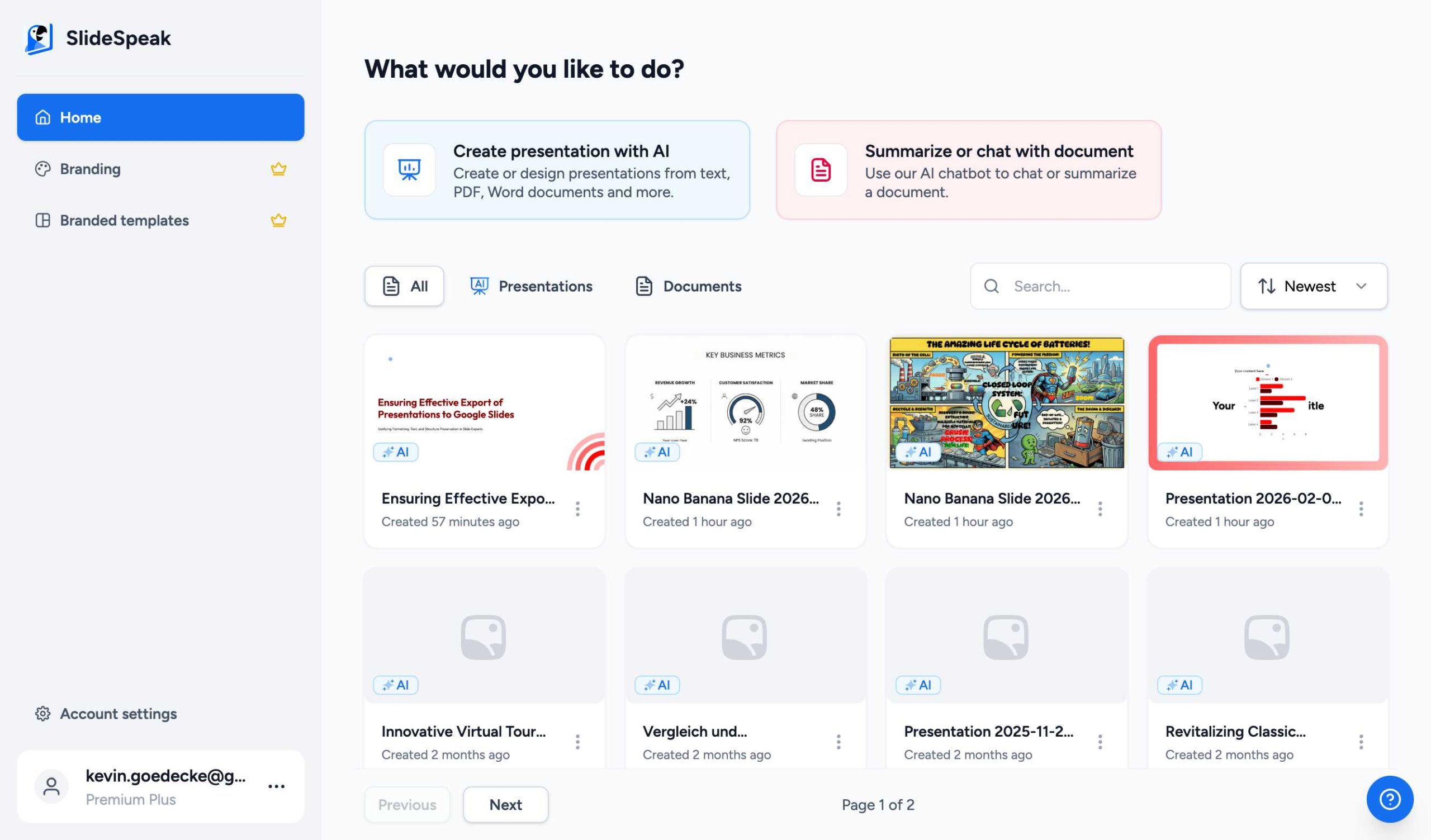
Step 2: Navigate to Account Settings
Once logged in, click on Account settings in the bottom left corner of the sidebar menu.
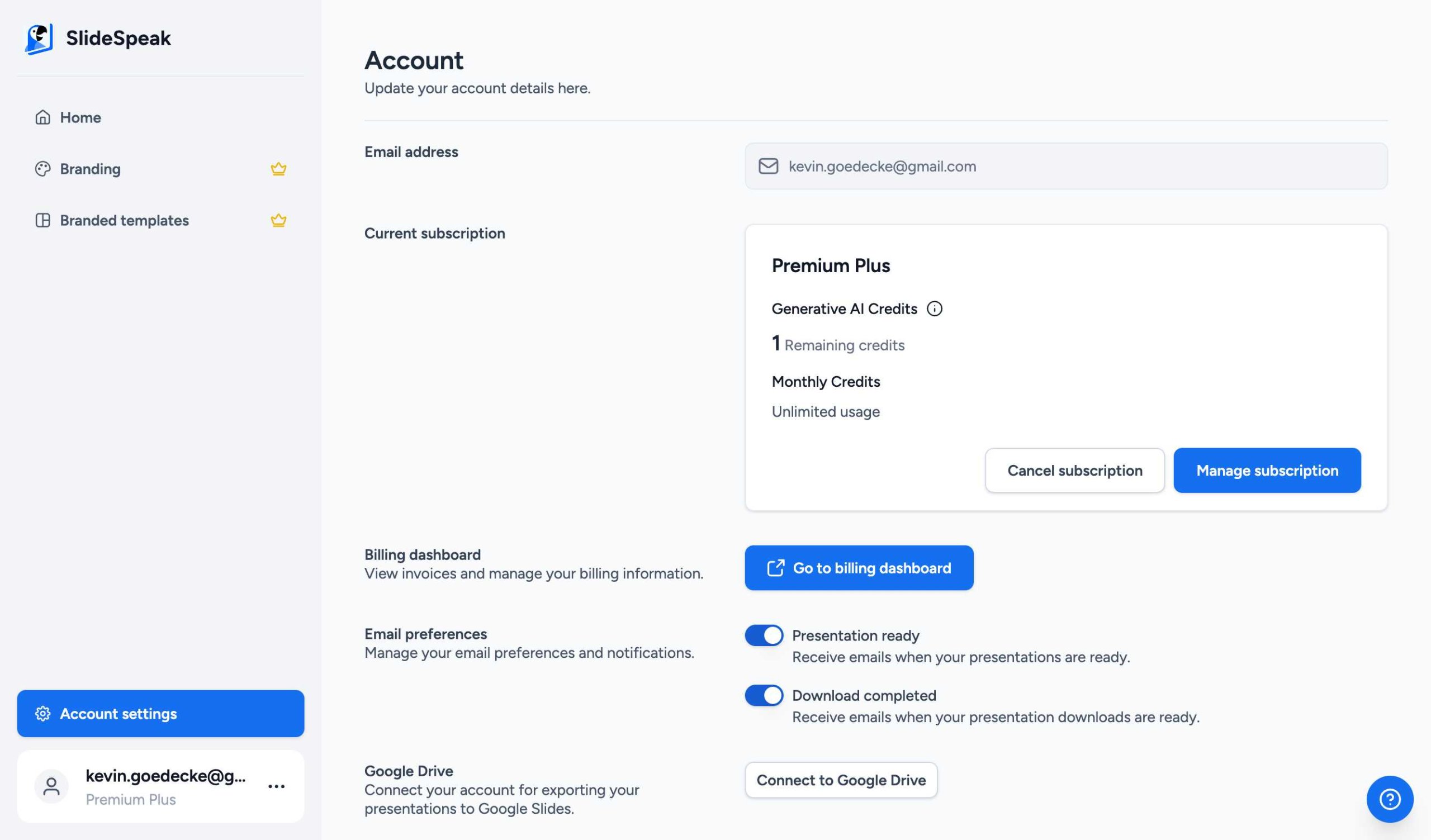
Step 3: Begin cancellation process
In the Account settings page, find the Current subscription section. Click on the Cancel subscription button.
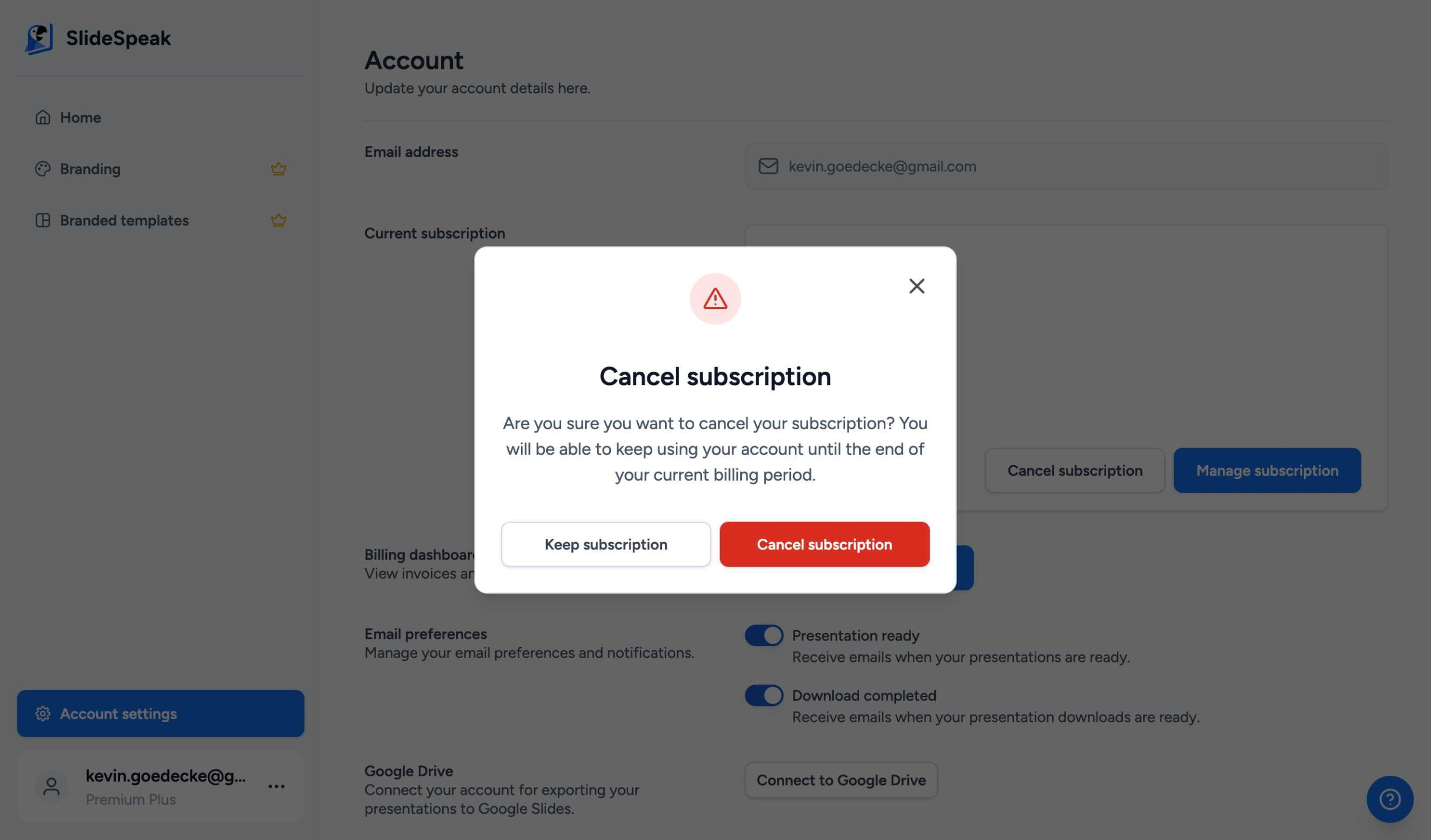
Step 4: Confirm cancellation
A confirmation dialog will appear. Click on Cancel subscription to finalize the process. You will continue to have access to your premium features until the end of your current billing period.
That’s it! Your SlideSpeak subscription has been successfully cancelled.
Need more help? If you have any questions or encounter any issues, don’t hesitate to reach out to our support team at support@slidespeak.co.
Need more help?
If you have any questions or need assistance, feel free to contact our support team at support@slidespeak.co