

Introducing SlideSpeak 2.0: AI That Designs Your Slides, End to End
Written by

Published on
On this page
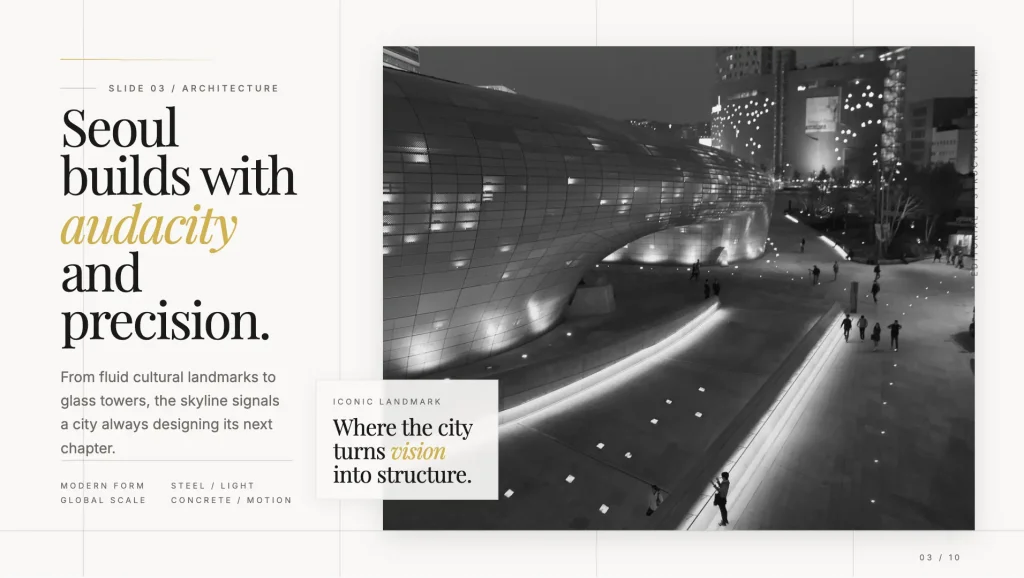
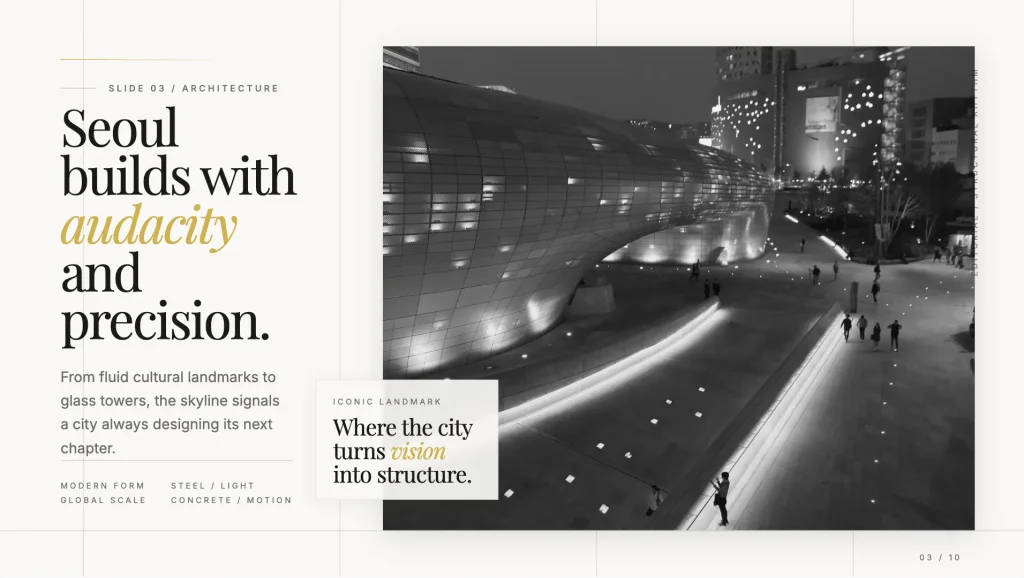
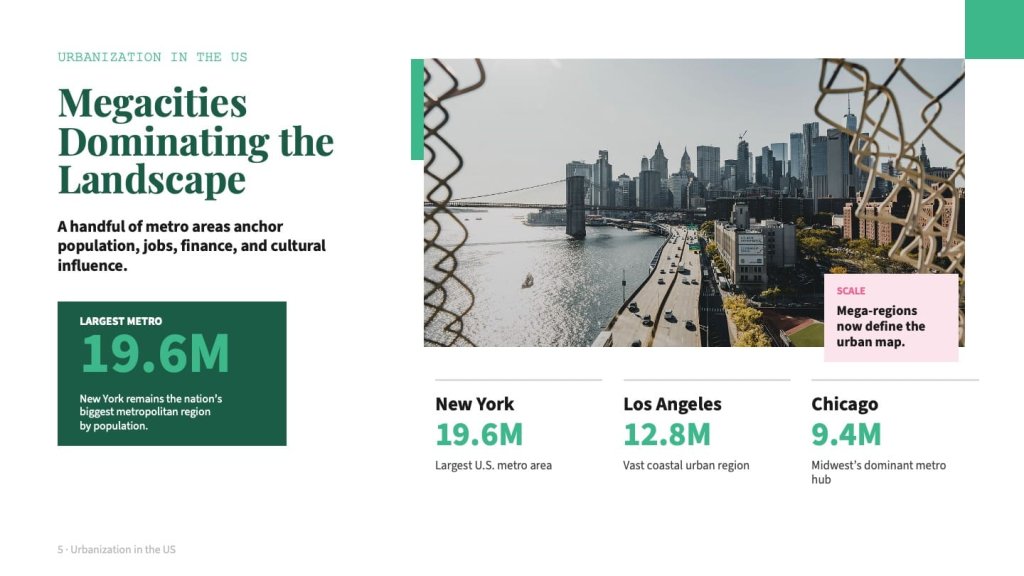
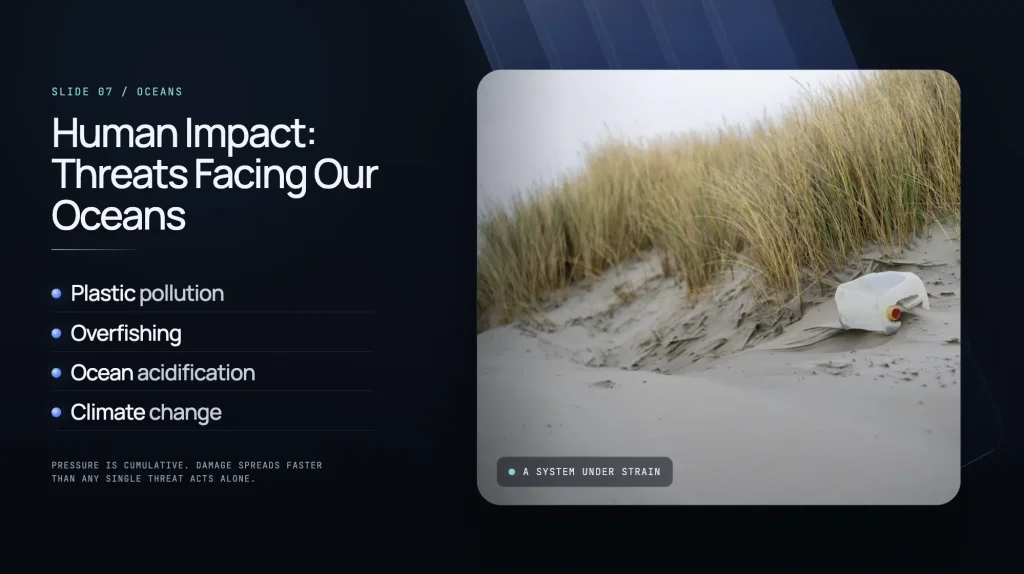
Today we’re launching SlideSpeak 2.0, a complete reinvention of how AI creates presentations. Instead of filling in pre-built templates, our new presentation engine designs every slide layout from scratch, tailored to your content. The results are more creative, more polished, and more varied than anything we’ve built before.
You can try it today by enabling the beta toggle inside SlideSpeak when creating a new presentation.
What’s new in 2.0
The biggest change is philosophical. Earlier versions of SlideSpeak, and most AI presentation tools on the market worked the same way: take user content, drop it into a fixed template, stylize. That gets you somewhere, but it caps the ceiling. Every deck ends up looking like a variation on the same five layouts.
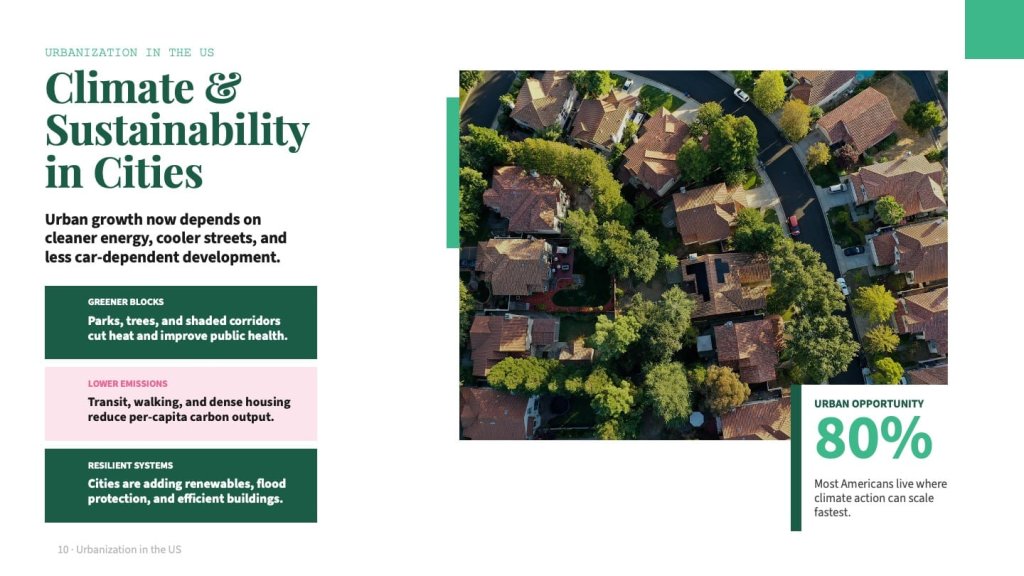
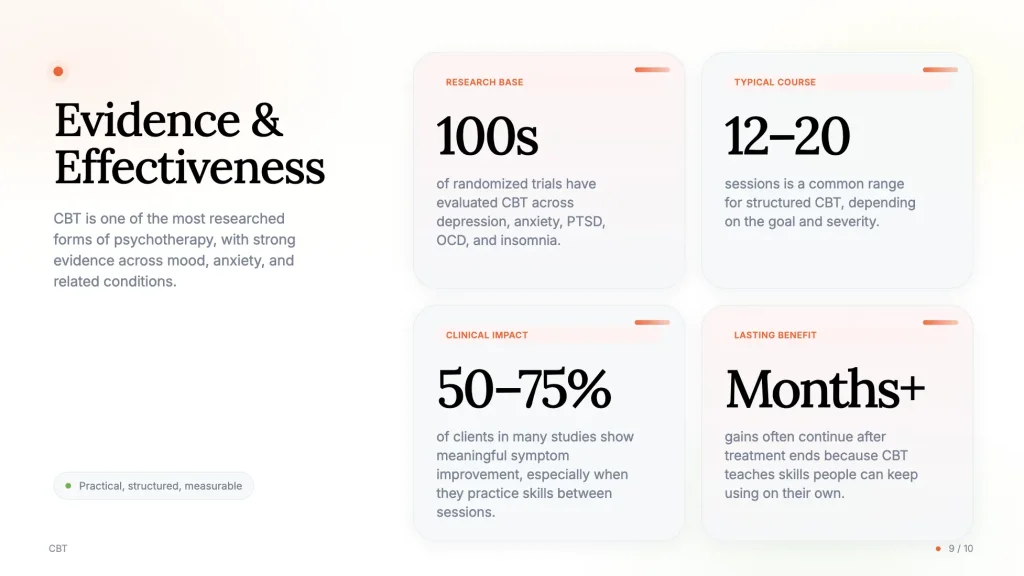
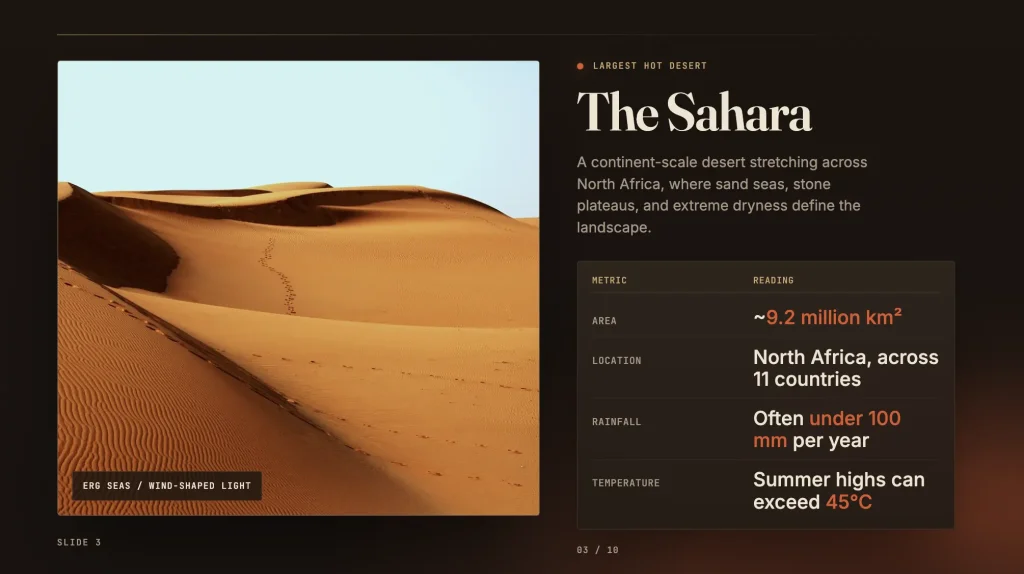
2.0 throws that out. Our new engine designs full slide layouts end to end, choosing structure, hierarchy, visual emphasis, and composition based on what the content actually needs. A data-heavy slide looks nothing like a title slide looks nothing like a conclusion slide. Each one is designed for its job.
The quality jump is significant. The creativity jump is, honestly, bigger than we expected.
How it works
Under the hood, SlideSpeak 2.0 is currently powered by OpenAI GPT 5.4 and a design pipeline we’ve built specifically for presentations.
One of the core design decisions: we let the AI reason in design first, then render to slides. Large language models are remarkably good at structured text — headings, hierarchy, lists, emphasis — and markdown captures all of that in a way the model can manipulate cleanly. We use that intermediate representation to plan the deck’s structure before any layout decisions get made. The result is presentations with better narrative flow and tighter hierarchy, not just prettier individual slides.
It’s a small choice that made a big difference in output quality.
A note on presentations with Claude Design
If you’ve used Claude’s design features, the underlying approach here will feel familiar: let the AI design full layouts end to end rather than fill in fixed templates. The difference is focus.
Claude Design is a general creative tool, powerful, but with weekly usage allowances that reset every seven days. Once you hit your limit, you’re waiting for the reset or purchasing extra usage. SlideSpeak is the perfect Claude Design alternative, built specifically for presentations: no weekly caps, real PPTX export, native support for speaker notes and slide structure, and a system tuned to produce consistent, reliable results fast.
Both tools are early. But focus on one format means we can ship presentation-specific improvements faster than a general-purpose tool can.
How to try 2.0 today
Creating presentations with the new engine takes one toggle:
- Start creating a new presentation in SlideSpeak
- Enable the 2.0 Beta toggle
- Generate as usual
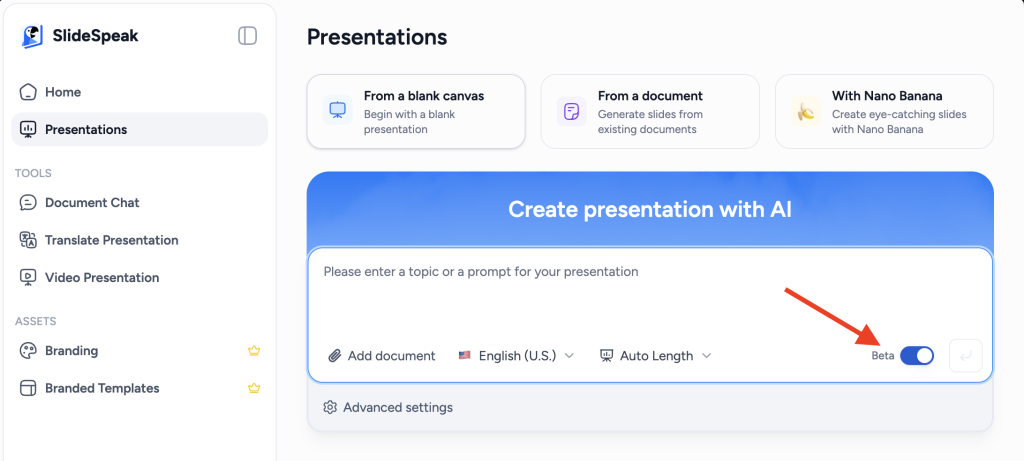
That’s it. Everything else works the way you’re used to — export, sharing, editing, the works.
What’s coming next
We’re shipping 2.0 in beta because we want feedback early — and because a few things are still in progress. Here’s what’s on the roadmap:
Custom templates. Right now 2.0 designs presentations from scratch every time. Bringing your own brand, colors, fonts, and templates is coming in the next few weeks.
Switching templates. Regenerating a deck in a different style isn’t supported yet in 2.0, but it’s high on the list.
API parity. If you’re building with the SlideSpeak API, the new design capabilities are coming soon.
In the meantime, classic SlideSpeak remains available alongside 2.0 — nothing existing is changing, and you can switch between them freely.
FAQ
Is this free? 2.0 is available to all users during the beta, subject to your normal SlideSpeak plan.
Will my existing presentations change? No. 2.0 is opt-in via the beta toggle. Everything you’ve already created stays exactly as it is.
How do I opt out? Just leave the 2.0 Beta toggle off when creating a new presentation.
When will custom templates ship? We’re targeting the next few weeks. If you want early access email support@slidespeak.co
Can I use 2.0 via the SlideSpeak API? Not yet — API support is coming soon.
Is this really unlimited? Usage follows your normal SlideSpeak plan — there are no separate 2.0 caps, no weekly resets, no credit systems to manage on top of what you already have.
Try it today
SlideSpeak 2.0 is live in beta right now. Open the app, flip the toggle, and make something. We’d love to hear what you build — and what we should improve.


