


How to Add Music to PowerPoint
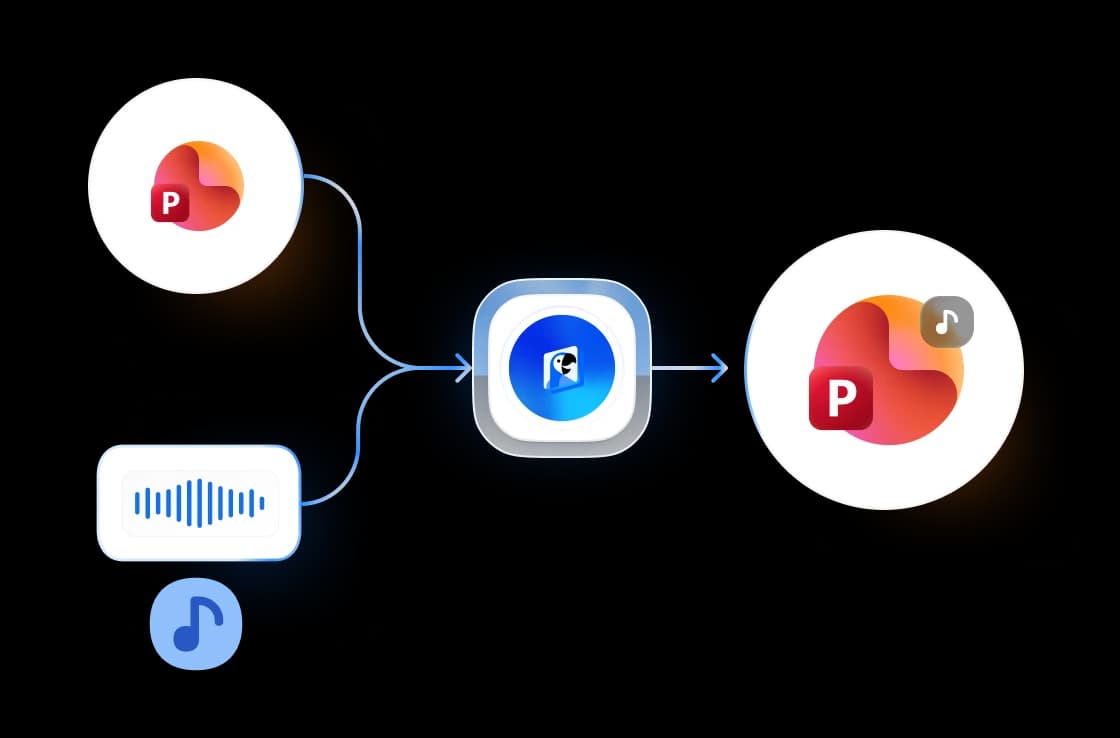
Add background music to your PowerPoint in three easy steps.
Upload Your Presentation
Upload your .pptx presentation. Drag & drop or click to browse.
Pick Your Track
Preview the built-in royalty-free tracks — upbeat, corporate, calm, cinematic, and more — and pick the one that fits your presentation.
Download
We embed the music so it auto-plays across all slides. Your PowerPoint is ready to download in seconds.
Preview every track in the library
Six royalty-free tracks, ready to embed. Press play to hear them before you upload your presentation.
City Sunshine
Upbeat · 3:05
Fresh Focus
Corporate · 2:04
Happy Whistling Ukulele
Fun · 2:03
Shining Stars
Calm · 2:20
Heroic Adventure
Cinematic · 2:23
Arpent
Tech · 2:42
Background music without the licensing headache
See how SlideSpeak handles the details of adding music to your presentation.
Royalty-Free Music Included
Every track in the library is public domain (CC0), so you can present anywhere — in class, at work, at a conference, or on YouTube — without paying license fees or crediting anyone. No hunting for a safe MP3 first.
FREE & No Sign-up Required
Our music tool is 100% free with no account required. Upload your presentation and download the result. No watermarks, no limits.
Secure Online Processing
We encrypt every file you upload in transit and delete it automatically once processing finishes. We never share or store your presentations.
Why choose SlideSpeak?
Fast, free, and reliable. Add background music to any PowerPoint presentation in seconds.
Built-in Music Library
Six royalty-free tracks across moods — upbeat, corporate, fun, calm, cinematic, and tech. Preview each one right in the browser before you decide.
Plays Across All Slides
The music is embedded on slide 1 and set to auto-play through your entire slideshow — no manual playback setup in PowerPoint.
Preserves Your Design
Your presentation's design, animations, and formatting stay intact. We only add the music.
Lightning Fast
Embedding takes just a few seconds, even for large presentations with many slides.
Secure and Private
We encrypt files in transit and delete them permanently after processing. Your data stays private.
No Software Needed
Works in your browser. You don't need Microsoft PowerPoint or any other software.
Fast processing, any file size
Most files process in under 10 seconds. Our server-side engine embeds the music directly into the PPTX package format.
<10s
Avg. time
6
Royalty-free tracks
200 MB
Max PPTX size
100%
Free forever
How We Stack Up
See how SlideSpeak compares to other ways to add music to PowerPoint.
| Features |  | PowerPoint (Desktop) | Google Slides | Canva |
|---|---|---|---|---|
| Free to use | Unlimited free | Paid license | Free | Free (limited) |
| No signup required | No signup | License needed | Google account | Account needed |
| Royalty-free music included | Built-in library | Bring your own file | Bring your own file | Many tracks paid |
| Plays across all slides | Automatic | Manual setup | Per-slide only | Per-slide only |
| Preserves PPTX formatting | 100% preserved | Native | Conversion needed | Re-export needed |
Explore related tools
All free, all browser-based. No signup needed.

Add Audio to PowerPoint
Upload your PowerPoint and audio file (MP3, WAV, M4A) and download your presentation with embedded audio.
Add Music to Video
Add background music to any MP4, MOV, or WebM video. Pick a royalty-free track or upload your own, and we mix it with the video's original sound.

AI Audio Narration Generator
Generate professional AI audio narration in MP3 format for your PowerPoint presentations. Create voiceovers that can be easily added to slides.
Convert PowerPoint to Video with AI
Convert PowerPoint presentations to videos with AI narration.

Convert PPT to PDF with AI
Convert PowerPoint presentations to PDF with AI.
AI PowerPoint Readability Checker
Check and improve the readability of your PowerPoint presentations with AI.
Keep going with these tools
The tools people reach for next, plus the SlideSpeak features behind them.
Add Audio to PowerPoint
Upload your PowerPoint and audio file (MP3, WAV, M4A) and download your presentation with embedded audio. Perfect for voiceovers and background music.
AI Presentation Generator
Create a full slide deck from a prompt, topic or document.

AI PPT Editor
Enhance existing slides: rewrite text, fix layouts, and lift the quality of any deck.
Frequently Asked Questions
Everything you need to know about adding music to PowerPoint presentations.

Create a presentation with SlideSpeak
An AI presentation platform to turn ideas, PDFs, Word, and Excel files into ready-to-present slides.