About this design
Where the Notebook style comes from, and what it signals.
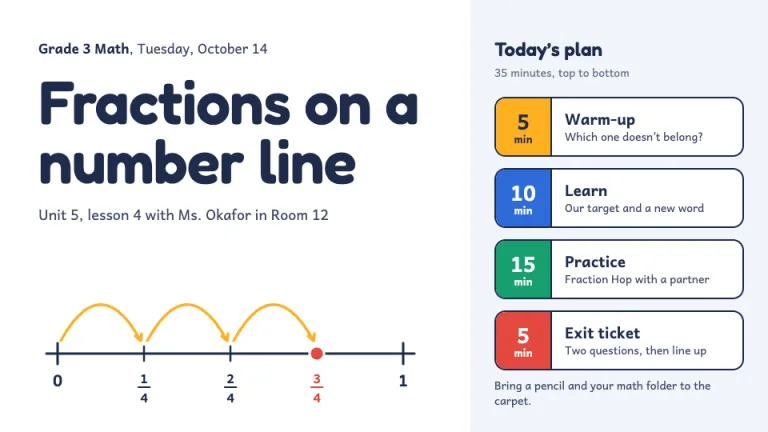
Notebook is a direct transcription of the student's physical notebook into HTML: pale blue horizontal rules every 26 pixels, a red margin line at 90 pixels from the left, and three punched holes down the left edge. All content sits right of the margin line, where the writing goes.
The handwritten quality comes from two Google Fonts: Caveat for headings, rotated up to 1 degree from horizontal, and Patrick Hand for body text set on the 26-pixel line grid. Color stays within the notebook's own vocabulary: translucent yellow #FDE047 and green #86EFAC highlighter strokes behind key words, red #D14545 ellipses circling dates and numbers, and small red margin doodles left of the line.
The theme suits presentations that want to feel like a study session rather than a pitch. It reads as handmade and earnest, which helps with educational content, study guides, or any topic where informality makes the material easier to absorb.
Use it for
- School and university lecture companion slides
- Study guides and revision sessions shared with a class
- Educational workshop materials that invite annotation
- Training decks where a friendly tone helps retention
Skip it for
- Executive presentations where the handmade look reads as unfinished
- Finance or legal reviews that need sharp, authoritative typography
The presentation design prompt
This is the exact text that gets sent to your AI.
Create slides in the 'Notebook' theme, a student's lined notebook page. Background: white #FFFFFF with 1px horizontal ruled lines in pale blue #BFD7EE every 26px, starting about 70px from the top; a 2px vertical red margin line #E8A0A0 at 90px from the left; three gray punch holes about 26px wide spaced down the left edge. All content sits right of the margin line. Typography: headings in handwritten 'Caveat', body in 'Patrick Hand' (both Google Fonts), dark gray #1F2937, body text set on the 26px line grid, headings slightly rotated up to 1 degree. Signature motifs: translucent highlighter strokes behind key words, rounded rectangles in yellow #FDE047 or green #86EFAC at 55 percent opacity, slightly rotated; hand-drawn red #D14545 ellipses circling dates and numbers, plus squiggly red underlines; small margin doodles such as stars and curved arrows in red, left of the margin line. Strictly avoid: dark backgrounds, gradients, drop shadows, corporate card layouts, perfectly straight decorative strokes, photography.

Use this theme for my slides. Ask me what the presentation is about first, then apply the theme to every slide.
View this prompt and its data on GitHub
How to use this prompt
From copied text to a finished Notebook deck in four moves.
- 01
Copy the prompt
Use the copy button, or open it pre-filled in Claude or ChatGPT with one click from the panel on this page.
- 02
Tell the AI your topic
The prompt instructs the AI to ask what your presentation is about first. A sentence or a pasted outline is enough.
- 03
Generate and iterate
Ask for more slides or swap a layout. The avoid list at the end of the prompt keeps Notebook on-style while the content changes.
- 04
Or skip straight to a deck
SlideSpeak turns your topic or document into a finished Notebook presentation, exportable as PowerPoint or PDF.
Common questions
Working with the Notebook presentation design prompt in practice.