
How to translate a video with AI in 3 steps
Choose a language and voice, then download your dubbed video and subtitles.
Upload your video
Drop in an MP4, MOV, or WebM file (up to 500 MB and 10 minutes), then choose your target language and a male or female voice.
AI transcribes, translates & dubs
We transcribe the spoken audio, translate the transcript, and create a voiceover in your chosen language.
Download your dubbed video
Download the dubbed MP4 and the source and translated SRT files. Review the result before sharing.
Video dubbing with downloadable subtitles
See how SlideSpeak transcribes, translates, and dubs your videos with AI.
Start with clear speech
Use a video with clear dialogue. Background noise or overlapping speakers can reduce transcription quality. Check the subtitles before sharing.
82 target languages
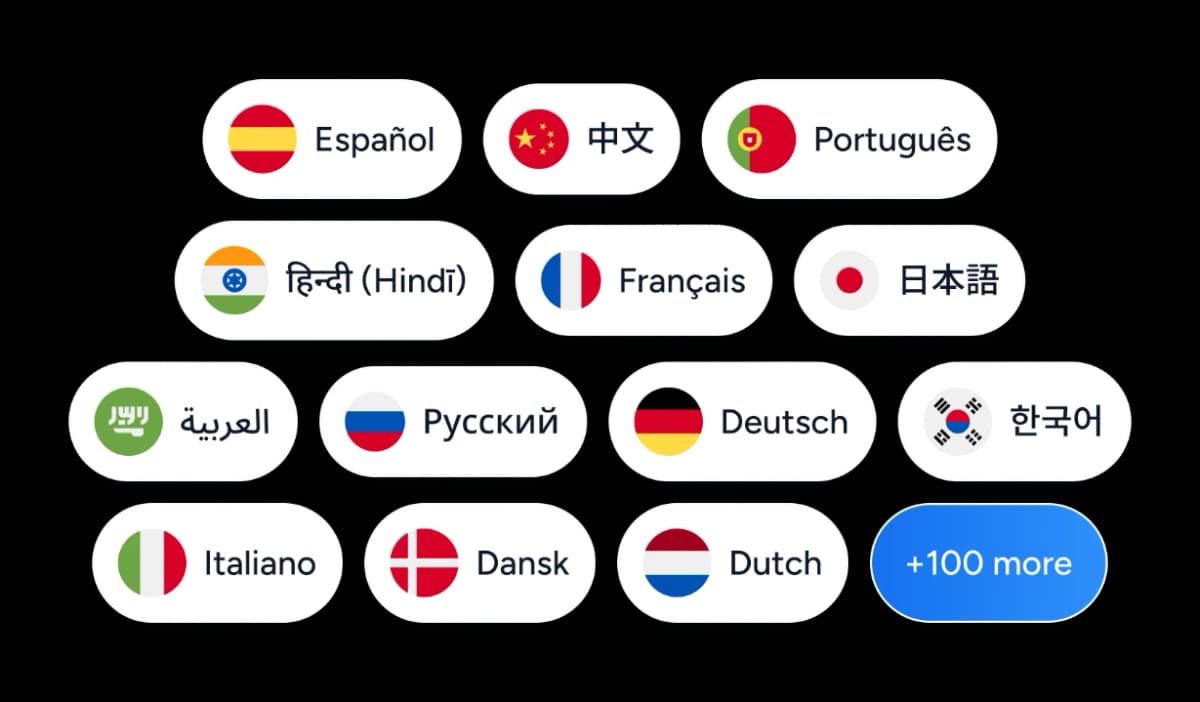
Choose one of 82 target languages and a preset AI voice. Use the picker to see available languages. Source-language recognition depends on the audio.
Free, no watermark, no sign-up
The AI video translator is free, with no account and no watermark on your output. Upload, pick a language, and download the dubbed video plus subtitles.
Why choose SlideSpeak?
Dub spoken audio without recording a new voiceover.
Transcribe spoken audio
Start from the dialogue in your video. Clear speech gives you a better transcript.
82 target languages
Choose a target language from the picker to reach viewers who speak it.
Online processing
Upload your video and keep this page open while we prepare the download.
Preset AI voices
Choose a male or female AI voice for your voiceover.
Voiceover timing
We adjust the voiceover timing to your video. Longer translated phrases can shift later speech or extend the output.
Subtitle files
Download source and translated SRT files to review the wording or add captions.
Choose from 82 target languages
Select a language for your AI voiceover. The picker shows the available options.
…and 59 more target languages.
Dub videos up to 10 minutes
Upload a file up to 500 MB. Processing time depends on video length and service demand. Keep this page open while we prepare your download.
10 min
Maximum video length
82
Target languages
0
Watermarks
Free
No sign-up needed
Compare video dubbing tools
Check each provider’s current plan for usage limits and download options.
| Features |  | Synthesia | HeyGen | Rask AI |
|---|---|---|---|---|
| Free to use | Free | Free plan | Free plan | Free trial |
| No watermark | No watermark | Check plan | Check plan | Check plan |
| Sign-up required | No sign-up | Required | Required | Required |
| Downloadable subtitles | Source + translated | Check plan | Check plan | Check plan |
| Natural AI voices | Included | Included | Included | Included |
| Price | Free | Free + paid | Free + paid | Trial + paid |
Explore related tools
All free, all browser-based. No sign-up needed.

Summarize MP4 Videos
Upload an MP4 and get an AI summary in seconds. Free, browser-based, no signup.
Summarize MOV Videos
Upload a QuickTime .mov file and get an AI summary in seconds. Free and no signup.
Summarize YouTube Videos
Get AI summaries from any YouTube URL — fast key takeaways without watching the full video.
Convert YouTube to PowerPoint with AI
Convert YouTube videos to PowerPoint presentations using AI.
Translate PowerPoint with AI
Translate PowerPoint presentations with AI.
AI Audio Narration Generator
Generate professional AI audio narration in MP3 format for your PowerPoint presentations. Create voiceovers that can be easily added to slides.
Frequently Asked Questions
Video formats, voices, subtitles, and processing.

Create a presentation with SlideSpeak
An AI presentation platform to turn ideas, PDFs, Word, and Excel files into ready-to-present slides.