
How to Build an Employee Training Program (From Existing Material)
Written by

Published on
On this page
I’m going to show you how to build an employee training program out of material your company already owns: the SOPs, the deck from that in-person session, the recording nobody has watched since. We’ll cover what a training program is, what you already have lying around, and seven steps for turning it into something people can use.
Follow the steps in order and you won’t need a second tab.
What is an employee training program?
An employee training program is a structured plan for closing a specific gap between what your team knows and what the job needs. Most of the time it’s assembled from material the company already has, like process docs, slide decks and recorded sessions.
Training and development are not the same thing. Training is job-specific: it teaches someone to do the work in front of them, now. Development is longer-range, aimed at where a person is heading.
A program can contain both. But when someone asks you to “sort out training,” they almost always mean the first one.
You already have most of your training material
About 68% of SlideSpeak’s users work primarily from source material they already had, rather than from a prompt or a blank page. The other 32% start from scratch. But the majority habit is transformation.
If your problem is “I have nothing,” the answer is “buy content.” If your problem is “I have a 40-slide deck and no time,” the answer is something else entirely.
The job in front of you is conversion, not authorship. Change that, and the work gets far smaller and the steps come in a different order.
Material you already have, and what it turns into
Before you write anything, work out what each thing on your drive is good for. Most of the “types of employee training” aren’t things you build from nothing. They’re destinations for material you already own.
| What you already have | What it’s really for | Convert it into |
|---|---|---|
| An SOP or process doc in Notion or Confluence | Technical and on-the-job training | Slides, then a narrated module |
| A 40-slide deck from an in-person session | Onboarding, product training | A self-paced narrated video |
| A PDF handbook or policy pack | Compliance and HR policy training | Short modules, one per policy |
| A recorded all-hands or Zoom walkthrough | Systems and onboarding training | A trimmed, structured lesson with captions |
| The answer a senior person keeps retyping in Slack | Point-of-need microlearning | A one-page job aid or a two-minute clip |
| Toolbox talk notes or a safety briefing | Safety and compliance training | A short module, translated per crew |
| A competency matrix or job description | Leadership, management, cross-training | A learning path, not a single module |
The recorded meeting is the most valuable and the most neglected, because it already contains the explanation in the voice of the person who knows. It needs cutting rather than writing.
The competency matrix is not a module. If you try to convert it directly you’ll produce a four-hour course nobody finishes. Treat it as a map of what to build instead.
How to build an employee training program from existing material
Let’s start with the inventory. Until you know what exists, you’re planning in the dark, and you’ll design things you already own.
- Inventory what already exists
- Start from what breaks
- Check what’s still true
- Pick the format by how often it will change
- Convert it
- Write only what’s genuinely missing
- Put it where the work happens
Step 1: Inventory what already exists
Give yourself half a day and go looking. Five places worth checking:
- Shared drives, sorted by “last modified” rather than by folder. The useful material is rarely where the folder structure says it should be.
- The onboarding folder nobody has opened in two years. Some of it is dead. Some of it is the best explanation of your process that anyone has written.
- Recorded meetings. All-hands sessions, recorded walkthroughs, the Zoom call where someone demoed the new system to three people.
- SOPs and internal wikis. Notion, Confluence, SharePoint, or whatever your company actually uses rather than the one it says it uses.
- Chat history. Specifically, the answers senior people retype. If someone has explained the same thing in Slack four times, that’s a training gap with the content already written.
The output is a list with a location and an owner for each item. Not a plan, not a curriculum, not a matrix, just a list. You’ll be surprised how long it is. It’s your evidence that you aren’t starting from zero.
Step 2: Start from what breaks
Start from the evidence of what’s already going wrong:
- Support tickets and rework. What gets done twice? What gets escalated because someone didn’t know a step?
- The questions new hires ask in week one. Somebody is already answering these. Write the questions down for two weeks.
- Near-misses and incidents, if you’re in a safety-critical environment. These are the training needs with the highest cost attached, and they’re already documented.
- Where managers intervene. If a manager has to check a particular piece of work every time, the training gap is right there.
This is still a training needs analysis, and it produces the same output: a ranked list of skills gaps. However, it arrives from evidence rather than from a framework, and that evidence already exists in systems you can query today.
You’ll end up with five or six real gaps. Cross-reference them against the inventory from Step 1. Most will already have material attached.
Step 3: Check what’s still true
Converting an out-of-date SOP does not produce training. It produces out-of-date training, faster, and now with a narrator’s voice giving it authority it hasn’t earned.
For each item you plan to convert, find the person who owns that process and ask one question: is this still how it works? You want a yes, a no, or a specific correction. Give them a deadline.
Three outcomes, and a rule for each:
- Still accurate. Convert it.
- Mostly accurate, with known corrections. Convert it, apply the corrections, then get the same person to check the output once.
- Nobody will vouch for it. Do not convert it. Material that nobody owns is material nobody will maintain.
Last case might feel like a loss, but it isn’t. You’ve found out for free what you’d otherwise have discovered after building a module on it.
Step 4: Pick the format by how often it will change
Most of the guides that discuss format at all tell you to choose by learning style: something for visual learners, something for auditory learners, something hands-on. Choose by how often the content is going to change instead.
Editing a document means changing a line. Editing a narrated video means re-recording a section, re-syncing the captions and exporting again. Both are fine. They just cost different amounts, and the cost lands later, when you’re busier.
So:
- Stable content earns production value. The safety induction, the values session, the “how this company works” explainer. These change once every few years, so narrate them, caption them, make them good.
- Volatile content stays editable. Anything tied to a tool, a price list, a regulation, or a process under active change. Keep it as slides or a document you can edit in place.
- Anything you’ll re-cut for different audiences should start from a source you keep. If the same safety briefing goes out to three crews in two languages, the deck is the asset and the videos are outputs.
One honest caveat. I’d warn against a version of this argument you’ll sometimes hear, which says training content constantly rots and needs continuous refreshing. When we’ve tested that idea with customers, it hasn’t held up. Repeat work comes from cadence, meaning new topics, new crews and new languages, rather than from old material going bad.
Step 5: Convert it
The mechanics, whatever tool you use:
- A deck becomes a self-paced module when you add narration and captions to slides that already exist.
- A document or SOP becomes slides when you pull out the structure, meaning the steps, decisions and warnings, and let the prose become speaker notes.
- A recording becomes a lesson when you trim it to the parts that explain something and add structure around them.
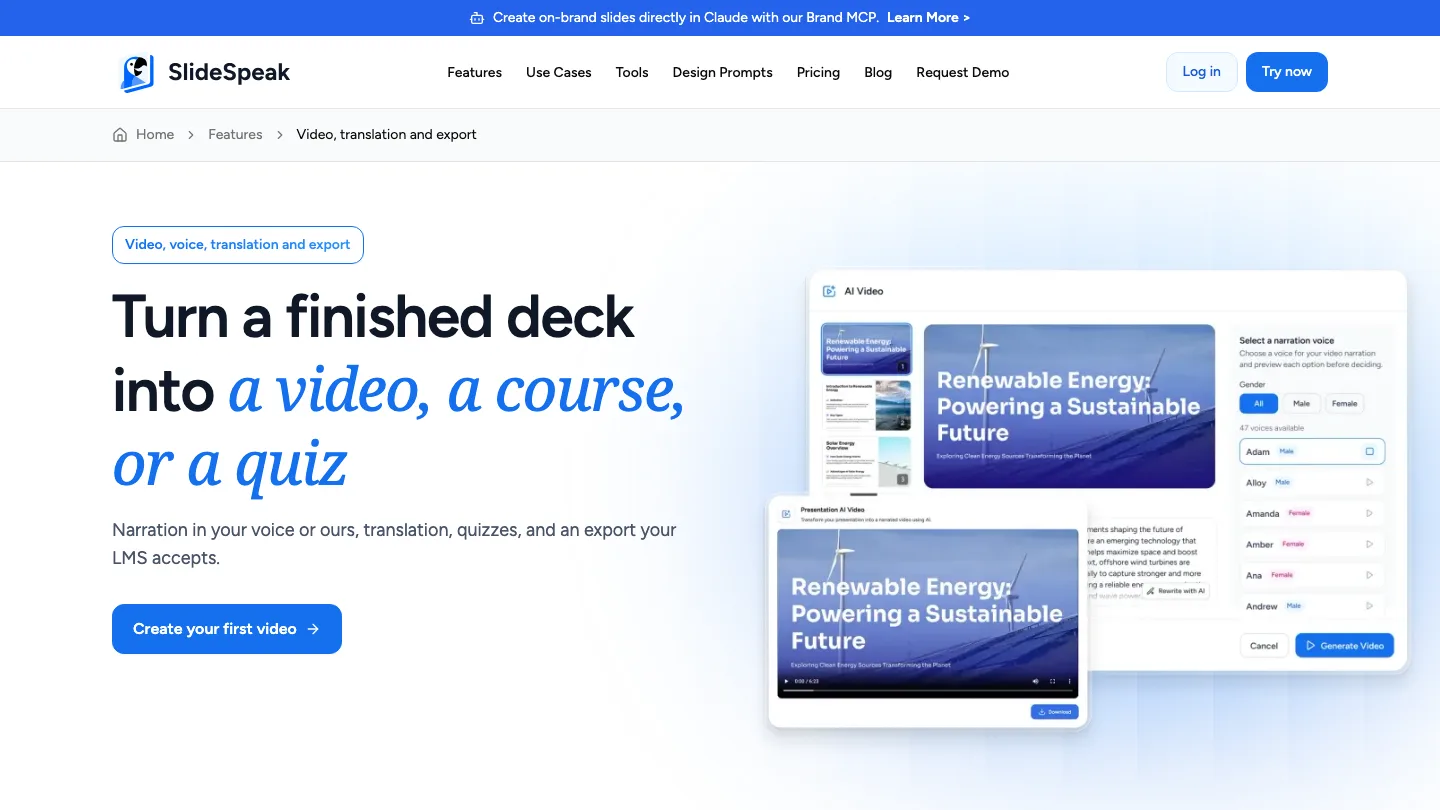
With SlideSpeak you can upload a PowerPoint file, a PDF, a Word or Excel document, or point it at a web page, then generate a deck from that source rather than from a prompt. You can edit the result in the browser. You can also turn a finished deck into a narrated video with a synthetic or cloned voice and captions. Export to PowerPoint and PDF, and video, sit on the paid plans. If your material is a slide deck rather than a document, turning PowerPoint into notes is a useful halfway step.
What still needs a human
The structure and the details. Automatic conversion shapes a source into a deck well, but it can’t tell which of your forty slides mattered, so you still have to.
Step 6: Write only what’s genuinely missing
Now, finally, the blank page.
After the first five steps, what’s left is usually one or two things. Either a gap where no material exists because nobody ever wrote it down, or a topic where what exists is so wrong it has to be replaced.
Two tests before you write anything new:
- Has someone explained this before, anywhere? In an email, a ticket reply, a comment on a pull request. If yes, you’re editing, not writing.
- Would anyone notice if this didn’t exist? If the honest answer is no, you invented the gap. Cut it.
Every other guide treats this step as the whole job. Done in this order, it’s the smallest one.
Step 7: Put it where the work happens
The last question is where this lives.
An LMS earns its cost when you need to prove who completed what. That means regulated industries, safety training, anything with an auditor attached. If that’s you, get one, and check that whatever you built the material in can export to SCORM, the packaging format most learning management systems accept. SlideSpeak exports decks to SCORM, so a converted module drops into your LMS instead of being rebuilt inside it. If you are choosing one, we compared 14 employee training tools split by the three jobs: creating the material, delivering it, and proving completion.
If nobody is auditing you, a shared drive with a sensible structure and a link in the onboarding checklist. The failure mode for internal training is material nobody can find.
Then set a review date. Put a calendar entry on each converted item for six or twelve months out, with the process owner from Step 3 named on it. It takes two minutes now, and it’s the difference between a program and a folder.
Frequently asked questions
How do you develop an employee training program?
Inventory the material you already have, identify gaps from evidence of what’s going wrong, verify what’s still accurate, then choose formats based on how often they’ll change. After that, convert what exists, write only what’s genuinely missing, and put it somewhere people will find it. The order matters, because starting from the inventory rather than from a competency framework typically removes most of the work.
How do you start an employee training program?
Start with the half-day inventory in Step 1. It’s the cheapest possible first move, it needs no budget or approval, and it tells you whether you have a writing problem or a conversion problem. Most people discover they have the second one.
How do you improve an existing employee training program?
Audit accuracy before you touch anything else, because a program people distrust is worse than one they’ve never seen. Then look at what people ask about despite the training existing. That usually means the material is right but unfindable, or it’s in a format nobody can use at the moment they need it.
What is the most common type of employee training?
It depends on whether you count informal learning. Most skills get picked up on the job, with someone experienced showing someone else how the work is done. Of the formal programs, onboarding and compliance training are the most widely run, because both are effectively mandatory.
How long should employee training be?
As short as the material allows. Break content into pieces that address one thing each, rather than running long sessions. Someone looking up how to do a task needs two minutes on that task, not a re-run of a ninety-minute induction. Safety training is typically run short and frequent rather than long and annual: a weekly toolbox talk covers one topic in a few minutes, which is why safety training videos tend to be short too.
Wrapping up…
You can now build a training program without writing one from scratch. Inventory what exists, find gaps from evidence, verify accuracy, convert, and fill only the real holes.
The thing that most often goes wrong is the finding. Material that people can’t locate at the moment they need it may as well not exist, and that failure is invisible. Nobody files a ticket saying “I couldn’t find the training.” They just ask a colleague instead, which is the exact cost you were trying to remove.
So when you finish Step 7, test it. Ask someone who wasn’t involved to find the answer to a specific question using only what you’ve published. If it takes them more than a minute, the problem isn’t your content.


