

Nano Banana Is Now Integrated into SlideSpeak
We got some exciting news: Nano Banana is now integrated into SlideSpeak.
For weeks we’ve seen exciting images of what Nano Banana is capable of. Google’s latest AI image model is insanely good at creating infographics, editing photos or simply creating slides.
While Nano Banana is great at creating visuals, the main issue is that images aren’t editable. That means you can’t modify or change text without re-generating the entire image.
Google has integrated Nano Banana into Google Slides, but at this point the integration is far from ideal, non of the shapes or text are editable. Additionally you can’t generate any presentations with PowerPoint.
SlideSpeak changes that.
With SlideSpeak, you can create slides using Nano Banana and edit all text instantly. No waiting. No re-prompting. No re-processing. You can work directly in the SlideSpeak editor or export to PowerPoint or Google Slides and keep editing there.
Simply head over to https://app.slidespeak.co, click on “Create presentation with AI” and select “with Nano Banana”.

What You Can Create with Nano Banana in SlideSpeak
Below are examples of slides generated with Nano Banana inside SlideSpeak.
Infographics
Create clean, structured infographics with editable text. Change wording, numbers, or labels instantly.
Example prompt: “A slide with a world map about the global banana production in flat 3D style”

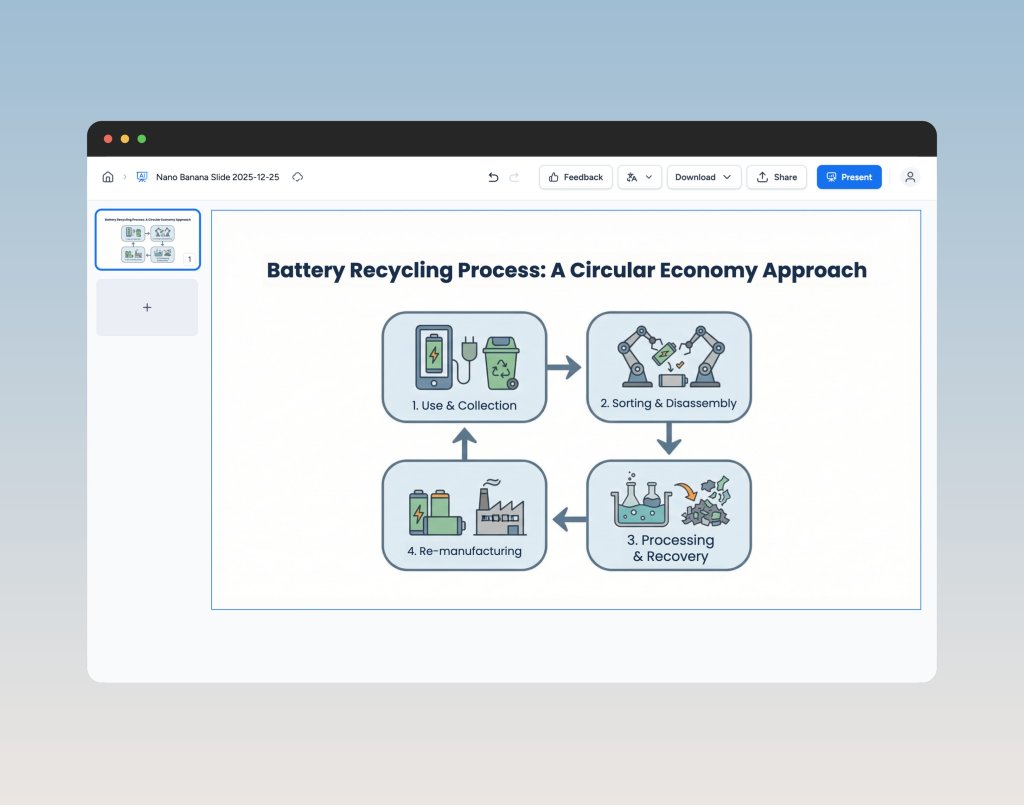
Process & Flow Diagrams
Generate process diagrams, flows, and step-by-step visuals. Adjust titles and steps without regenerating the slide.
Upload a Slide and Improve the Design
Upload an existing slide and let Nano Banana redesign it. Keep the content, improve the layout and visuals.
Reference Slide → New Layouts
Provide a reference slide design and generate similar or alternative layouts. Useful for keeping a consistent visual style across slides.
Nano Banana is especially strong at visual slides:
- Infographics
- Charts
- Process diagrams
- Flows and structures
Common Use Cases
- Upload a slide and make it look better
- Create infographics and diagrams
- Generate new layouts from a reference slide
- Build visualization-heavy slides quickly
Why the SlideSpeak Integration Is Different
SlideSpeak is the only tool that integrates Nano Banana and lets you edit text immediately.
- Edit text instantly
- No waiting for regeneration
- No re-prompting
- Use the SlideSpeak editor as is
- Or export to PowerPoint or Google Slides
Even Nano Banana inside Google Slides does not allow direct text editing. SlideSpeak does.
Simply click on “Download” and select PowerPoint and you download will start right away.
Current Limitations and What’s Next
Right now, Nano Banana generates one slide at a time.
We’re already working on full integration so you’ll soon be able to generate entire presentations, not just single slides.
Try Nano Banana in SlideSpeak
Nano Banana is excellent at visuals. SlideSpeak makes those visuals usable, bringing the power of Nano Banana to PowerPoint and more.
Create slides you can actually edit, iterate on, and present.
Try Nano Banana inside SlideSpeak today.