

Thinking of leaving SlideSpeak? We’re sorry to see you go! If there is anything we can do to improve your experience, please let us know. If you’ve decided to move on, here is a step-by-step guide on how to permanently delete your SlideSpeak account.
Warning: Deleting your account is permanent and irreversible. All your files, presentations, and account data will be permanently removed from our servers and cannot be recovered.
Before You Delete Your Account
To ensure a smooth deletion process, please note that you cannot delete an account with an active subscription. If you are currently on a paid plan, you must cancel your subscription first.
- Cancel any active paid subscriptions
- Download any important files or presentations you wish to keep
- Note that this action will delete all associated data
Step-by-Step Guide to Deleting Your Account
Step 1: Log into your SlideSpeak account
First, navigate to app.slidespeak.co and log in using your credentials.
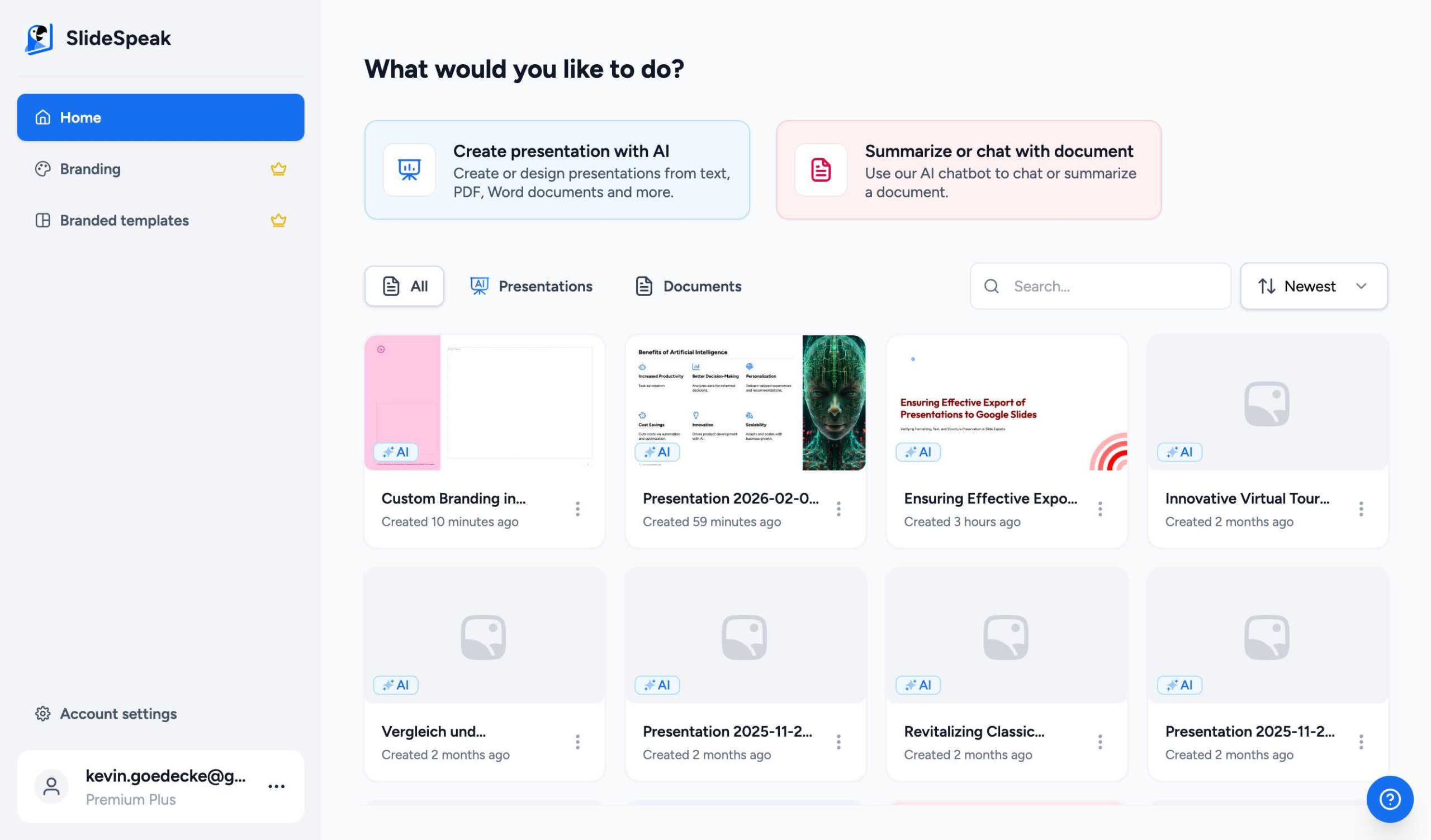
Step 2: Access Account Settings
Once you are on the dashboard, look at the sidebar menu on the left. Click on Account settings located at the bottom of the sidebar.
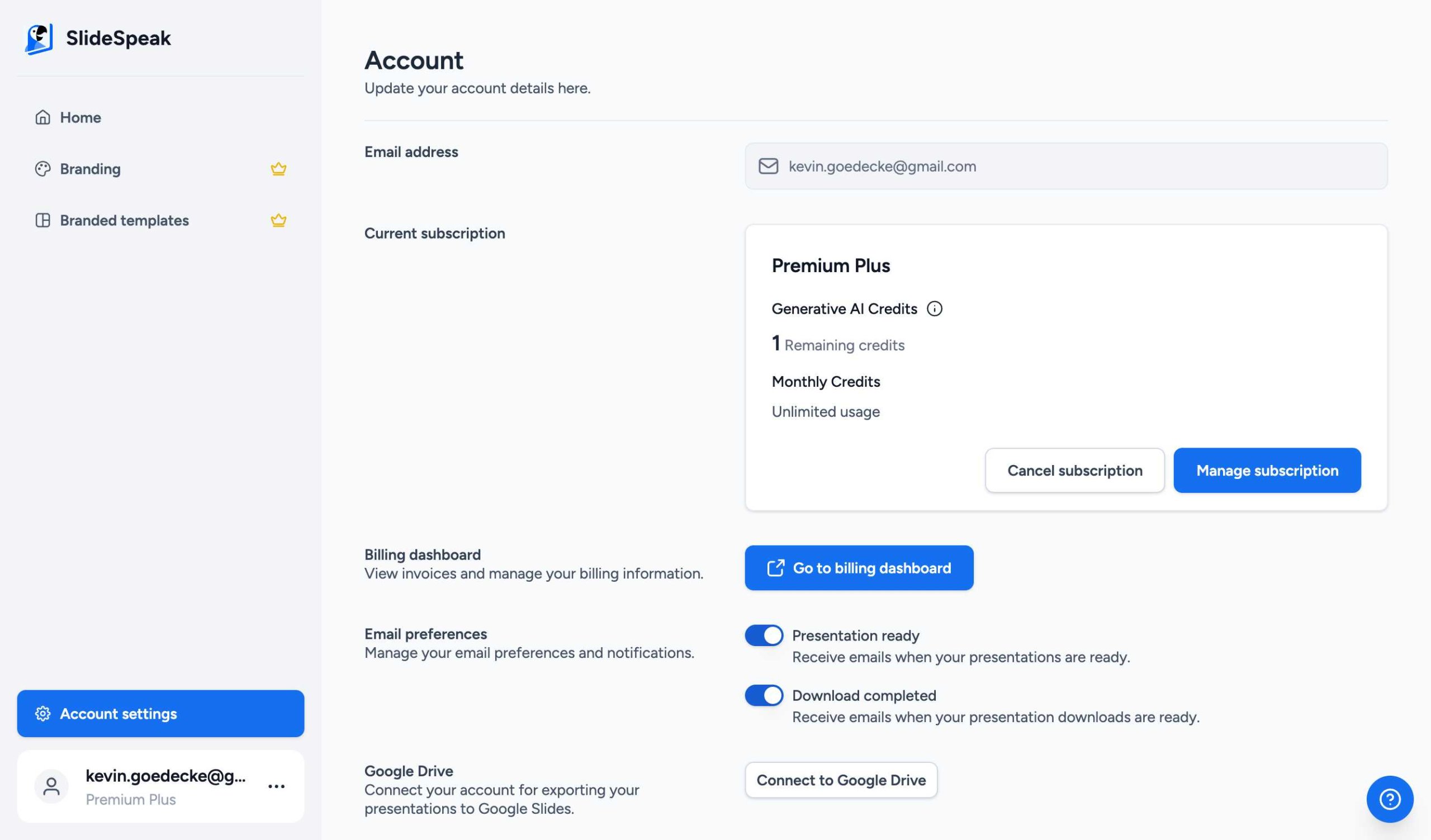
Step 3: Delete Your Account
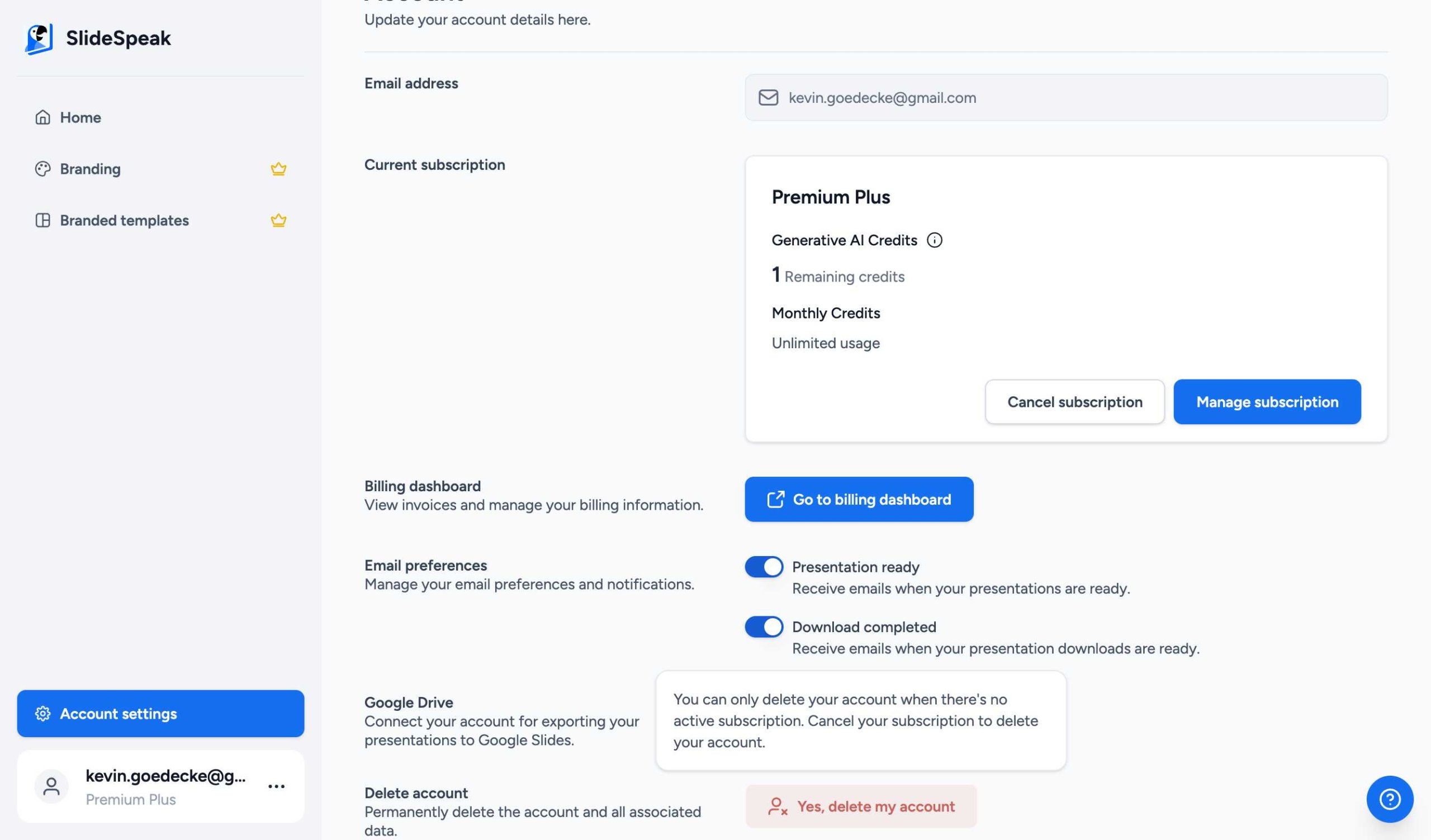
Scroll down to the Delete account section at the bottom of the page. If you do not have an active subscription, the Yes, delete my account button will be enabled.
If the button is disabled, hover over it to see the requirement: “You can only delete your account when there’s no active subscription. Cancel your subscription to delete your account.”
Step 4: Confirm Deletion
Click the Yes, delete my account button and follow the final confirmation prompt to complete the process.
Still need help? If you encounter any issues while deleting your account or have questions about your data, please contact our support team at support@slidespeak.co.
Need more help?
If you have any questions or need assistance, feel free to contact our support team at support@slidespeak.co