

Upgrading your SlideSpeak subscription is the best way to unlock more powerful features and increase your document upload limits. Whether you need more generative AI credits or unlimited usage, our Premium and Premium Plus plans have you covered.
Step 1: Open the Dashboard
First, log in to your SlideSpeak account. Once you are on the dashboard, look at the bottom left side panel.
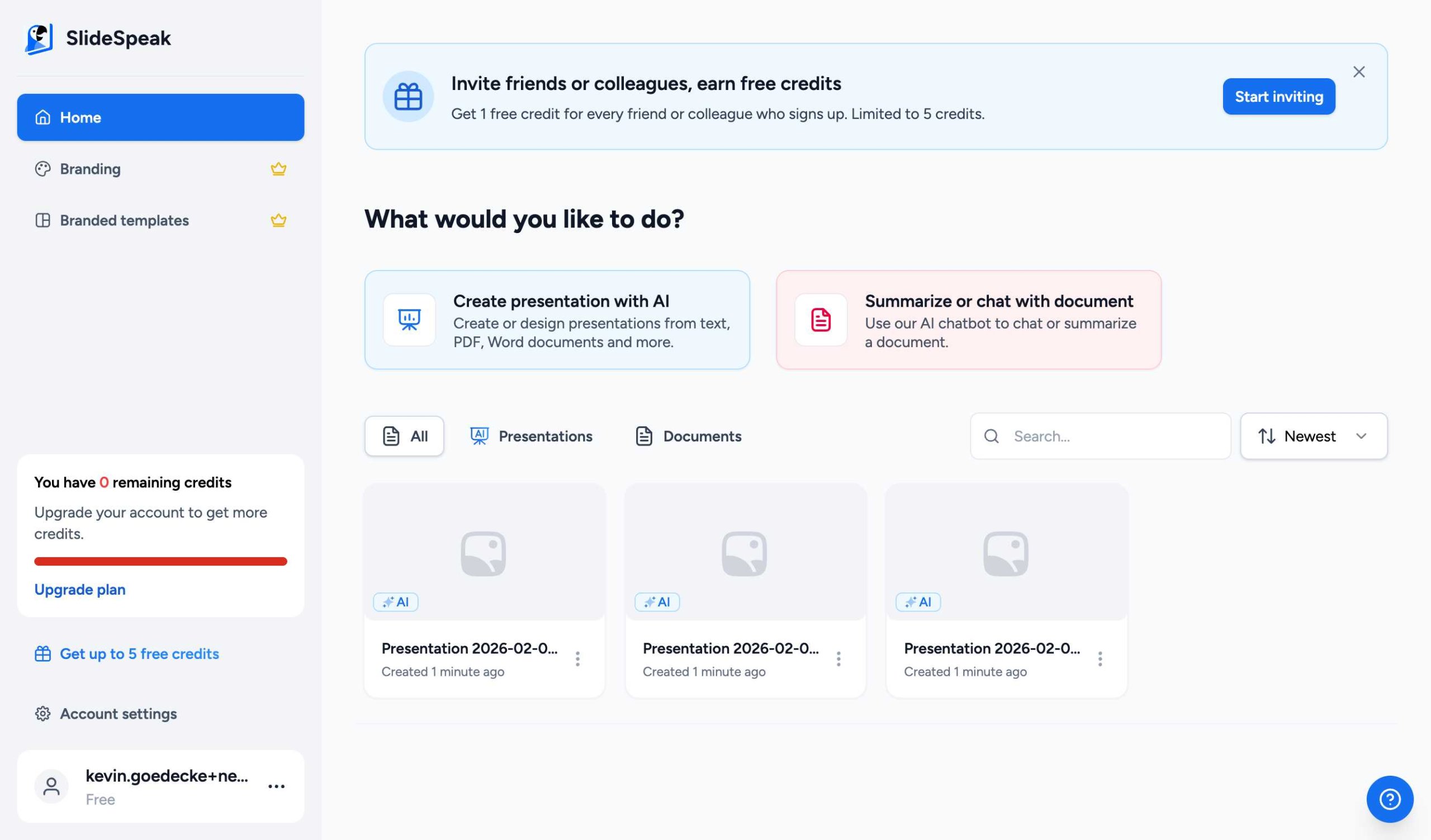
Click on the “Upgrade plan” button. This will open the subscription plans window.
Step 2: Choose Your Plan
In the subscription window, you will see our available plans: Premium and Premium Plus. You can toggle between Monthly and Yearly billing to see the different pricing options.
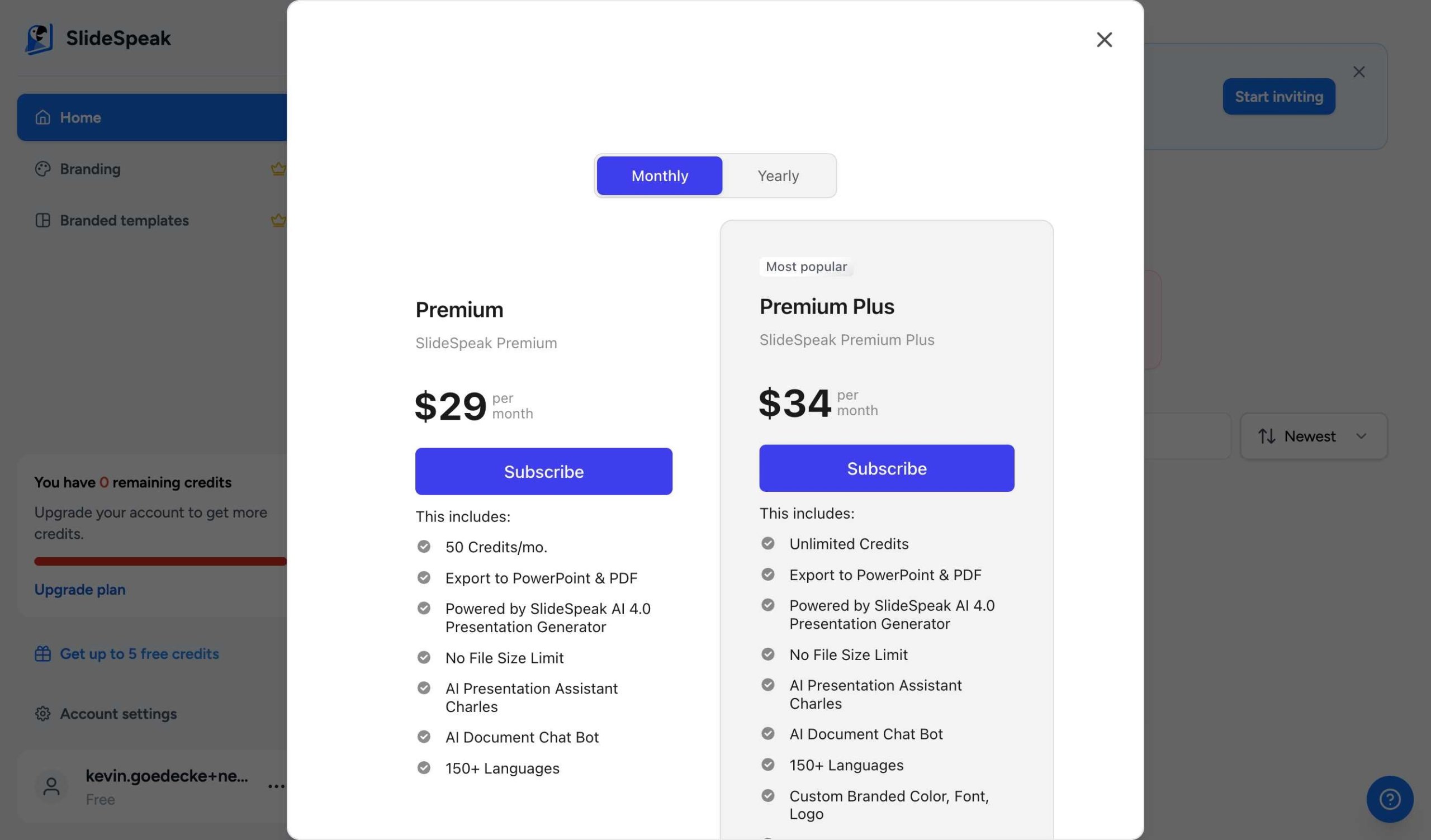
Select the plan that works best for you and click the “Subscribe” button below your chosen plan.
Tip: Yearly plans offer a significant discount compared to monthly subscriptions if you plan to use SlideSpeak long-term!
Step 3: Complete Payment
You will be redirected to our secure payment processor (Stripe). Simply enter your payment details and confirm the subscription.
Once the payment is successful, your account will be upgraded immediately, and you will have access to all your new features!
Need help? If you have any issues during the upgrade process, please contact our support team at support@slidespeak.co.
Need more help?
If you have any questions or need assistance, feel free to contact our support team at support@slidespeak.co