Record your voice once and SlideSpeak generates a natural AI voice clone that narrates every slide for you. Type your script, pick a language, and produce a presentation voiceover in your own voice in minutes.
Trusted by innovative teams across the globe





No recording studio and no voice actors. Type your script, record a short sample, and SlideSpeak narrates your slides in a voice that sounds just like you.
Write the narration for your slides, or generate it with AI straight from your deck. Choose from 20+ languages so your clone can speak to any audience without re-recording.
Read the provided script aloud for about a minute. SlideSpeak captures the tone, pace, and character of your voice to build your personal AI voice clone. A clean, quiet recording gives the best results.
SlideSpeak turns your script into a natural voiceover in your cloned voice and syncs it to each slide. Preview it, tweak any line, then export a presentation video ready to share.
Your AI voice clone reads any script you give it. Update a slide, add a new deck, or launch in another language, and your voice is ready without stepping back into a recording booth.
SlideSpeak learns the tone and rhythm of your voice from a single short sample and reproduces it with natural inflection. The result sounds human and familiar, not robotic, so your narration keeps the personality your audience recognizes.
As we review the data, notice the steady growth trend across all regions.
These results reflect consistent teamwork and strategic focus over time.
Generate voiceovers in Spanish, French, German, Portuguese, and more while keeping your voice. Localize training, sales, and onboarding content for global teams without hiring translators or voice actors for each market.
SlideSpeak AI Voice Engine
Calm
Professional & Authoritative
Confident
Soothing & Clear
Energetic
Dynamic & Engaging
Education
Business
Creative
Most voice cloning tools stop at audio. SlideSpeak takes your cloned narration all the way to a polished presentation video, syncing your voice to slides with clean transitions and exporting an HD MP4 you can publish anywhere.
Once your voice is cloned, you never record again. Write or edit your narration, regenerate a line, or rewrite an entire slide, and your voice clone speaks the new version instantly. Perfect for decks that change often.
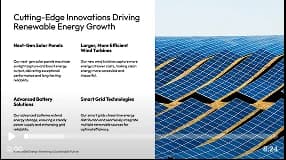
Solar output grew in every region we serve this year.
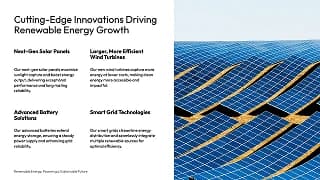
Next-gen panels cut costs while boosting efficiency.
RegenerateSmart grids tie it all together, storing power for when it's needed.
See how a single cloned voice removes hours of recording and re-recording from every presentation.
Recording yourself~2 hours | With voice cloningUnder 5 mins |
|---|---|
Setting up mic and studio20 mins | One clean sample is enoughOnce |
Recording every slide45 mins | Your clone narrates instantly15 secs |
Re-recording mistakes30 mins | Just edit the text5 secs |
Translating for other marketsHours | 20+ languages in your voiceInstant |
Syncing audio to slides25 mins | Auto-synced perfectlyInstant |
Exporting the final video10 mins | Export anywhere instantly15 secs |
See how SlideSpeak stacks up against other voice cloning software and ways to add an AI voice to your presentations.
| Features |  | ElevenLabs | Veed | PowerPoint Desktop |
|---|---|---|---|---|
| Clone your own voice | From a short sample | Included | Paid plans | Not available |
| Narrate slides directly | Synced to slides | Audio only | In editor | Record yourself |
| AI writes the script | From your deck | Bring your own | Included | Write it yourself |
| Languages in your cloned voice | 20+ languages | Included | Included | No AI voices |
| Export a finished video | HD MP4 | Audio only | Included | Export only |
Get answers to the most common questions about cloning your voice and narrating presentations with it.
Record once and let your AI voice clone narrate every slide, in any language, for every deck you build. No studio, no re-recording, no editing skills required.