

The Best ChatGPT Apps for Students in 2026 (What Replaced Plugins)
Written by

Published on
On this page
Updated July 2026. ChatGPT plugins were discontinued in April 2024. They were replaced first by GPTs, and since October 2025 by apps in ChatGPT, which are the closest thing to the old plugin experience. This guide covers the apps, GPTs, and built-in features that matter for students in 2026.
ChatGPT has changed a lot since 2023. Plugins were phased out in early 2024, GPTs took their place, and in October 2025 OpenAI launched apps in ChatGPT: full interactive tools from companies like Quizlet, Coursera, Canva, and Figma that run directly inside your conversation.
This guide walks through the best ChatGPT apps for students, explains how apps differ from GPTs, and covers the built-in features (Study Mode, Projects, Canvas) that make ChatGPT genuinely useful for studying in 2026. We finish with how to get ChatGPT for free or cheap as a student.
Looking for a way to create quizzes and multiple-choice questions to practice with AI? Check out this blog post.
What replaced ChatGPT plugins?
ChatGPT plugins shut down on April 9, 2024. Two things replaced them, in stages:
- GPTs (November 2023): standalone, pre-configured versions of ChatGPT built for a specific purpose, distributed through the GPT Store. Instead of an add-on that connects ChatGPT to an external service mid-conversation, a GPT is a specialized chatbot with its own instructions, knowledge, and capabilities.
- Apps in ChatGPT (October 2025): real applications from third-party companies that run inside your conversation, built on OpenAI’s Apps SDK. Apps are the true successor to plugins: they connect ChatGPT to live external services (your Quizlet account, Canva designs, Coursera courses) and render interactive results right in the chat.
Think of it this way: plugins were add-ons, GPTs are specialist chatbots, and apps are full products embedded in ChatGPT. If you came here looking for the old plugins, apps are what you want today.
What are apps in ChatGPT and how do you use them?
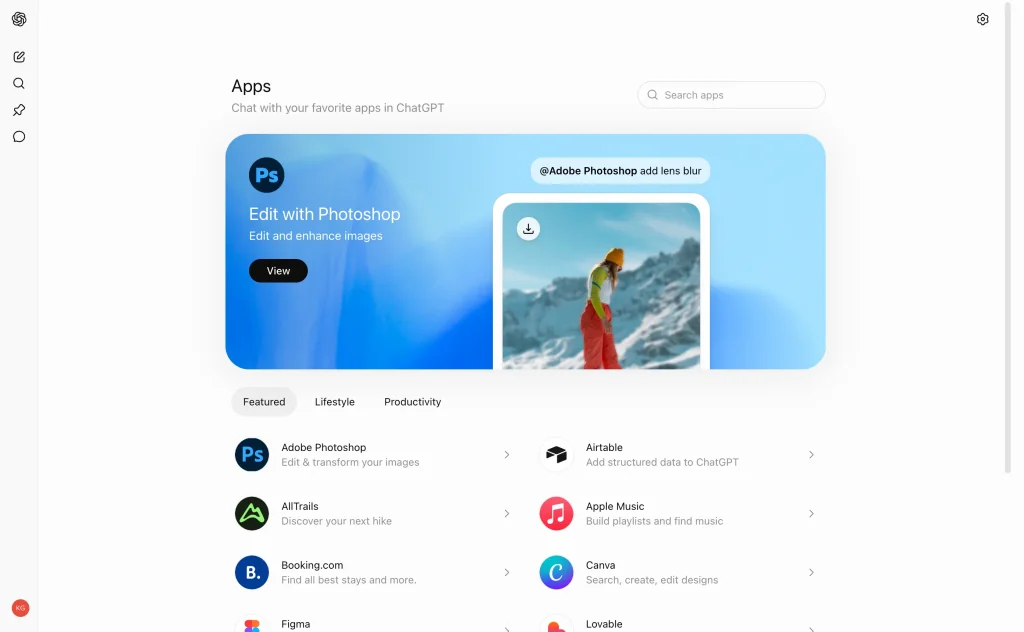
Apps in ChatGPT let you use another company’s product without leaving the conversation. You can ask Canva to design a poster, ask Quizlet to turn your notes into flashcards, or ask Coursera to find you a course, and the app responds with interactive cards, previews, and editors inside the chat.
Using them is simple:
- Browse the directory: open the Apps section in ChatGPT (on web and desktop) and browse or search the directory. It launched in beta but the beta label has since been removed, and new apps are added regularly.
- Connect your account: the first time you use an app, ChatGPT asks you to connect the matching account (your Quizlet or Canva login, for example). You control what each app can access.
- Call the app by name: in any conversation, mention the app in your prompt, for example “Canva, design a 16:9 slide deck about our group project.” ChatGPT can also suggest a relevant app on its own.
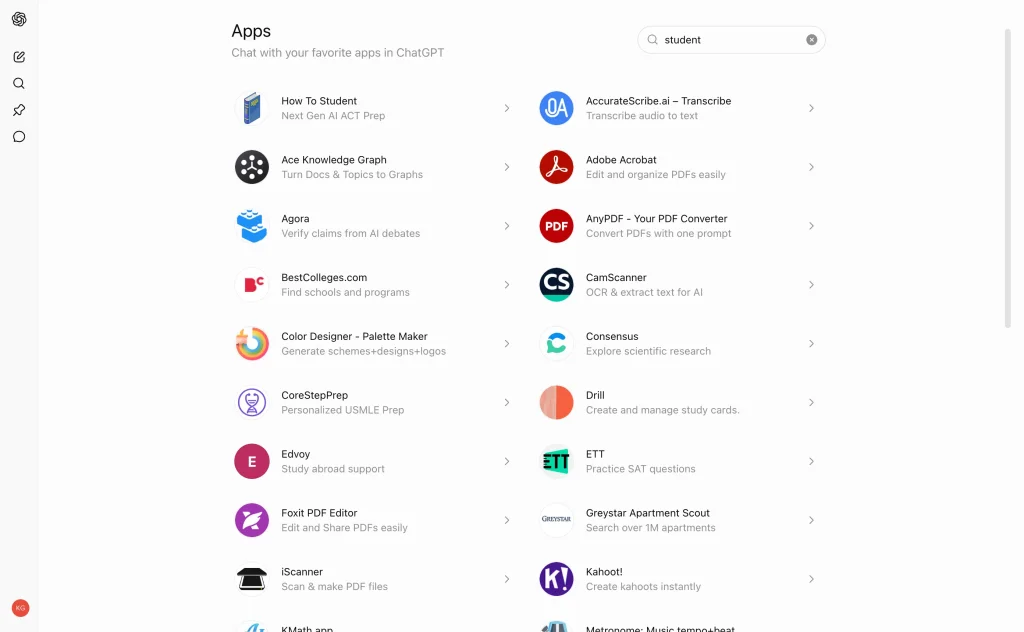
Apps are available to logged-in users on every plan, including the free tier, in most regions. The apps themselves may require their own account, and some features need the app’s paid plan rather than a ChatGPT subscription.
The best ChatGPT apps for students in 2026
The directory has grown to hundreds of apps, from Spotify and Uber to Zillow and Expedia. These are the ones that actually help with studying:
| App | Best for | Cost | Example prompt |
|---|---|---|---|
| Quizlet | Flashcards and practice tests from your notes | Free to start, Plus features paid | “Quizlet, turn these lecture notes into a flashcard set” |
| Coursera | Finding and comparing online courses | Free to browse, courses vary | “Coursera, find an intermediate Python course under 20 hours” |
| Canva | Posters, slide decks, and study visuals | Free plan available | “Canva, design a poster for our study group” |
| Mermaid Chart | Diagrams and flowcharts from a conversation | Free plan available | “Mermaid Chart, turn this outline into a flowchart” |
| Wix | Building a portfolio website | Paid site plans | “Wix, create a portfolio site for a design student” |
| Spotify | Study playlists | Free with ads | “Spotify, make me a focus playlist for deep work” |
Quizlet: flashcards from your conversations
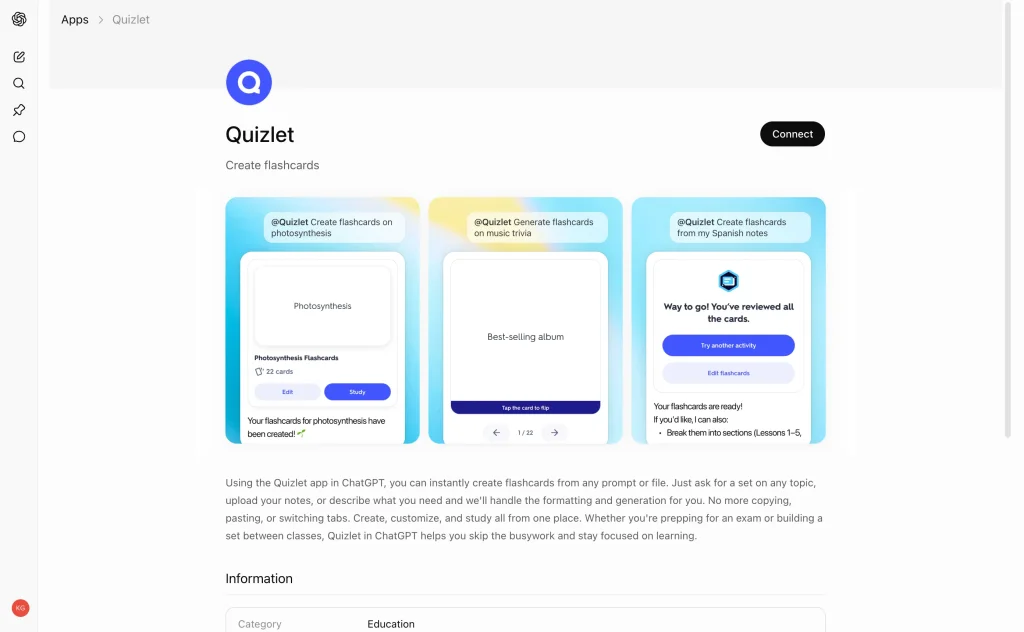
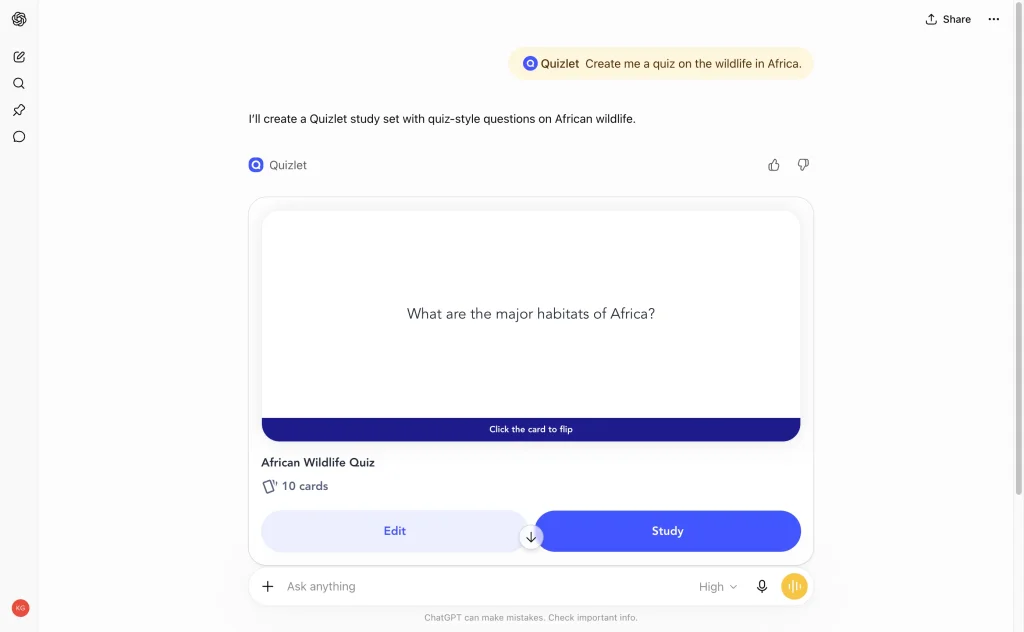
Quizlet’s native app is the standout for students. It converts your ChatGPT conversations, notes, or uploaded documents into flashcard sets and practice tests, and gives you access to Quizlet’s library of millions of existing study sets without leaving the chat. If you are deciding between flashcard tools more broadly, we compared the five best options in our guide to AI flashcard generators.
Coursera: find the right course, then learn alongside it
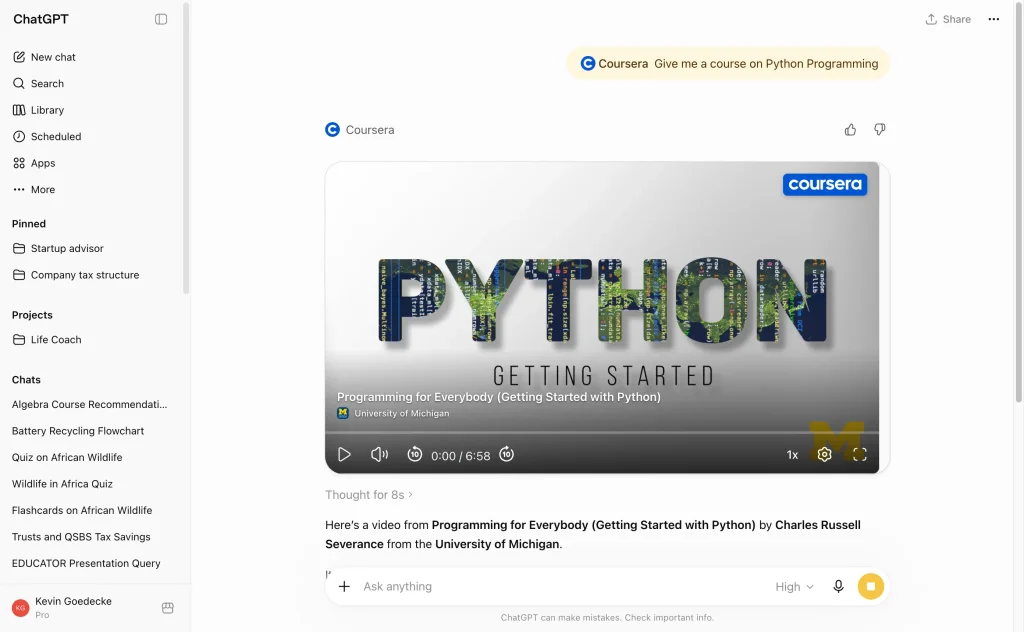
Coursera was one of the first learning partners on the Apps SDK. Ask it to find courses for your level and it compares options by rating, duration, and cost before you enroll. Once you are taking a course, ChatGPT works as a study companion: summarize a lecture you just watched, ask follow-up questions, or get suggestions for what to learn next.
Canva: design without opening Canva
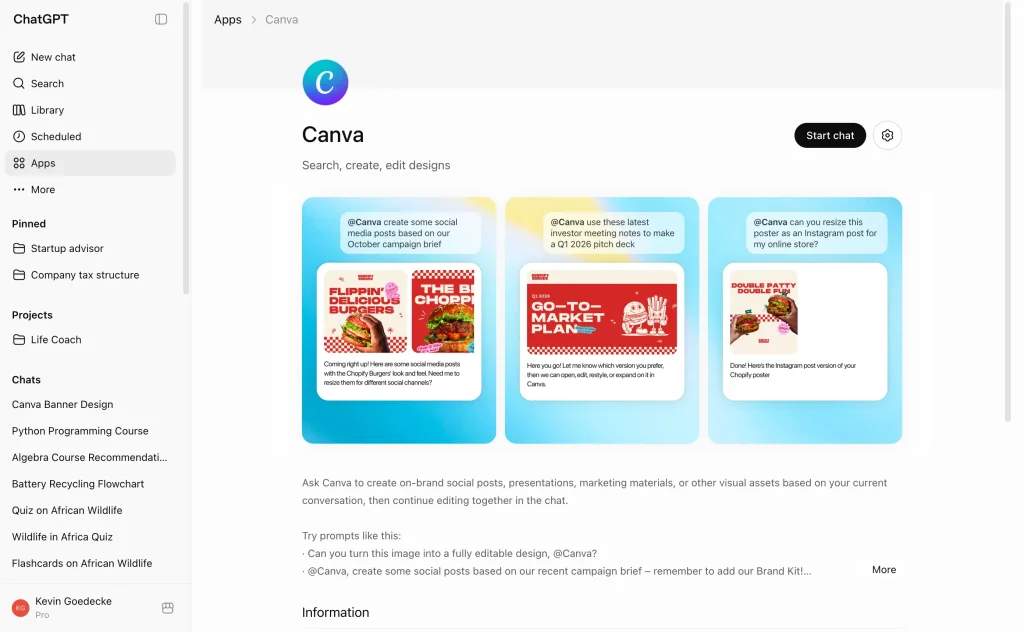
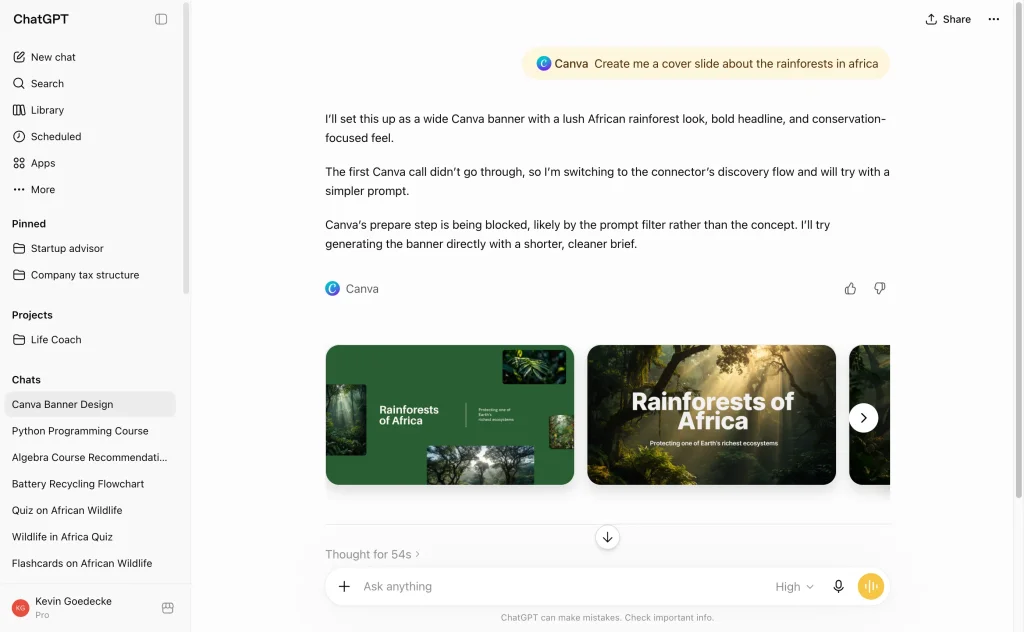
The Canva app turns a prompt into a real, editable design: slide decks, posters, infographics, social graphics. Describe what you need (“a 16:9 slide deck about our Q4 research project”) and you get drafts you can open and polish in Canva. For coursework presentations and event posters, it removes the blank-canvas problem entirely.
Mermaid Chart: turn ideas into diagrams
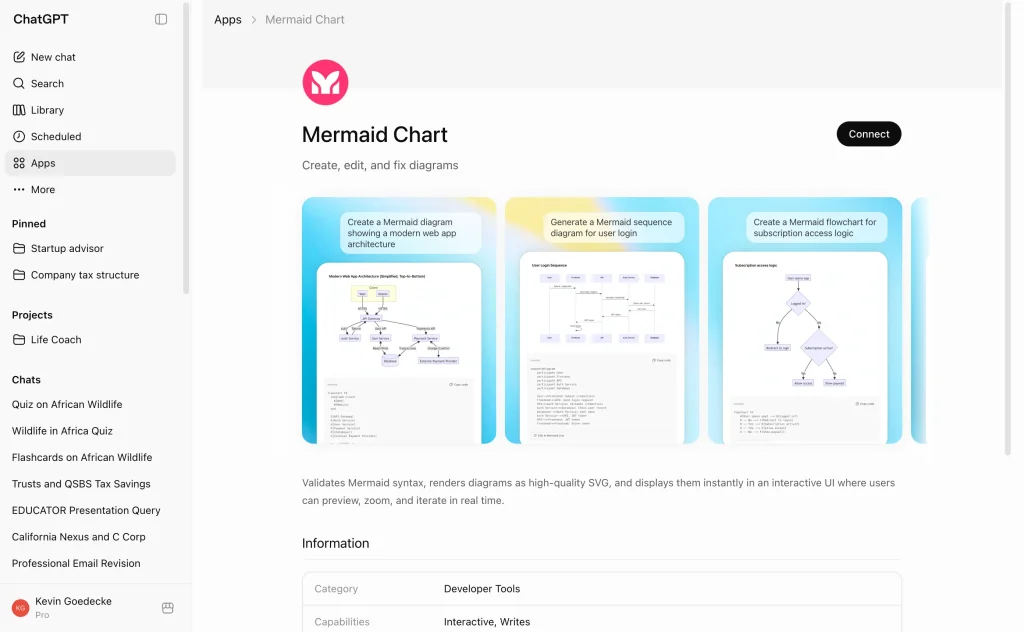
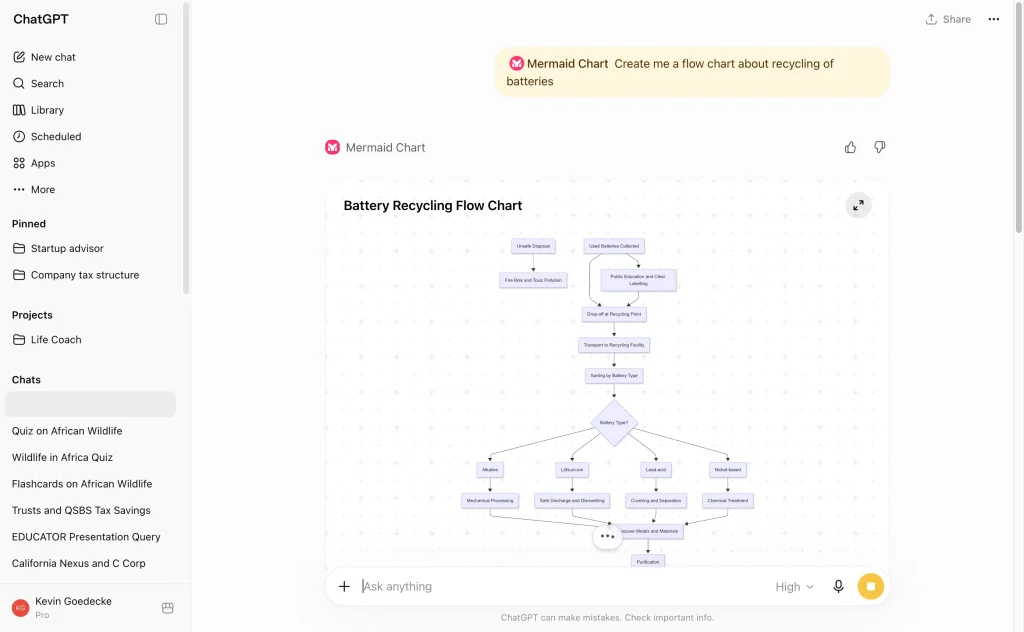
The Mermaid Chart app converts rough ideas from your conversation into proper diagrams: flowcharts, concept maps, sequence diagrams, and process charts you can edit and export. It is especially useful for reports and presentations, the kind of visuals that used to take an hour in a diagramming tool.
More apps worth a look
The directory grows monthly. Wix (added March 2026) can build you a portfolio site from a prompt, which is handy for design and CS students; Figma turns ideas from a conversation into editable design assets; Spotify handles study playlists; Expedia and Booking.com are there when semester break comes around. Browse the directory once and you will find your own staples.
Apps vs GPTs: which should you use?
GPTs did not go away when apps arrived. The rule of thumb: use an app when you want to act on a real external service (create an actual Quizlet set, a real Canva design), and use a GPT when you want a specialist assistant (an academic search tool like Consensus, a math tutor, a citation helper).
We keep a separate, regularly updated list of the best GPTs for students covering Consensus, Wolfram, Scholar GPT, and more.
Core ChatGPT features every student should know about
Apps and GPTs aside, the native ChatGPT features below have been added or improved since 2024. These are built into your account by default.
1. Study mode
OpenAI launched Study Mode in July 2025, built with college students in mind.
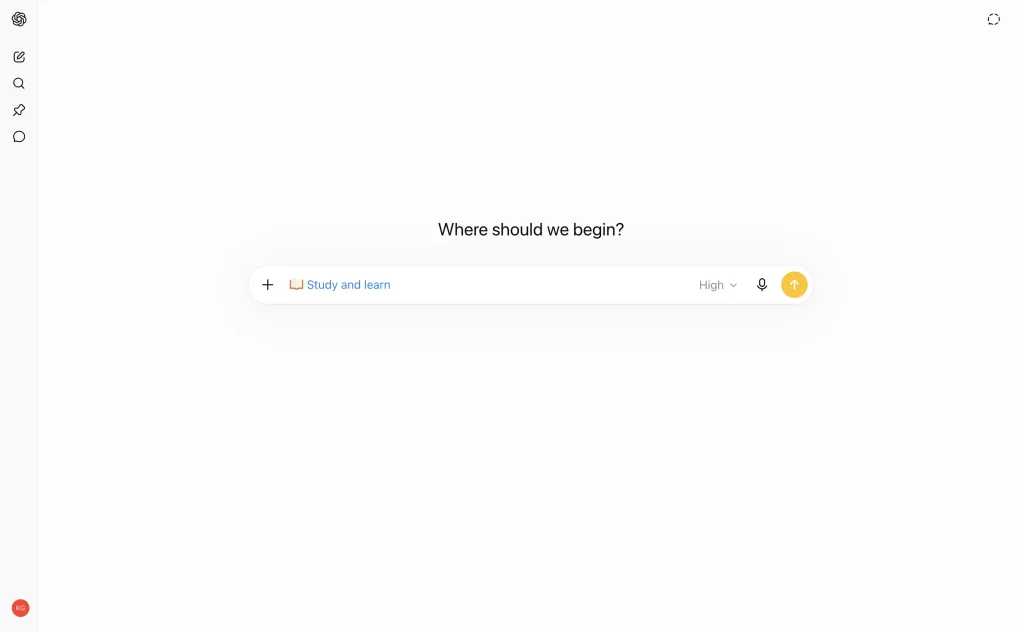
Instead of giving you an answer directly, Study Mode works like a tutor. It asks you questions, checks your understanding, and walks you through concepts step by step. OpenAI developed it with input from teachers, scientists, and pedagogy experts at over 40 institutions.
To access it, select the ‘study and learn’ option from the tools menu in ChatGPT. It is free on all plans, including the free tier.
Students who tested it described it as ’24/7 office hours’ that adapts to your level.
Something to remember: Study Mode is still the same underlying model, so it can occasionally get things wrong. Treat it as a starting point, not the final word on anything.
Explore Study mode in ChatGPT.
2. Canvas and inline writing blocks
Canvas started as a side-by-side writing and coding workspace inside ChatGPT: you wrote on the left and ChatGPT helped on the right. Its role has changed. OpenAI has phased out the dedicated side-by-side interface for newer models (the GPT-5.5 era) and replaced it with inline writing blocks that live directly in your chat.
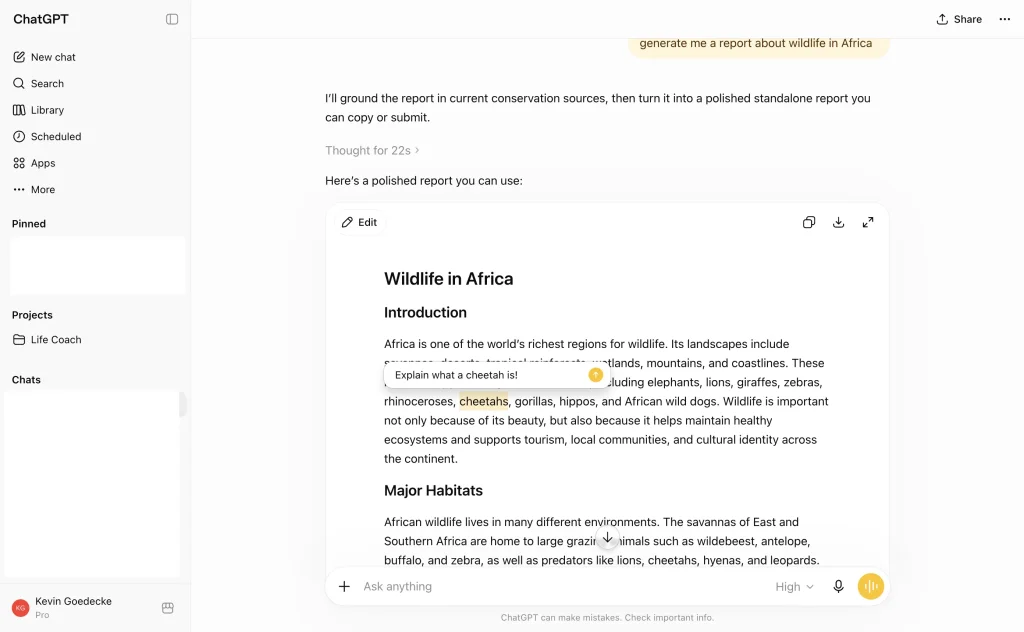
In practice it is the same workflow with less friction. When you ask for an essay draft, a report, or a piece of code, ChatGPT returns it as an editable document block in the conversation. You can select any passage and prompt a targeted change, click Edit to rework the text yourself, or download the finished document.
For students, this remains the best way to write essays, refine arguments, and debug code without the copy-paste back-and-forth of a normal chat.
File and image upload
You can upload PDFs, slide decks, images, spreadsheets, and more directly into a ChatGPT conversation. This is one of the most useful things for students, you can drop in a reading, a problem set, or a photo of a whiteboard and ask ChatGPT to explain, summarize, or work through it with you.
The free plan supports uploads but with some limits. Plus and higher plans get more file capacity and more messages.
Web search
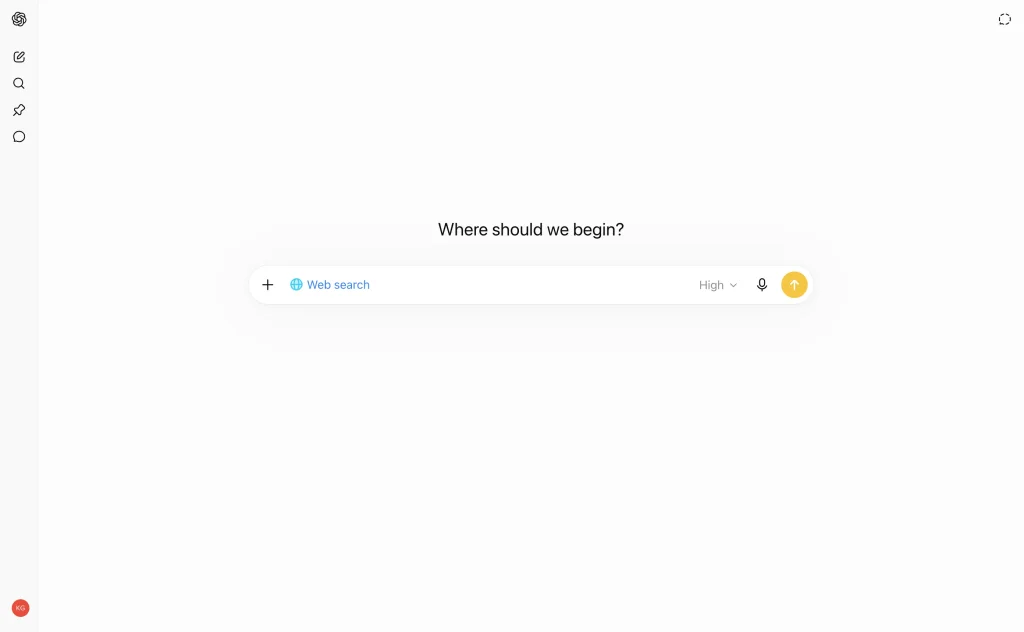
ChatGPT has a built-in web search. When it needs current information (recent research, news, updated statistics), it can pull from the web and cite its sources. Search now runs by default: ChatGPT decides on its own when to look something up as it answers, and you can force a search with the Web search option in the message composer. This makes it more useful for research tasks that require recent material, not just information from the model’s training data.
ChatGPT Projects
‘Projects’ is one of ChatGPT’s most underrated features for students.
Here is how it works: you create a project, say, ‘Molecular Biology Final’, and inside that project, you upload your lecture PDFs, reading lists, and notes.
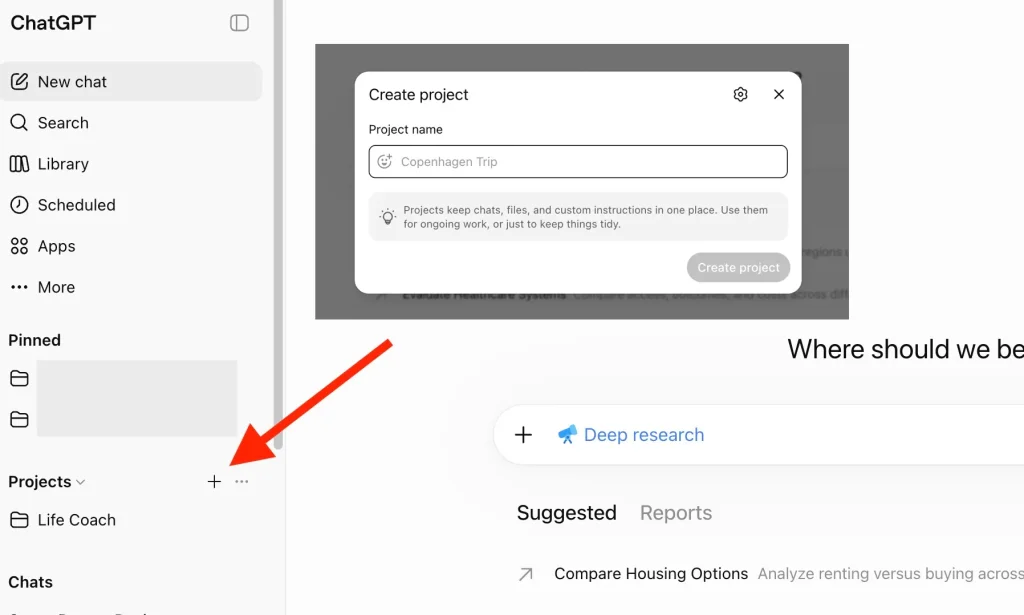
You can also set custom instructions, like ‘I am a second-year biology student. Explain things at an intermediate level.’ Every conversation within that project stays in context.
The result is that ChatGPT does not forget what you covered in the last session. It builds on previous conversations and stays focused on your subject. You can use Study Mode, Canvas, and web search all within a project.
OpenAI’s own documentation even uses an AP Biology study example – AP Biology study guide (as well as Marketing launch plan); attach class PDFs, ask for practice questions using Study Mode.
Read about Projects.
Projects are available on all plans, including the free plan.
Which ChatGPT model should students use?
The o-series reasoning models (o3, o4-mini) that earlier versions of this article covered have been retired. In 2026, ChatGPT runs on the GPT-5 family, and the model picker is much simpler: the standard model answers quickly, and the thinking mode works through hard problems step by step before answering.
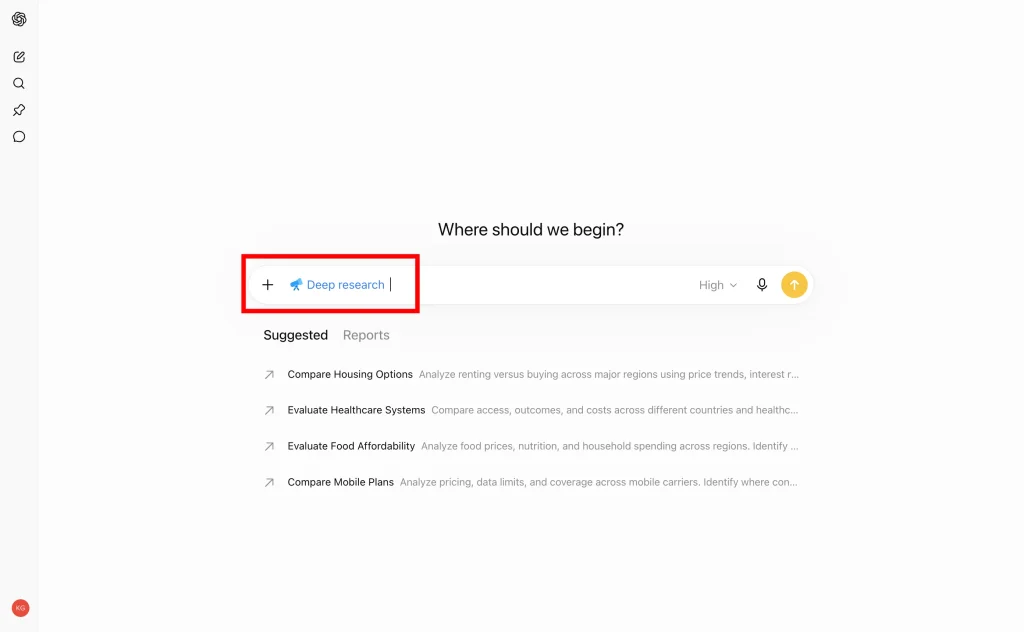
The practical advice for students is unchanged: use the standard model for writing, summarizing, and explaining, and switch to thinking mode for multi-step math, proofs, debugging, and research methodology questions. If you need a literature review, deep research mode can spend several minutes searching and reading sources before writing a cited report.
How to make the best use of and afford ChatGPT as a student
This is worth getting right because a lot of information online is out of date.
ChatGPT Edu: Check your university first
ChatGPT Edu is an enterprise-grade version of ChatGPT that universities can buy for their students and staff. It includes GPT-4o-level capabilities, strong data privacy protections, and customized tools for academic use.
Some universities have already rolled it out at scale. In early 2025, the California State University system deployed ChatGPT Edu to 460,000 students and 60,000 faculty members. Duke University, the University of Maryland, and others have also adopted it. (merlio.app, 2026)
If your university has ChatGPT Edu, you get access free through your institution without any personal subscription. Check your university’s IT or academic resources page, or ask your student services team.
No institutional access? Here are your options
As of July 2026, OpenAI does not offer a permanent global student discount. A limited two-month free trial ran for US and Canadian students in spring 2025 and has not returned. There is a referral program offering one month of Plus at selected universities in Australia and Colombia, and verified university students in the US and Canada can claim $100 in Codex credits (useful if you code).
The current plan options for individuals are:
- Free: covers basic chat, file uploads, Study Mode, Projects, and apps. Limits are tight, and the free tier now shows ads in some countries.
- ChatGPT Go ($8/month): unlimited fast-model messages and much higher limits at less than half the price of Plus. Available in around 98 countries. The best value for most students who outgrow the free plan.
- ChatGPT Plus ($20/month): the full experience with the flagship model at high limits, no ads, plus image generation, deep research, and priority access to new features.
For most students who need more than the free plan, Go is the most cost-effective starting point before committing to Plus. The $100 and $200 Pro tiers are built for professional and research workloads, not coursework.
Many students are already enrolled at universities with ChatGPT Edu access and don’t know it. Before paying for a personal subscription, check with your university’s IT or library services. You might already have access.
FAQ: ChatGPT apps, plugins, and GPTs
Are ChatGPT plugins still available?
No. OpenAI discontinued plugins on April 9, 2024. Old plugin links no longer work. Their functionality lives on in GPTs and, since October 2025, in apps in ChatGPT.
What is the difference between apps in ChatGPT and GPTs?
A GPT is a customized version of ChatGPT with special instructions and knowledge. An app is a third-party product (Quizlet, Canva, Coursera) that runs inside your conversation, connects to your account on that service, and shows interactive results. Apps can take real actions in the external service; GPTs mostly generate answers.
Are apps in ChatGPT free?
The apps directory is available on every ChatGPT plan, including the free tier, for logged-in users. Individual apps may require their own account, and some features depend on the app’s own paid plan rather than your ChatGPT subscription.
What is the best ChatGPT app for studying?
Quizlet, for turning notes and conversations into flashcards and practice tests, with Coursera close behind for structured learning. Combine them with the built-in Study Mode and you have a complete revision workflow. For a comparison of dedicated flashcard tools, see our AI flashcard generator guide.
Can ChatGPT make a PowerPoint presentation?
Yes, with the right integration. On its own, ChatGPT drafts outlines and slide text; to get an actual finished deck, use a presentation tool like SlideSpeak, which turns a prompt or document into a downloadable PowerPoint. We cover every option in our guide to PowerPoint plugins and integrations for ChatGPT.
What is deep research on ChatGPT?
Deep research is a mode where ChatGPT spends several minutes autonomously searching the web, reading sources, and compiling a long, cited report. It is useful for literature reviews and background research. Paid plans get substantially more deep research uses than the free tier.
A few final thoughts
The plugins era is over, and what replaced it is genuinely better: apps for acting on real services like Quizlet and Canva, GPTs for specialist tasks, Projects for managing your study context, Canvas for writing, Study Mode for learning, and thinking mode for the problems that need serious reasoning.
None of these require you to be a power user. Connect one or two apps you already use, set up a project for your current subject, and try Study Mode the next time you hit a wall.
The students getting the most out of ChatGPT right now are not the ones using the most features. They are the ones who picked a handful of the right ones and made them a habit.
Suggestions
If you found this guide helpful, be sure to check out these related posts:
The Best GPTs for Students – Get the most out of ChatGPT


